Chapter 3 Installation and Connection
33
VIDEO SYSTEM OTV-SI
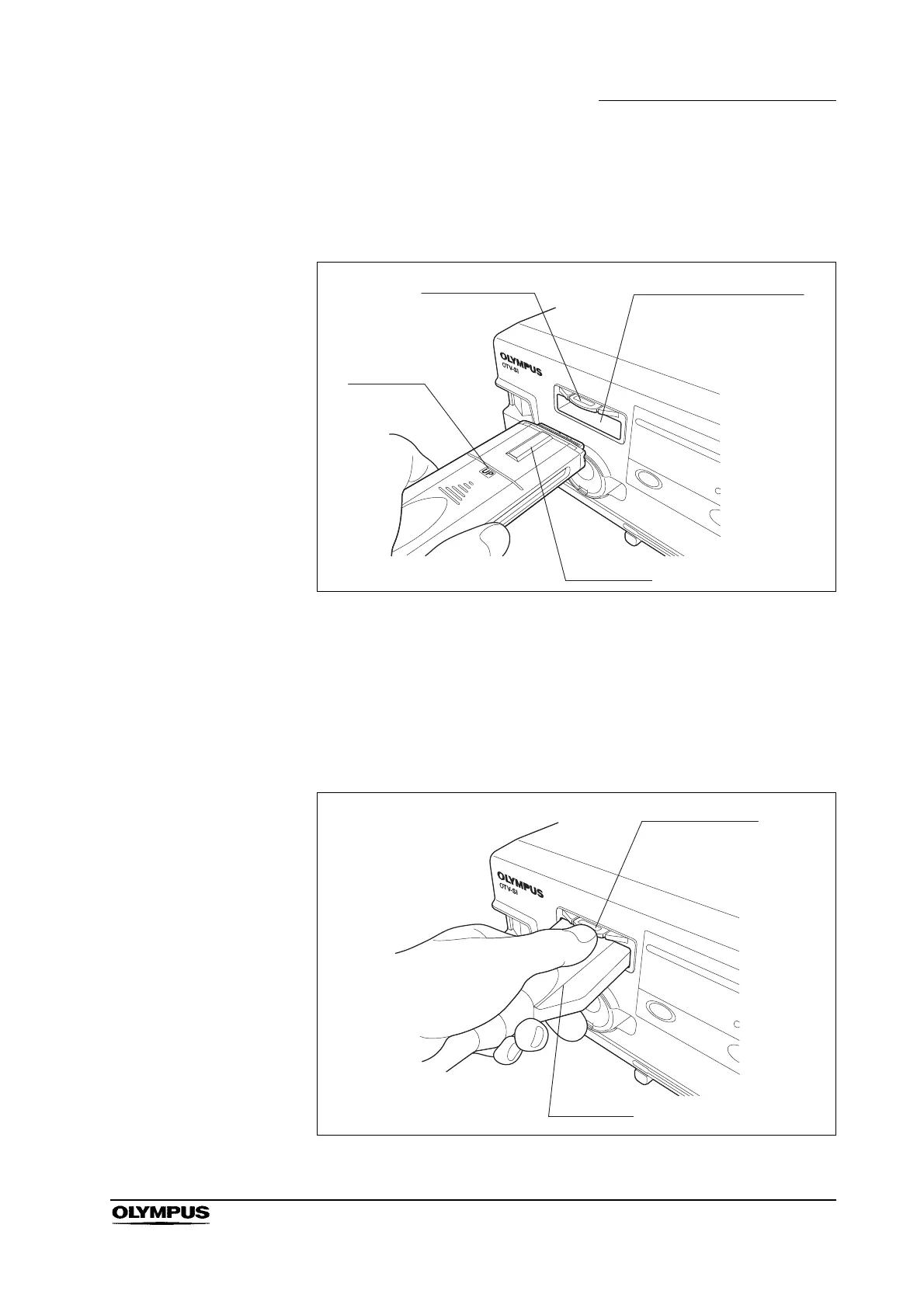
3. Hold the video plug so that the UP mark is facing upward (see Figure 3.4).
Push the video plug into the video connector socket until it clicks (see Figure
3.5).
Figure 3.5
Disconnecting
1.
Turn this instrument OFF.
2. Press the video connector socket’s unlocking lever and pull the video plug
straight out (see Figure 3.6).
Figure 3.6
Video connector socket
Unlocking lever
UP mark
Video plug
Unlocking lever
Video plug



 To Next Page