Chapter 3 Installation and Connection
35
VIDEO SYSTEM OTV-SI
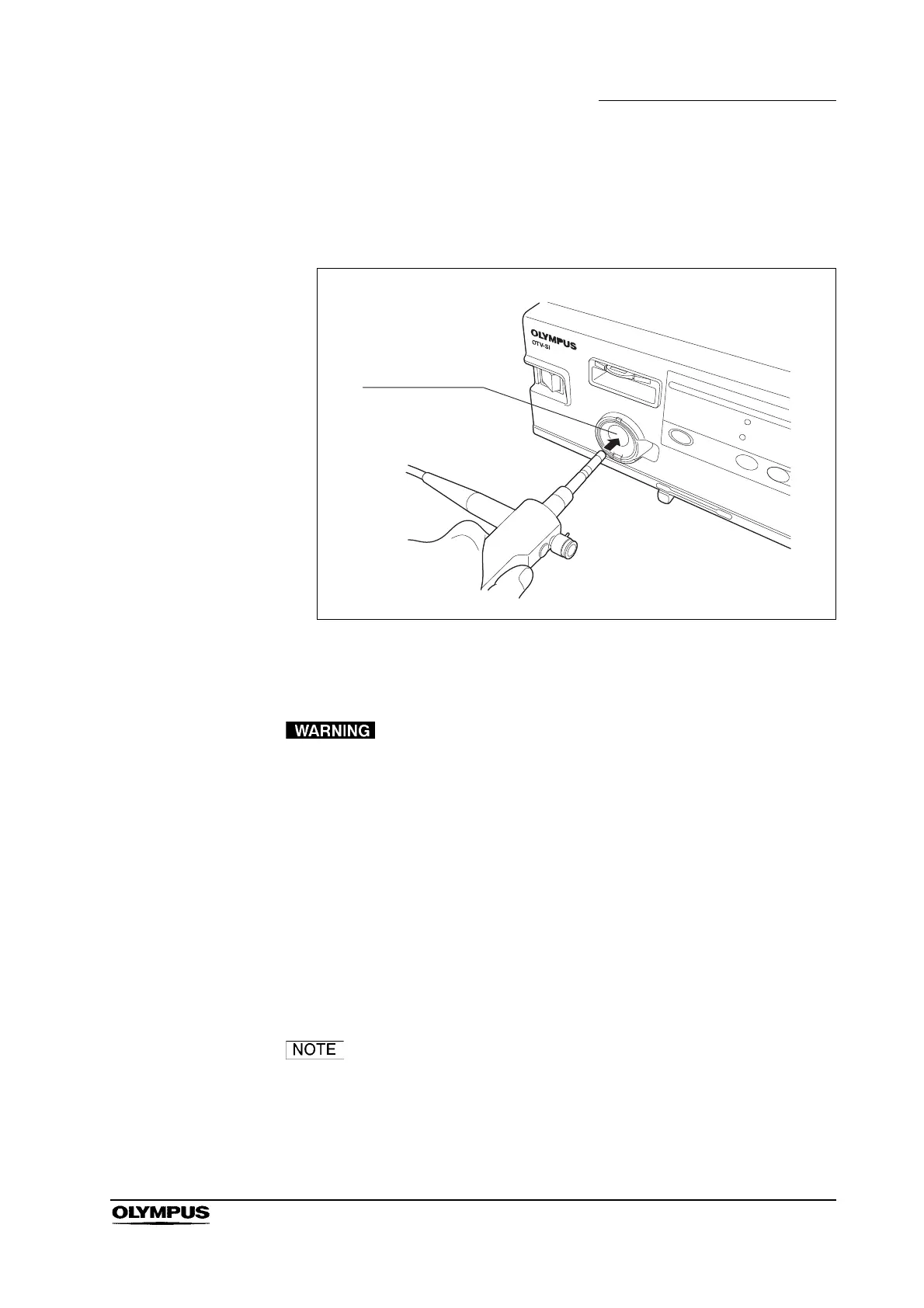
Connection to a videoscope
Insert the light guide plug into the output connector on the front panel of this
instrument until it stops (see Figure 3.7).
Figure 3.7
Connection to a rigid endoscope with a light guide cable
Connect the equipment in the order described below. If
connections are made in the wrong order, the light emitted
from the distal end of the light guide cable may pose the
following risks:
Operator and/or patient injury may result.
Flammable material such as an operating room drape
may be ignited, which can cause a fire.
1. Connect the light guide cable to the rigid endoscope.
2. Insert the light guide plug into the output connector on the front panel of this
instrument until it stops (see Figure 3.8).
Insert the light guide plug first. Then insert the video plug. It is
easy to connect the endoscope without torsion of the cable.



 To Next Page