27
EN
1 Interval Shooting
Adjusts interval settings in the setting menu before selecting Interval
Shooting in O (Scene Mode) to shoot.
Customizing the setting
1
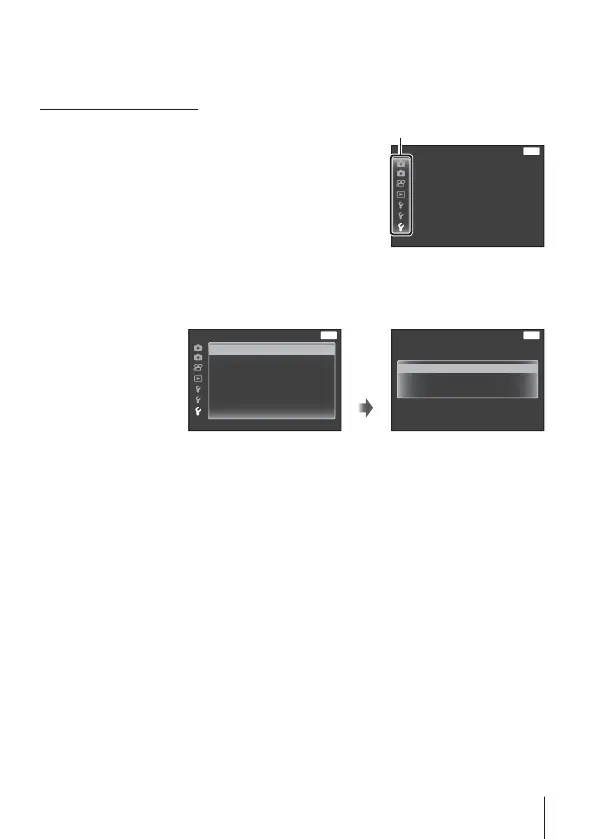
Press the button to display the
menus.
2
Use H (arrow pad) to move to the
page tab, and use FG to select
Setting menu 3 and then press A.
MENU
BackSettings Menu 3
Interval Settings
Level Gauge Settings
Tab
3
Use FG (arrow pad) to select [Interval Settings] and
press A. Then press FG (arrow pad) to select an item and
press A.
MENU
BackSettings Menu 3
Interval Settings
Level Gauge Settings
A
MENU
BackInterval Settings
10
min
sec
Frame
Start Waiting Time
Interval Time
5
30


 To Next Page