28
Working Element W7.074.651
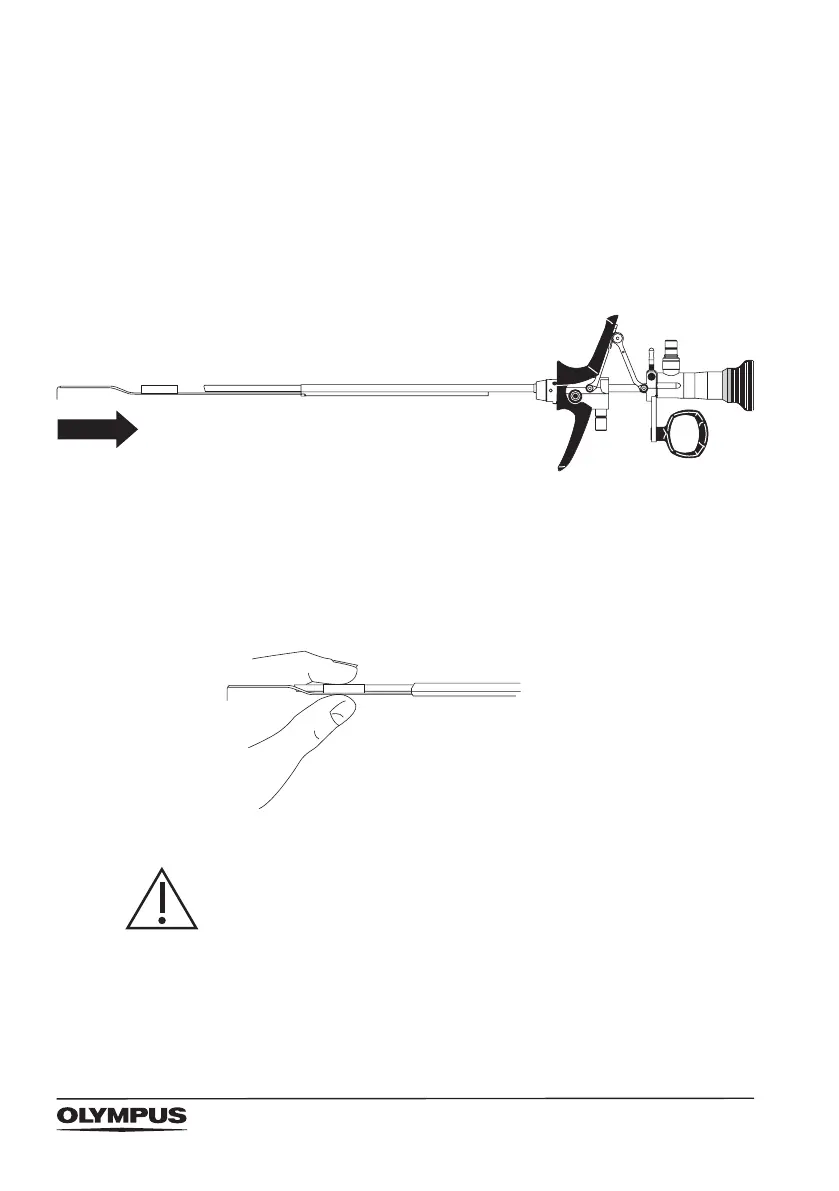
Attach the resection electrode
• Introduce the electrode’s proximal end into the distal
opening of the working element’s electrode guiding tube.
• Advance the electrode into the working element until it
comes to a stop.
Make sure that the telescope is guided through the
electrode’s stabilizing tube. The electrode clicks into
position.
Check locking of electrode
• Grasp the electrode at the stabilizing tube
• Pull in distal direction.
The electrode must be securely xed.
CAUTION!
Risk of damaging the instrument
When checking the locking of the electrode, make sure not
to pull too forcefully. Otherwise the electrode’s stabilizing
tube may be damaged.



 To Next Page