29
Working ElementW7.074.651
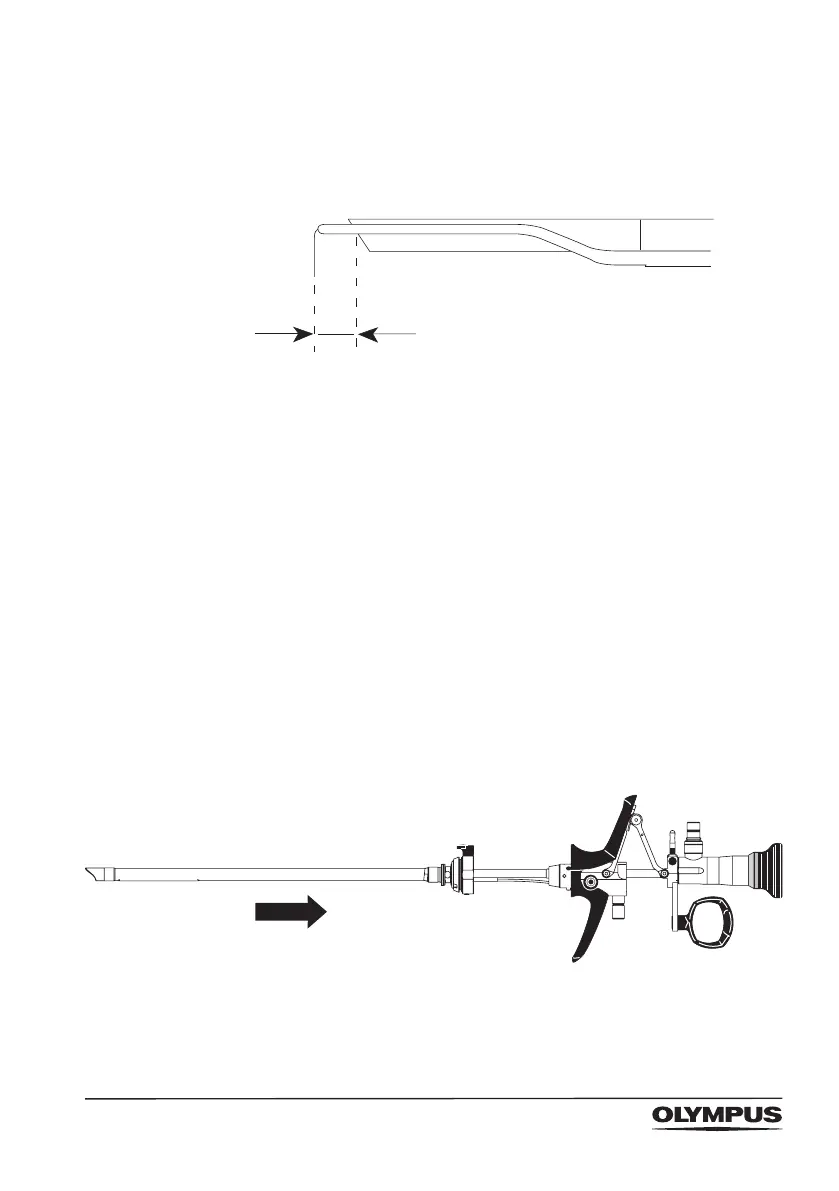
Check position of electrode
• Make sure the distance between the electrode’s
noninsulated distal tip and the telescope is at least 2 mm.
• If the distance is not at least 2 mm, replace the electrode.
Insert the sheath
• Insert a compatible sheath into the urethra/the canal of
the cervix.
• Follow the directions in the sheath’s instruction manual.
Insert the working element
• Press the resection sheath’s release knob, and remove
the obturator from the resection sheath.
• Insert the working element and telescope into the
resection sheath.
• Make sure that the arrow on the working element’s
locking cone is aligned with the resection sheath’s
release knob.
• Press the working element’s locking cone into the
resection sheath’s automatic locking ring.



 To Next Page