<2)
Setting
the
date
and
time
The date and time is saved with each image and
is
used in the file name. If the date and time
are not set, the
[<2)] screen
is
displayed each time the camera
is
turned on.
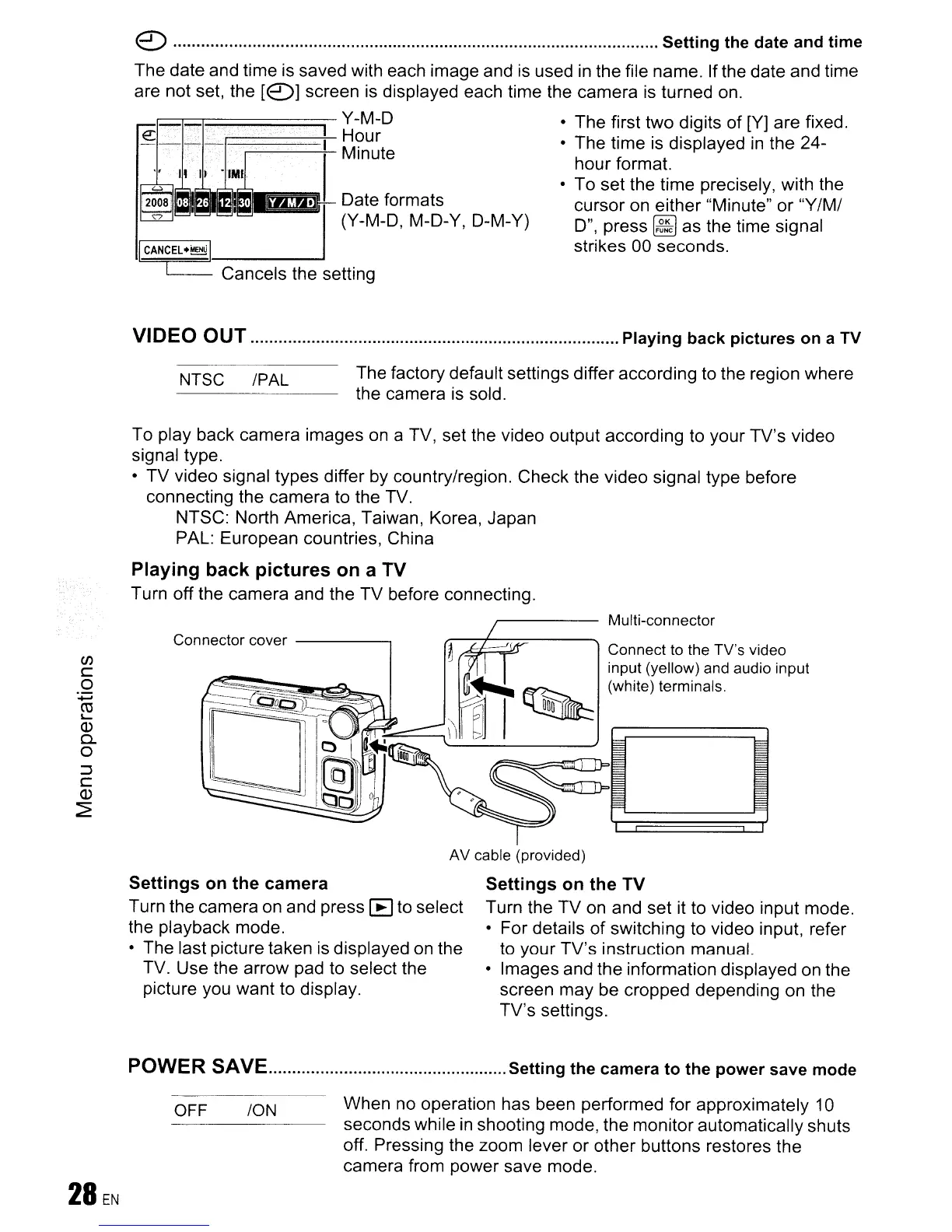
FB;::::::::::::=:::::=====' Y-M-D • The first two digits
of
[V] are fixed.
e:_--F=;::====t=
MH?ur
t
• The time is displayed
in
the 24-
InU
e hour format.
• To set the time precisely, with the
cursor on either "Minute"
or
"Y/M/
D",
press~
as the time signal
strikes 00 seconds.
NTSC IPAL
VIDEO OUT
Playing
back
pictures
on
a TV
The factory default settings differ according to the region where
the camera
is
sold.
To play back camera images on a TV, set the video output according to your TV's video
signal type.
•
TV
video signal types differ by country/region. Check the video signal type before
connecting the camera to the TV.
NTSC: North America, Taiwan, Korea, Japan
PAL: European countries, China
Playing
back
pictures
on
a TV
Turn off the camera and the TV before connecting.
~----
Multi-connector
(f)
c
o
~
ro
L...
Q.)
c..
o
~
c
Q.)
~
Connector cover
------,
Connect to the TV's video
input (yellow) and audio input
(white) terminals.
AV cable (provided)
Settings
on
the
camera
Turn the camera on and press [E] to select
the playback mode.
• The last picture taken is displayed on the
TV. Use the arrow pad to select the
picture you want to display.
Settings
on
the
TV
Turn the
TV
on and set it to video input mode.
• For details of switching to video input, refer
to your TV's instruction manual.
• Images and the information displayed on the
screen may be cropped depending on the
TV's settings.
ION
OFF
POWER SAVE
Setting
the
camera
to
the
power
save
mode
When no operation has been performed for approximately 10
seconds while
in
shooting mode, the monitor automatically shuts
off. Pressing the zoom lever
or
other buttons restores the
camera from power save mode.









 To Next Page