To
disconnect
the
camera
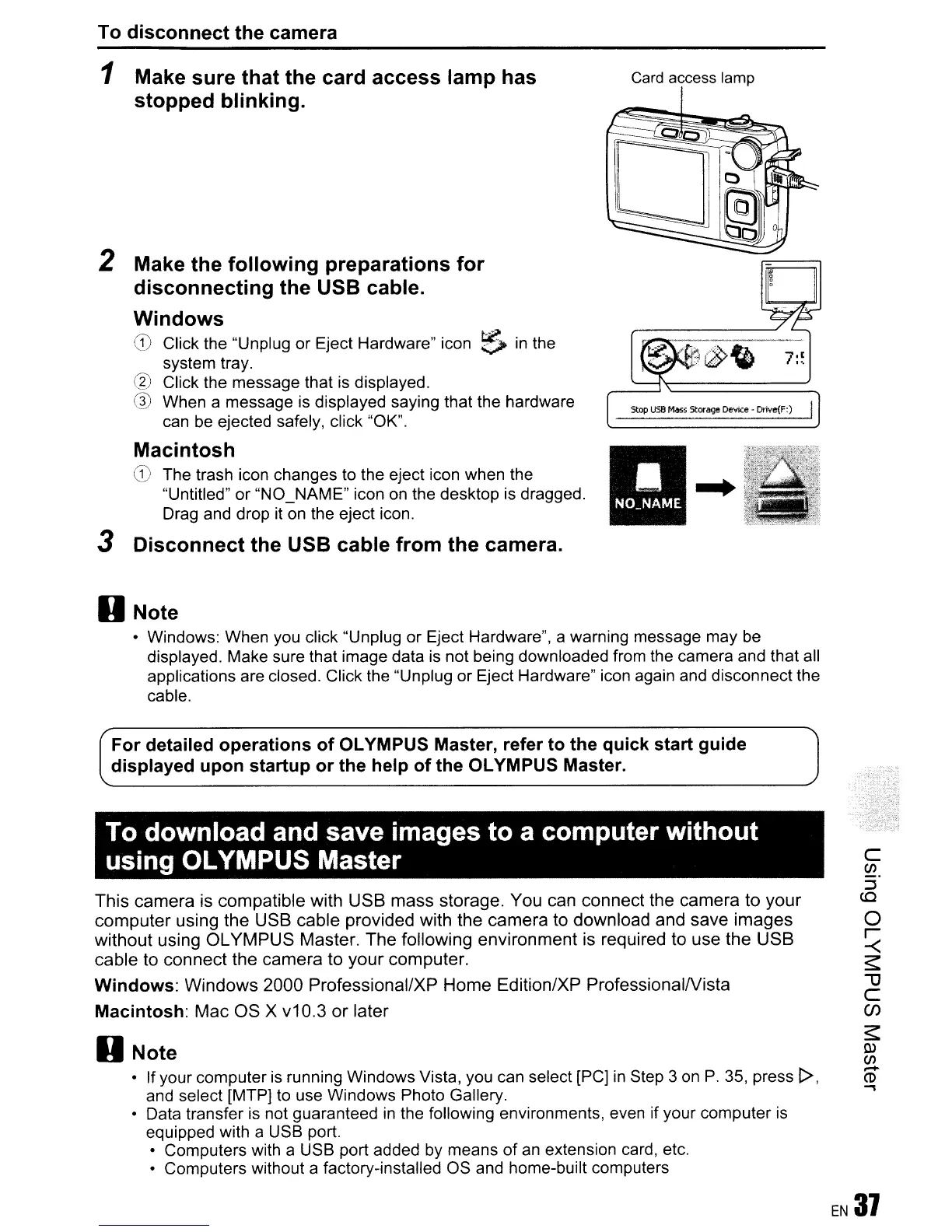
1 Make sure that the card access lamp has
stopped blinking.
2 Make the following preparations for
disconnecting the USB cable.
Windows
,~
~.
o Click the "Unplug or Eject Hardware" icon 0
In
the
system tray.
@ Click the message that
is
displayed.
G)
When a message
is
displayed saying that the hardware
can
be
ejected safely, click "OK".
Macintosh
CD
The trash icon changes to the eject icon when the
"Untitled"
or
"NO_NAME" icon on the desktop is dragged.
Drag and drop it on the eject icon.
3 Disconnect the USB cable from the camera.
Card access lamp
Stop
usa
Mass
Storage
Device
- Drive(F:)
......
..
D Note
• Windows: When you click "Unplug or Eject Hardware", a warning message may be
displayed. Make sure that image data
is
not being downloaded from the camera and that all
applications are closed. Click the "Unplug or Eject Hardware" icon again and disconnect the
cable.
For
detailed operations of OLYMPUS Master, refer to the quick start guide I
displayed upon startup or the help of the OLYMPUS Master.
To download and save images to a computer without
using OLYMPUS Master
This camera
is
compatible with USB mass storage. You can connect the camera to your
computer using the USB cable provided with the camera to download and save images
without using OLYMPUS Master. The following environment is required to use the USB
cable to connect the camera to your computer.
Windows: Windows 2000 Professional/XP Home Edition/XP ProfessionalNista
Macintosh: Mac OS X v10.3 or later
D Note
• If your computer
is
running Windows Vista, you can select [PC]
in
Step 3
on
P.
35, press
1>,
and select [MTPj to use Windows Photo Gallery.
• Data transfer
is
not guaranteed
in
the following environments, even if your computer
is
equipped with a USB port.
• Computers with a USB port added by means of
an
extension card, etc.
• Computers without a factory-installed OS and home-built computers









 To Next Page