Prepare the camera
a.
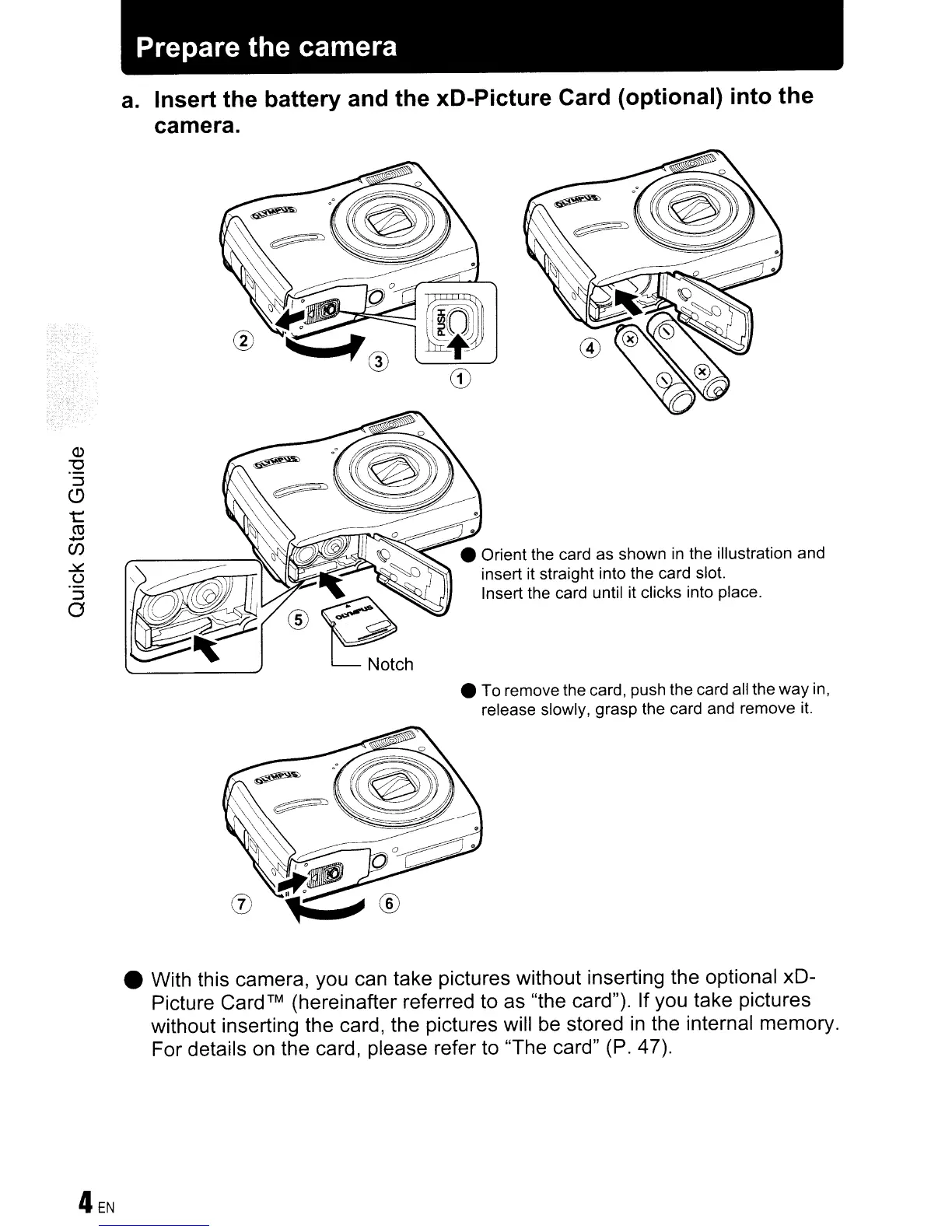
Insert the battery and the xD-Picture Card (optional) into the
camera.
• To remove the card, push the card all the
way
in,
release slowly, grasp the card and remove it.
• With this camera, you can take pictures without inserting the optional xD-
Picture
Card™
(hereinafter referred to as "the card"). If you take pictures
without inserting the card, the pictures will
be
stored
in
the internal memory.
For details on the card, please refer to
'The
card" (P. 47).









 To Next Page