Turn the camera
on
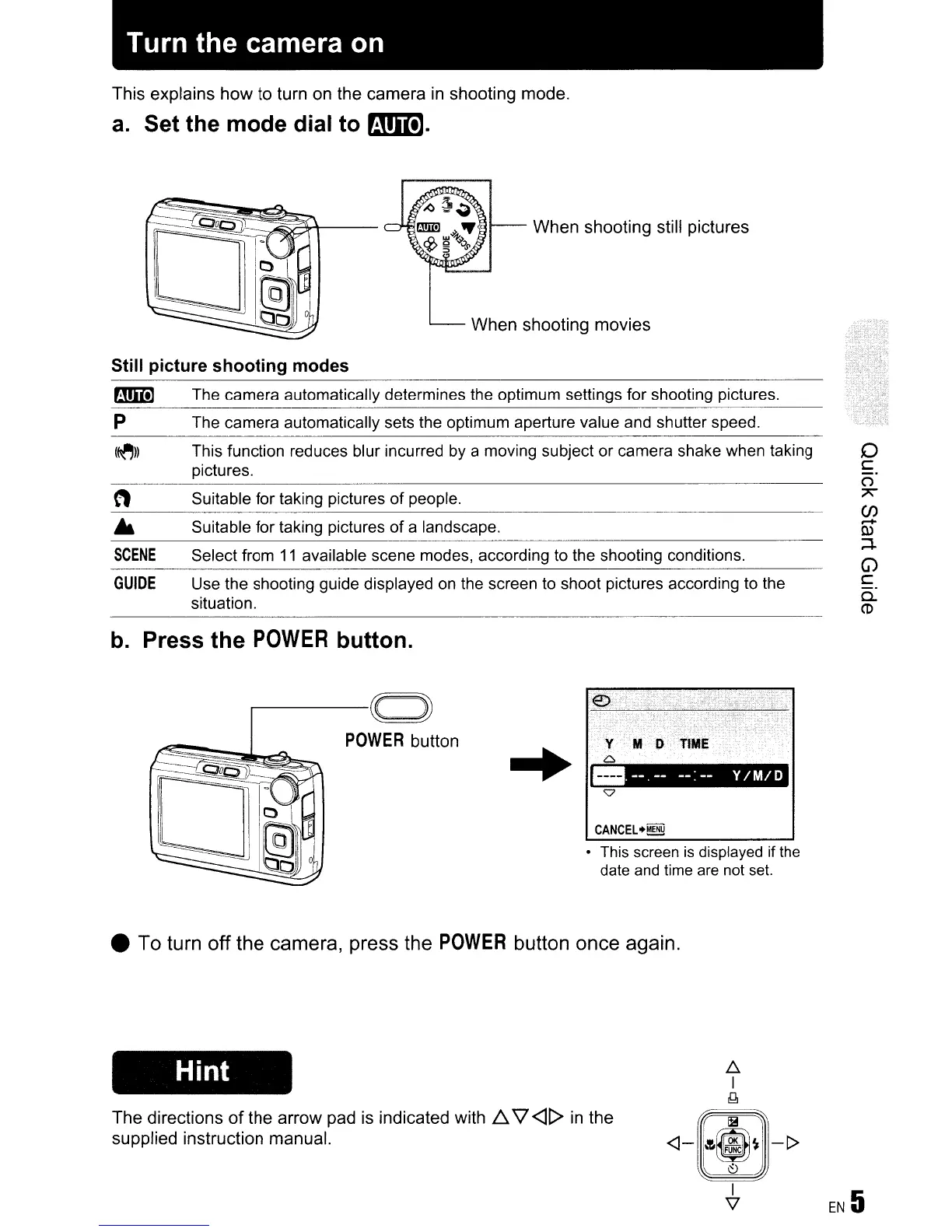
This explains how to turn on the camera
in
shooting mode.
a.
Set the mode dial to
mmJ.
Still picture shooting modes
o
c
()
7'
(f)
.....
tl>
;+
G)
C
Q.
CD
1Ol1--
When shooting still pictures
When shooting movies
Suitable for taking pictures of people.
Select from
11
available scene modes, according to the shooting conditions.
Suitable for taking pictures
of
a landscape.
Use the shooting guide displayed
on
the screen to shoot pictures according to the
situation.
(~))
This function reduces blur incurred by a moving subject or camera shake when taking
pictures.
SCENE
P The camera automatically sets the optimum aperture value and shutter speed.
rJm!] The camera automatically determines the optimum settings for shooting pictures.
GUIDE
b.
Press the
POWER
button.
r-----~c=~
POWER
button
..
•.
--
.
--
--:
--
Y/ M
/0
CANCEL.~
• This screen
is
displayed if the
date and time are
not set.
• To turn off the camera, press the
POWER
button once again.
Hint
The directions
of
the arrow pad
is
indicated with
D..
'l
<]t>
in
the
supplied instruction manual.
~
I
lJJ
Ii!
<]-
·~m~
-t>
~
I
EN
5
v









 To Next Page