39
3
EN
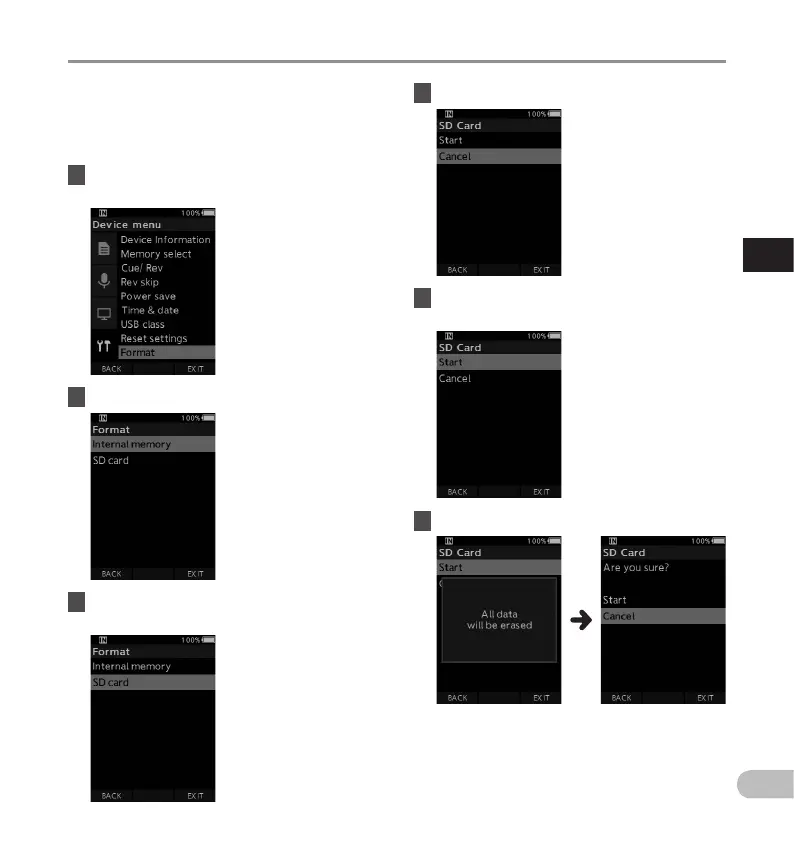
Formatting the memory card [Format]
Memory cards that have been used in devices
manufactured by other companies, or memory
cards that are not recognized by the recorder, must
be formatted before they can be used with the
recorder.
1 Select [Format] at the [Device menu]
screen.
2 Press the OK/MENU or X button.
3 Press the + or – button to select [SD
card] option.
Formatting the memory card [Format]
4 Press the OK/MENU or X button.
5 Press the + button to select [Start]
option.
6 Press the OK/MENU button.



 To Next Page