2
22
EN
Playback
3
1
2
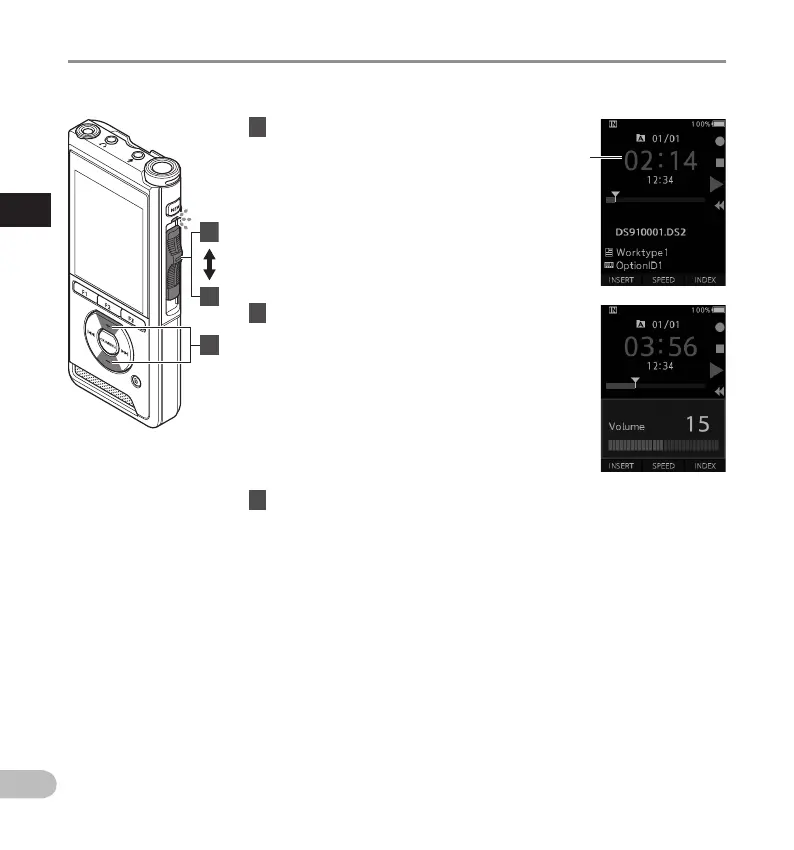
You can playback a file starting from any point.
1 Select the file, then move the slide
switch to the PLAY (M) position to start
playback.
• The LED indicator lights in green.
a
Elapsed playback time
2 Press the + or – button to adjust the
volume.
• The volume can be adjusted within a range
from [00] to [30].
3 Move the slide switch to the STOP (
n
)
position at any point you want to stop
the playback.
Playback
a



 To Next Page