FM TRANSMITTER
TR EM 1000 HE DIG PLUS COMPACT
Technical Manual 1v2 November 2019 39
function of the modulating signal, the modulation sensitivity must be set via the MPX SENS
submenu, from the main SETUP menu.
In addition, the bar indicator graphically shows the last parameter indicated.
This screen shows the most important parameters; as such, it is normally the one displayed
during normal use of the transmitter.
In order to avoid saving accidental settings, when the SETUP has been accessed but no
operation performed within a certain period of time, the device will automatically exit the
SETUP menu and enter the VIEW menu, selecting the sub-menu STATUS.
To adjust the output power, go to the sub-menu POWER under the SETUP menu.
- L/R sub-menu
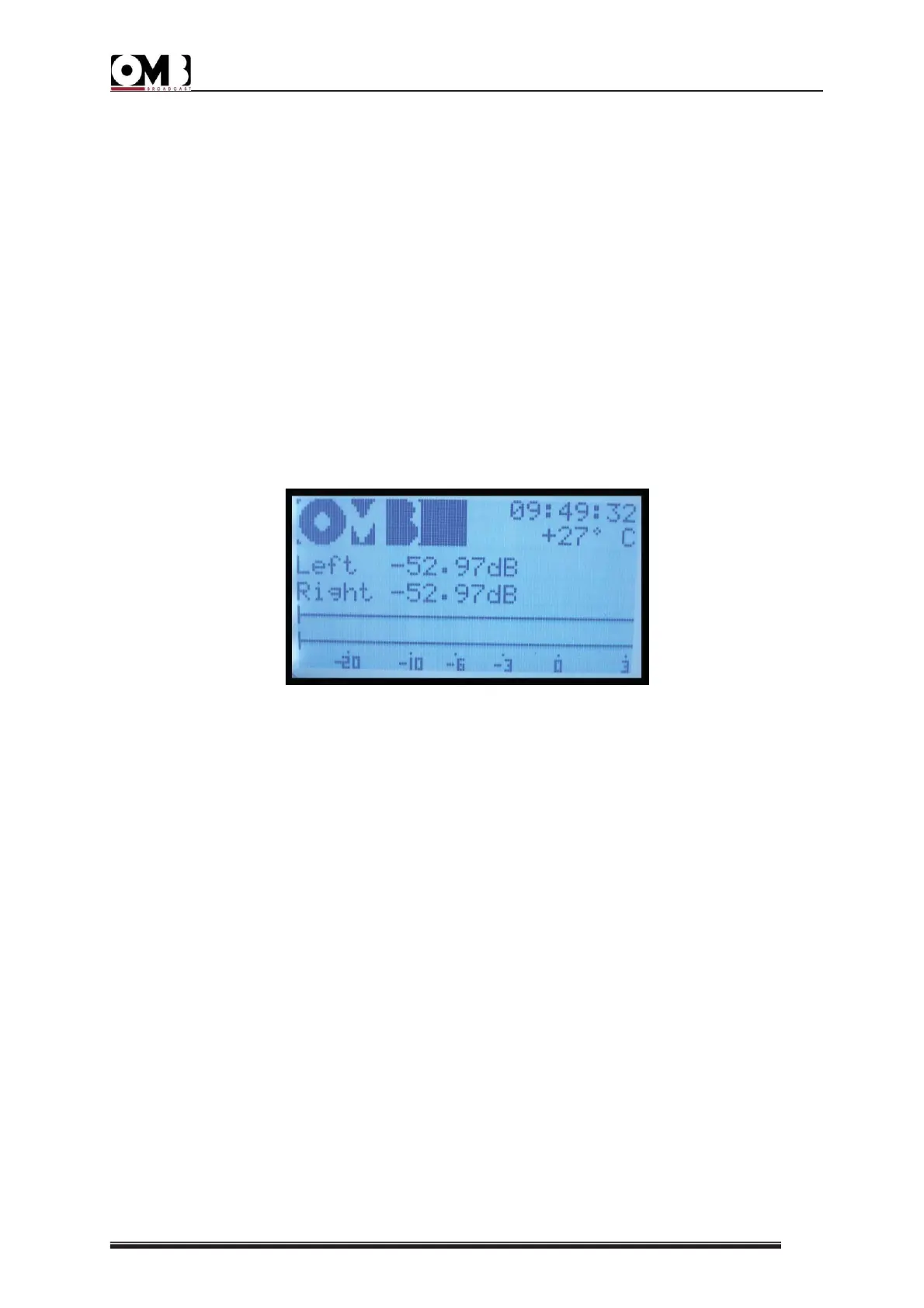
The screen for this sub-menu is used to monitor total peak modulation. It shows the following
items:
• Left (left channel) – the current level of the left modulating signal, expressed in dB, against
the nominal level (in the example, -52.97dB).
• Right (right channel) – the current level of the right modulating signal, expressed in dB,
against the nominal level (in the example, -52.97dB).
In addition, the bar indicators graphically show the two parameters indicated above (peak
value).
Depending on the setting made in the SETUP menu, the modulation level can also be viewed
via this screen, which indicates a solo or a multiplex channel (which share the same channel).
Adjustments can be made to the nominal modulation level via the SETUP menu.
- AUX sub-menu
The screen for this sub-menu shows the modulation level for the Aux RDS/SCA signal:


 To Next Page