8
DMAN-xxxx-xx (Rev x.x)
www.omnexcontrols.com
call toll free: 1-800-663-8806
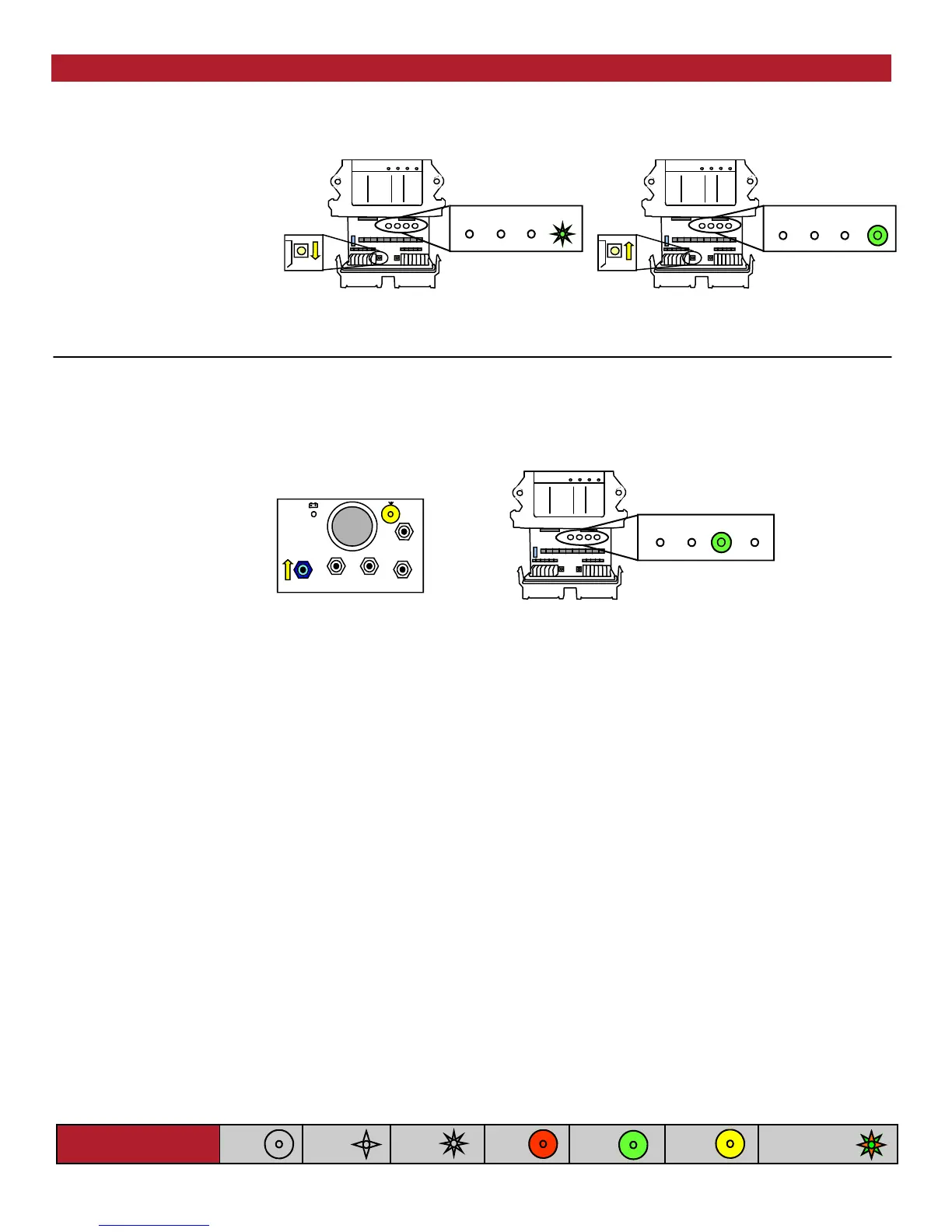
NOTE: If left idle in Setup Mode for over 30 seconds, the receiver will time out. The (Link) light and (Status) light will flash RED rap-
idly. To return to Setup Mode, repeat step 4.
A. Press & hold [Setup] button
until (Status) light goes from
slow flash to fast flash
B. Release [Setup] button.
(Status) light goes to solid
GREEN, (Link) light turns off
ESTOP
FAULT LINK
STATUS
Setup
Button
A.
ESTOP
FAULT LINK
STATUS
Setup
Button
B.
5. Download ID Code
A.
ESTOP
FAULT LINK
STATUS
4. Put R160 into Setup Mode
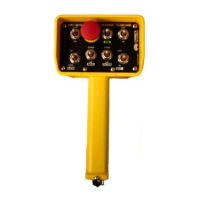
A. Press [SW-5] switch UP
B. (Link) light goes to GREEN.
Once complete, (Link) light
goes to RED as the trans-
mitter turns off
B.
NOTE: When replacing the receiver cover, ensure the cover snaps completely into place to create a weather proof seal around the base
of the receiver.
Light Legend
Solid
Slow
Flash
Fast
Flash
Red
Light
Green
Light
Alternating Red
& Green Light
Yellow
Light
Download ID Code
(Use in case of Link Test failure)
NOTE:
When downloading a new ID to a receiver, a safety feature requires that the transmitter be in close proximity to the receiver. This will pre-
vent a transmitter from accidentally reprogramming a different receiver in the area.


 To Next Page