Chapter-2: Getting To Know Your Omnia.11
The Omnia.11 User Interface
Now that your Omnia.11 is rack-mounted, connected to a program audio source, and turned on, you’re ready to
learn how to operate it! This chapter covers the front panel touch screen user interface, your window into the
Omnia.11 processor.
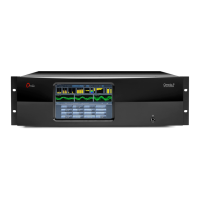
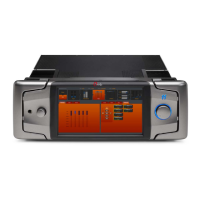
The large front panel full-color LCD touch screen along with a jog-wheel, make up the primary Omnia.11 User
Interface:
Omnia.11 Key Front Panel Features
Headphone Jack Headphone Level Control Jog Wheel
Icon Buttons Tabs
Touch Screen LCD Display Metering Area Menu Area
Sub-Group Buttons
Headphone Level Control
A standard ¼" TRS stereo headphone jack is located at the left side of the front panel and allows the processed audio
signal to be monitored. The Headphone volume level control is physically located to the right of the headphone jack.
The headphone amplifier itself is a high-headroom design and is driven by its own high quality D/A converter that is
independent of the analog XLR outputs. Therefore level changes in either output will not affect the other.


 To Next Page