Page 3 of 15
Page 2 of 15
1. Introduction
Thank you for choosing Omnilux CLEAR™.
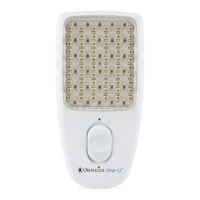
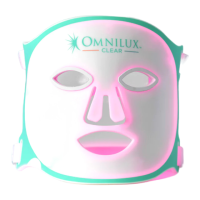
The Omnilux CLEAR LED device emits light in the red and blue region of
the light spectrum and is indicated for the treatment of mild to moderate
acne vulgaris on the face.
(See “Who should use Omnilux CLEAR” section 2 - page 4, for more
information about how to tell if you have mild to moderate acne and if
Omnilux CLEAR is right for you).
Users of this device can obtain benefit from using it only if they read and
comprehend all information in the User Guide.
You must follow all the instructions in the User Guide.
Please feel free to contact us if you have any comments about Omnilux
CLEAR or this User Guide.
Before using the Omnilux CLEAR device, you must carry out a sensitization
test and wait 6 hours. (see section 6.3 - page 9).
Contents
Page Number
Section Header
1. Introduction
2. Who should use Omnilux CLEAR™?
3. Device description
3.1 Intended use
4. When should Omnilux CLEAR NOT be used? 4.1
Contraindications, warning, and precautions
5. Risks and benefits
5.1 Potential risks
5.2 Potential benefits
6. First time setup
6.1 Unpacking and charging your Omnilux CLEAR
6.2 Connecting Omnilux CLEAR to the controller
6.3 Sensitization test
7. Using the Omnilux CLEAR device
7.1 Treatment recommendations
7.2 Wearing the Omnilux CLEAR device
7.3 Carrying out a treatment
8. Care and maintenance
8.1 Cleaning the Omnilux CLEAR device
8.2 Disposal
8.3 Troubleshooting
9. Labeling
10. Recycling
11. Technical specifications
12. Explanation of symbols
13. Warranty
3
4
5
6
6
9
9
9
9
10
10
10
10
11
11
11
12
12
12
13
15
5
13
8
8
8


 To Next Page