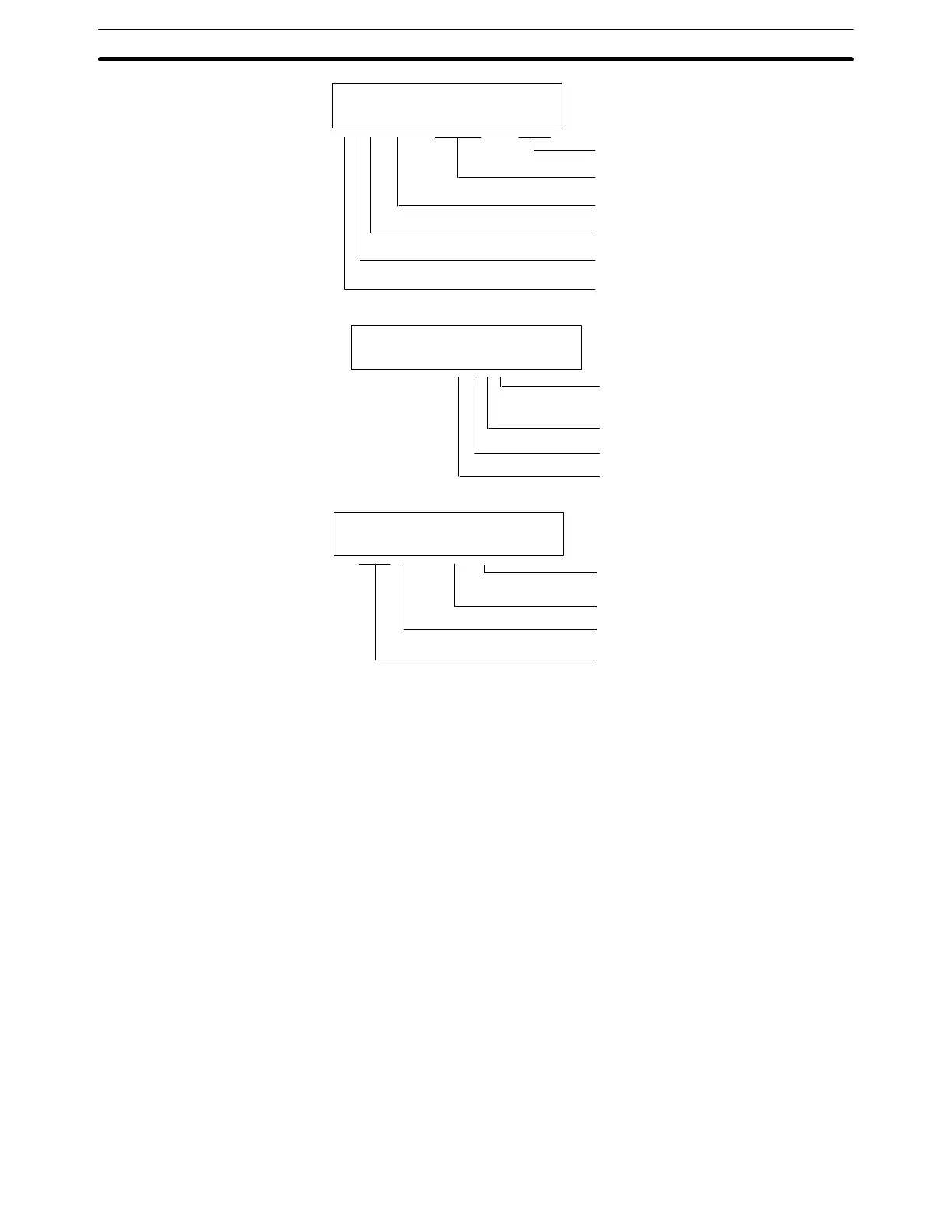
101
I/O word number
I/O type: I, O
i, o (see tables on previous page)
Unit number (0 to 9)
Remote I/O Slave Unit number (0 to 4)
Remote I/O Master Unit number (0 or 1)
Indicates a Remote I/O Rack
00000IOTBL READ
R**Ć*U=**** ***
Unit number (0 to F)
Indicates Group-2 HIgh-density I/O Unit
00000IOTBL READ
*Ć*U=#***
2: 2 words (32 points)
4: 4 words (64 points)
I: Input Unit
O: Output Unit
I/O word number (200 to 231)
I/O type: I (input), O (output), or
W (input/output)
Remote I/O Master Unit number (0 to 1)
Word (H: leftmost 8 bits; L: rightmost 8 bits)
00000IOTBL READ
2**HU=R*Ć*
4-6-8 Clearing the I/O Table
The I/O Table Clear operation is used to delete the contents of the I/O table that
is currently registered in the CPU Unit memory. The PC will be set for operation
based on the I/O Units mounted when the I/O Table Clear operation is per-
formed.
The I/O Table Clear operation will reset all Special I/O Units and Link Units
mounted at the time. Do not perform the I/O Table Clear operation when a Host
Link Unit, PC Link Unit, Remote I/O Master Unit, High-speed Counter Unit, Posi-
tion Control Unit, or other Special I/O Unit is in operation.
Note This operation can be performed only in PROGRAM mode with the write-protec-
tion switch (pin 1 of the CPU Unit’s DIP switch) set to OFF (OFF=“WRITE”).
Remote I/O Slave Racks
Group-2 HIgh-density I/O
Units
Optical I/O Units and
Remote Terminals
Preparation for Operation Section 4-6





 To Next Page