400
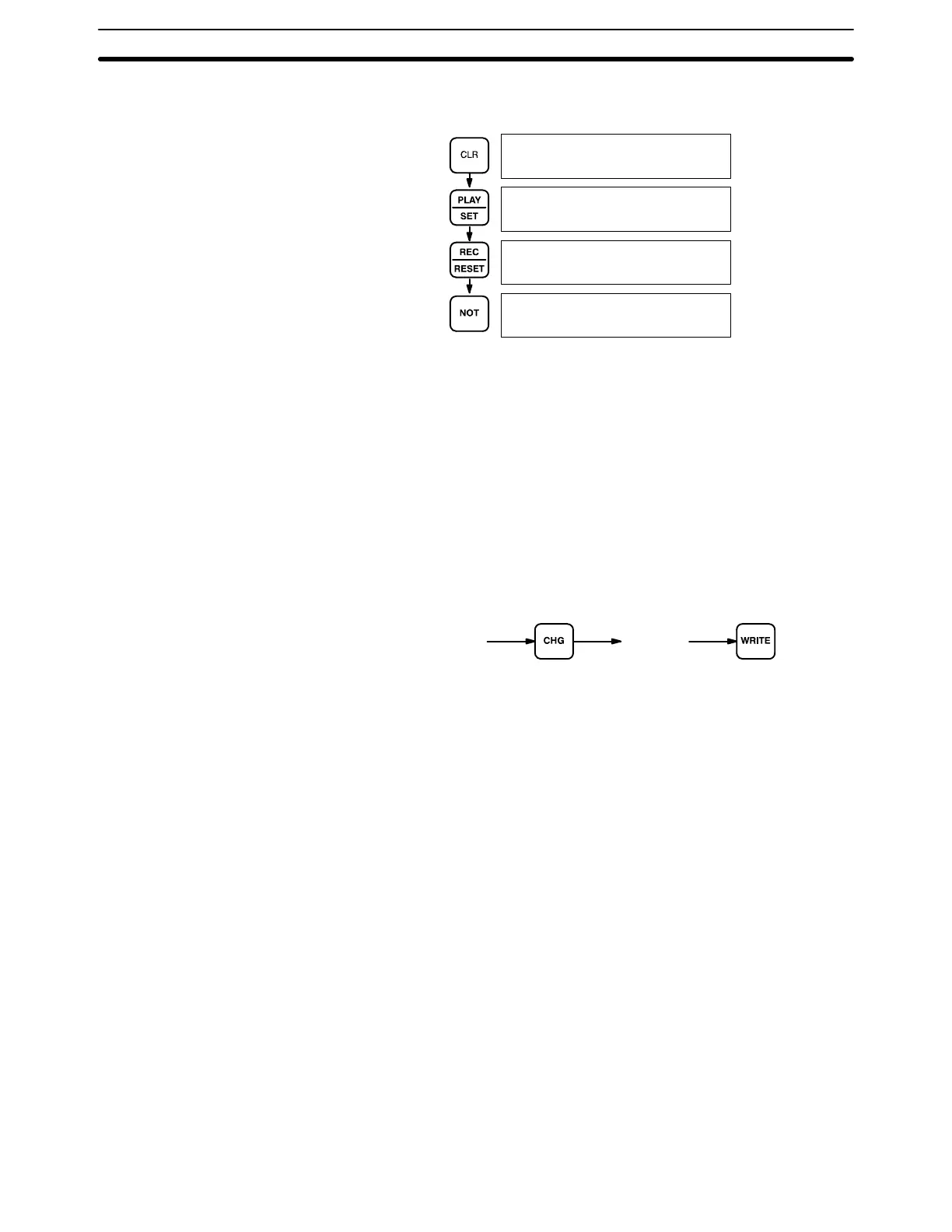
Example The following example shows the displays that appear when Restore Status is
carried out normally.
00000
00000
00000FORCE RELE?
00000FORCE RELE
END
7-2-4 Hexadecimal/BCD Data Modification
When the Bit/Digit Monitor operation is being performed and a BCD or hexadeci-
mal value is leftmost on the display, CHG can be input to change the value. SR
words cannot be changed.
If a timer or counter is leftmost on the display, the PV will be displayed and will be
the value changed. See 7-2-13 Changing Timer/Counter SV for the procedure to
change SV. PV can be changed in MONITOR mode only when the timer or
counter is operating.
To change contents of the leftmost word address, press CHG, input the desired
value, and press WRITE
Key Sequence
Word currently
monitored on
left of display.
[ Data ]
Programming Console Operations Section 7-2





 To Next Page