How to Install and Replace Batteries
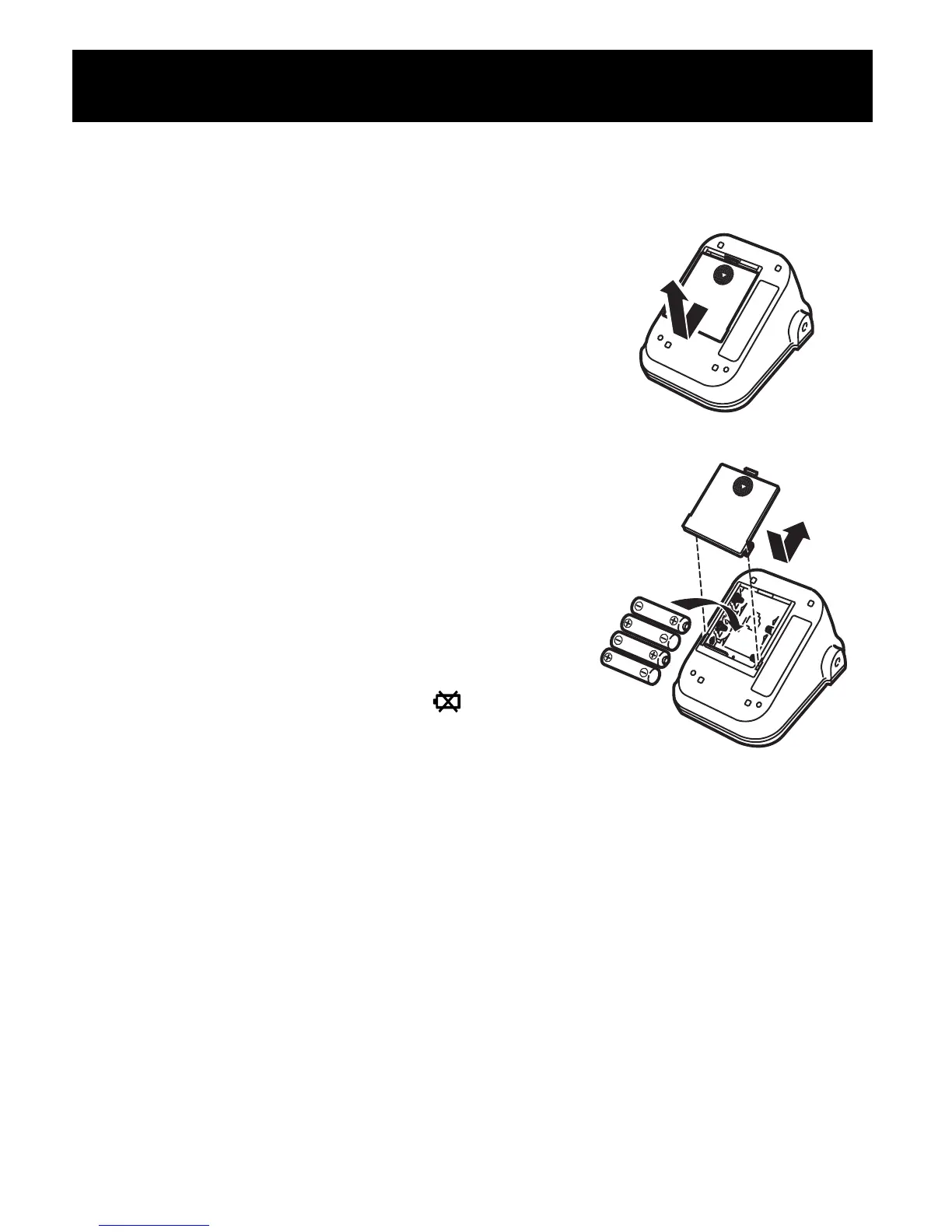
1. Slide the battery cover down and lift it
off the main unit.
2. Install or replace four “AA” size batteries
so that the + (positive) and - (negative)
polarities match the polarities indicated
on the battery compartment, then replace
the battery cover.
Notes:
• If the battery low symbol ( ) appears
on the display, replace all four batteries
at the same time. Long-life alkaline
batteries are recommended.
• Remove the batteries if the monitor will not be used for three
months or more.
• If the batteries are removed for a long period of time, the
Date/Time setting will need to be reset. See “How to Set the Date
and Time” for details.
• Dispose of batteries according to applicable local regulations.
Initial Set-Up
9
How to Install and Replace Batteries









 To Next Page