24
Section 2Installing the USB Driver (V600-CHUD)
RFID System
User's Manual
Section 2
Communications Preparations
• Windows XP
1. Turn ON the power to the personal computer and start Windows XP.
2. Connect the Hand-held Reader Writer to the personal computer.
For details on connection methods, refer to Connections.
p.18
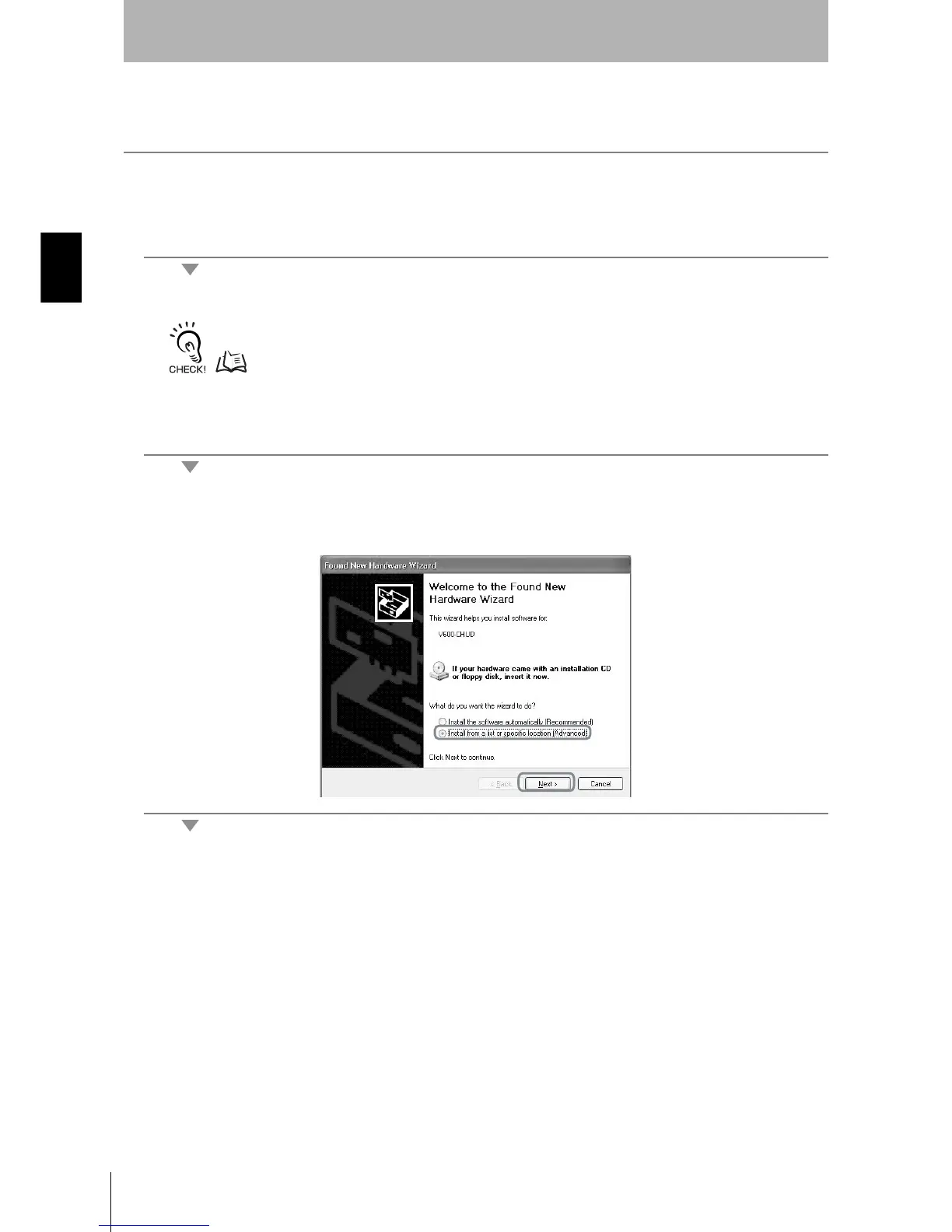
Wait for the following window to be displayed.
3. When the following window is displayed, select Install from a list or specific location (Advanced)
and click the Next Button.












 To Next Page