25
RFID System
User's Manual
Section 2 Installing the USB Driver (V600-CHUD)
Section 2
Communications Preparations
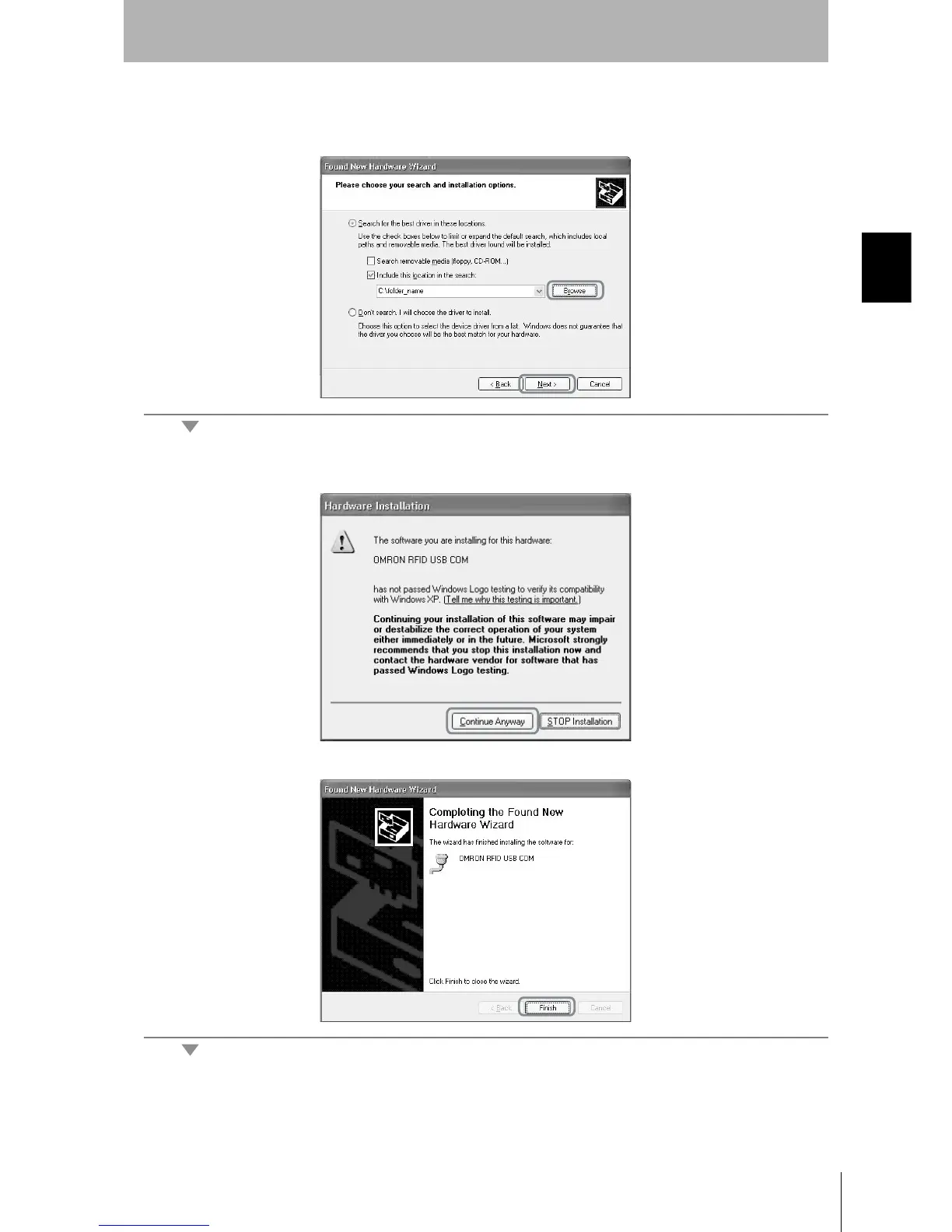
4. Click the Browse Button, and select the folder in which the downloaded file RFID-Win2kcom.inf is
saved. Then click the Next Button.
5. Click the Continue Anyway Button.
When the following window is displayed, installation is completed.
6. Click the Finish Button.












 To Next Page