5
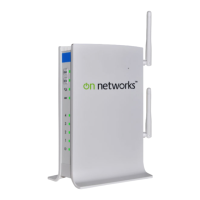
N300 WiFi ADSL2+ Modem Router (N300RM)
Wireless Settings and Guest Network (2.4GHz). . . . . . . . . . . . . . . . . . .66
View Attached Devices. . . . . . . . . . . . . . . . . . . . . . . . . . . . . . . . . . . . . . . .67
Logs . . . . . . . . . . . . . . . . . . . . . . . . . . . . . . . . . . . . . . . . . . . . . . . . . . . . . .67
Chapter 6 Advanced Settings
Advanced Wireless Settings. . . . . . . . . . . . . . . . . . . . . . . . . . . . . . . . . . . .70
Restrict Wireless Access by MAC Address . . . . . . . . . . . . . . . . . . . . . .71
Wireless Repeating (WDS). . . . . . . . . . . . . . . . . . . . . . . . . . . . . . . . . . . . .72
Wireless Repeating. . . . . . . . . . . . . . . . . . . . . . . . . . . . . . . . . . . . . . . . .73
Set Up the Base Station . . . . . . . . . . . . . . . . . . . . . . . . . . . . . . . . . . . . .74
Set Up a Repeater Unit. . . . . . . . . . . . . . . . . . . . . . . . . . . . . . . . . . . . . .75
Dynamic DNS . . . . . . . . . . . . . . . . . . . . . . . . . . . . . . . . . . . . . . . . . . . . . . .75
Static Routes . . . . . . . . . . . . . . . . . . . . . . . . . . . . . . . . . . . . . . . . . . . . . . .76
Remote Management . . . . . . . . . . . . . . . . . . . . . . . . . . . . . . . . . . . . . . . . .78
Universal Plug and Play . . . . . . . . . . . . . . . . . . . . . . . . . . . . . . . . . . . . . . .79
Change the Device Mode . . . . . . . . . . . . . . . . . . . . . . . . . . . . . . . . . . . . . .80
Chapter 7 Virtual Private Networking
Set Up a Gateway-to-Gateway VPN Configuration . . . . . . . . . . . . . . . . . .82
VPN Wizard . . . . . . . . . . . . . . . . . . . . . . . . . . . . . . . . . . . . . . . . . . . . . . . .83
Activate the VPN Tunnel . . . . . . . . . . . . . . . . . . . . . . . . . . . . . . . . . . . . . .85
Verify the Status of a VPN Tunnel . . . . . . . . . . . . . . . . . . . . . . . . . . . . . . .86
Deactivate a VPN Tunnel . . . . . . . . . . . . . . . . . . . . . . . . . . . . . . . . . . . .86
Use Auto Policy to Configure VPN Tunnels . . . . . . . . . . . . . . . . . . . . . . . .88
Use Manual Policy to Configure VPN Tunnels . . . . . . . . . . . . . . . . . . . . . .91
Chapter 8 Troubleshooting
Troubleshoot with the LEDs . . . . . . . . . . . . . . . . . . . . . . . . . . . . . . . . . . . .95
Power LED Is Off . . . . . . . . . . . . . . . . . . . . . . . . . . . . . . . . . . . . . . . . . .95
Power LED Is Red . . . . . . . . . . . . . . . . . . . . . . . . . . . . . . . . . . . . . . . . .95
Ethernet LED Is Off. . . . . . . . . . . . . . . . . . . . . . . . . . . . . . . . . . . . . . . . .96
Cannot Log In to the Modem Router . . . . . . . . . . . . . . . . . . . . . . . . . . . . .96
Troubleshoot the Internet Connection . . . . . . . . . . . . . . . . . . . . . . . . . . . .97
ADSL Link. . . . . . . . . . . . . . . . . . . . . . . . . . . . . . . . . . . . . . . . . . . . . . . .97
Internet LED Is Red . . . . . . . . . . . . . . . . . . . . . . . . . . . . . . . . . . . . . . . .98
Obtain an Internet IP Address . . . . . . . . . . . . . . . . . . . . . . . . . . . . . . . .98
Troubleshoot PPPoE or PPPoA . . . . . . . . . . . . . . . . . . . . . . . . . . . . . . .98
Troubleshoot Internet Browsing . . . . . . . . . . . . . . . . . . . . . . . . . . . . . . .99
TCP/IP Network Not Responding . . . . . . . . . . . . . . . . . . . . . . . . . . . . . . . .99
Test the LAN Path to Your Modem Router. . . . . . . . . . . . . . . . . . . . . . .99
Test the Path from Your Computer to a Remote Device . . . . . . . . . . .100
Changes Not Saved . . . . . . . . . . . . . . . . . . . . . . . . . . . . . . . . . . . . . . . . .101
Incorrect Date or Time . . . . . . . . . . . . . . . . . . . . . . . . . . . . . . . . . . . . . . .101


 To Next Page
 Loading...