Virtual Private Networking
84
N300 WiFi ADSL2+ Modem Router (N300RM)
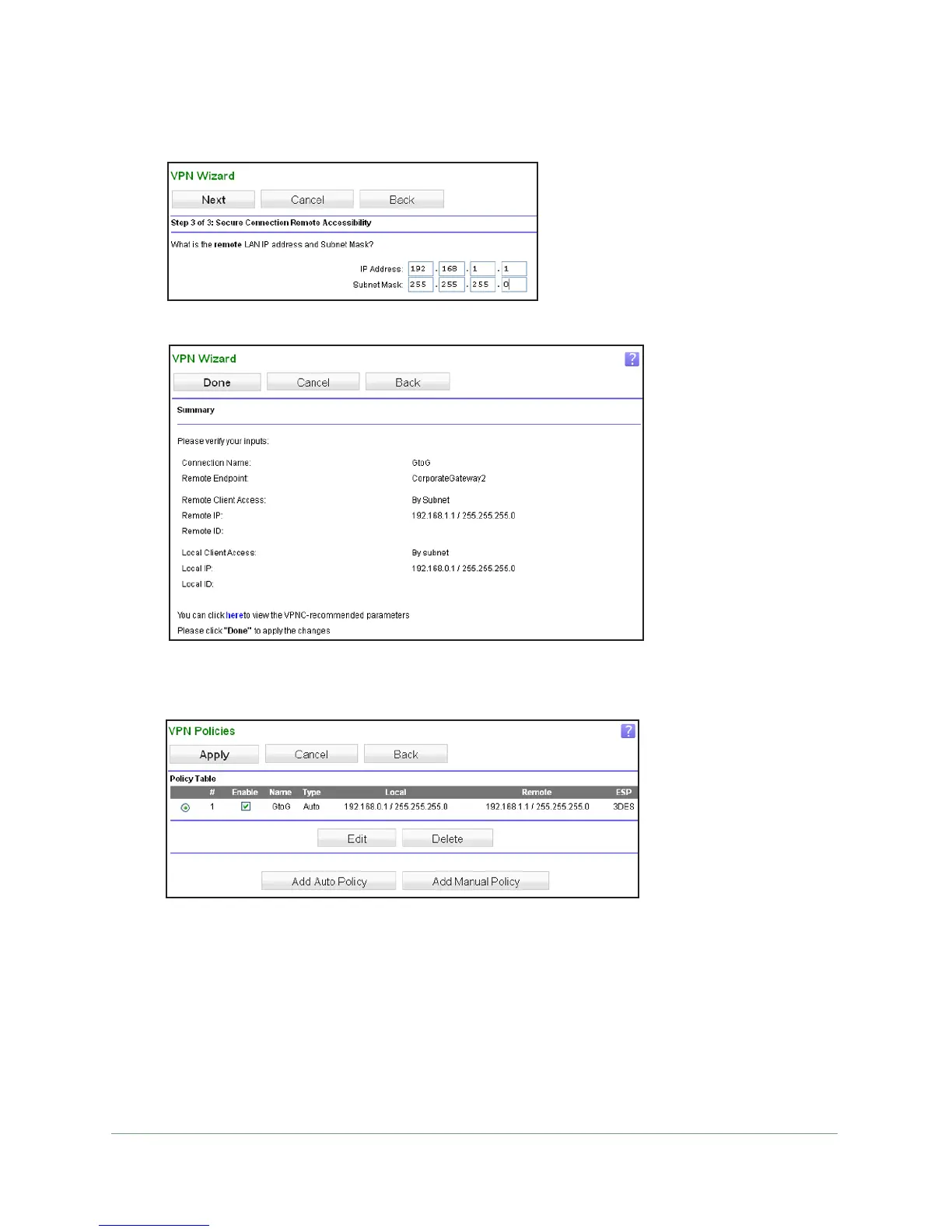
6. Specify the local LAN address and subnet mask, and click Next.
The VPN Wizard Summary screen displays:
7. Click Done.
The VPN Policies screen displays, showing that the new tunnel is enabled.
8. Repeat these steps for the second gateway, and pay special attention to the following
network settings:
• W
AN IP address of the remote VPN gateway (for example, 14.15.16.17)
• LAN IP settings of the remote VPN gateway:
- IP address (for example, 192.168.0.1)
- Subnet mask (for example, 255.255.255.0)
- Pre-shared key (for example, 12345678)

 To Next Page
 Loading...