ONECELL25 - Installation Manual
19
6.3 Wall Mounting
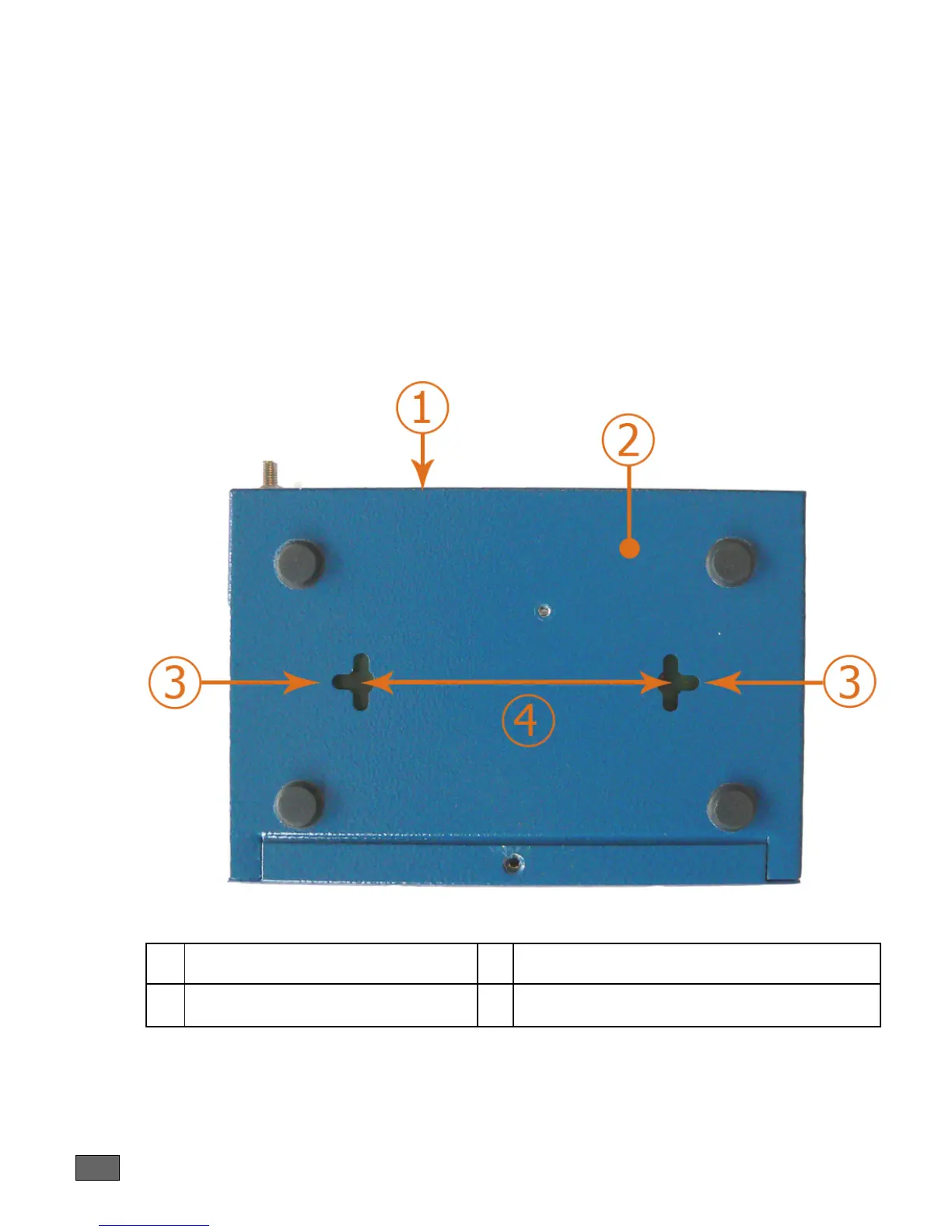
The lower part of the router has 2 notches in order to enable wall-mounting. By
installing two screws at the required distance, the router can be hung on any vertical
surface.
Instructions:
1. Bore two horizontal holes separated by 80 mm of distance if the router is
hung with the rear panel in the upper position
2. Mount both screws in each hole. Do not screw them completely but leave a
distance of 5 mm between the wall and the head of the screw,
3. Hang the router gently and if necessary adjust the screws in the notches of
the router.
Figure 4. Positioning of the notches
1 Rear panel of the router 3 Notches
2 Bottom of the router 4 Distance between holes: 80 mm



 To Next Page