ONECELL25 - Installation Manual
22
8 Getting Started
When the router is delivered with the default OneAccess factory settings, the router
is configured as follows:
• FASTETHERNET 0/0 port is configured with the IP address 192.168.1.1
(netmask: 255.255.255.0)
• DHCP server is enabled
• HTTP server for fast web-based configuration is enabled
8.1 Connect your PC
Your PC should be configured to acquire its IP address via DHCP protocol;
alternatively, you can assign a static IP address to your PC LAN interface in the
network range 192.168.1.2 – 192.168.1.254.
Connect your PC with a LAN cable (straight or crossed; the ONECell25 adapts to
both wiring).
The Ethernet interfaces of the ONECell25 only support the 100 Mbps full-
duplex operations in auto-sense mode. If connected to devices in 10 mbps
or half-duplex, the ONECell25 interface will not be connected. The problem
can appear mostly with devices forced in such mode or with old Ethernet
hub.
8.2 Starting the Web Configurator
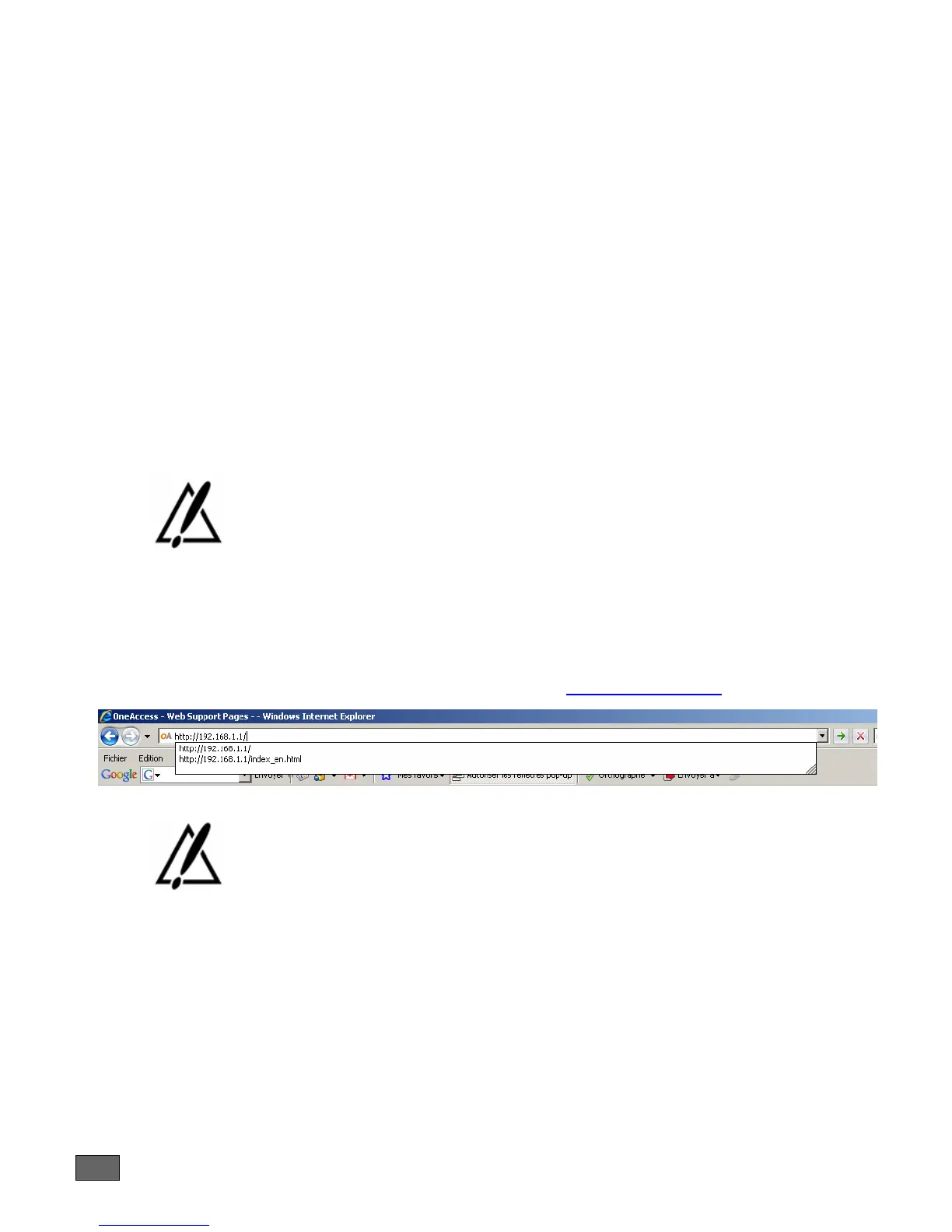
Open a web browser and use the following URL: http://192.168.1.1/
The web configurator developed by OneAccess uses intensively javascript.
It has been tested with Internet Explorer version 6 and 7 as well as Firefox 2.
Using the web configurator with other web browsers may not work and are
not supported by OneAccess.
You will be directed to a login page. The default login is webadmin and the
password is admin.
It is recommended to use the EDGE connection wizard to setup the EDGE
connection.
Please consult the web user manual for more details.



 To Next Page