FT-3200 MODBUS TCP/IP SUPPLEMENT
ONICON Incorporated • 727.447.6140 • www.onicon.com
Page 4
1.3 NETWORK SIGNAL CONNECTIONS (Continued)
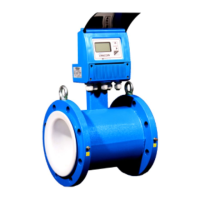
MODBUS TCP, 10/100 Base-TX output connection are made as shown. Requires 10/100 Base-TX cable and RJ45 connector.
Important Note
When congured for MODBUS TCP/IP output, the FT-3200 is shipped with an additional NPT conduit adapter.
Important Note
The FT-3200 enclosure’s conduit holes are not large enough to accommodate all sizes of RJ45 cable jacks. Test the
conduit size before pulling pre-terminated RJ45 cable through the conduit to the meter. If the jack does not t, you will
need to pull un-terminated Ethernet cable, and terminate the jack inside the FT-3200 enclosure.
1.4 NETWORK ADDRESSING
Before the FT-3200 can communicate on the MODBUS network:
• The appropriate device ID must be programmed into the meter.
• An IP address must also be assigned to the meter.
1.4.1 MODBUS DEVICE ADDRESS SETTINGS
There are several MODBUS operating parameters that must be set before the meter can communicate over the network.
These settings are made through the meter display/user interface and through the web browser network interface.
These operating parameters include the following:
• Protocol (set to RTU)
• Device address (01-247)
• Baud rate (set to 38400)
• Parity (set to none)
• Data bits (set to 8)
• Stop bits (set to 1)
• TCP port number (set to 502)
Refer to the information on the following pages and in the FT-3000 Installation and Operation Guide on how to change
these settings.
RJ45 CONNECTOR


 To Next Page