Installation
31
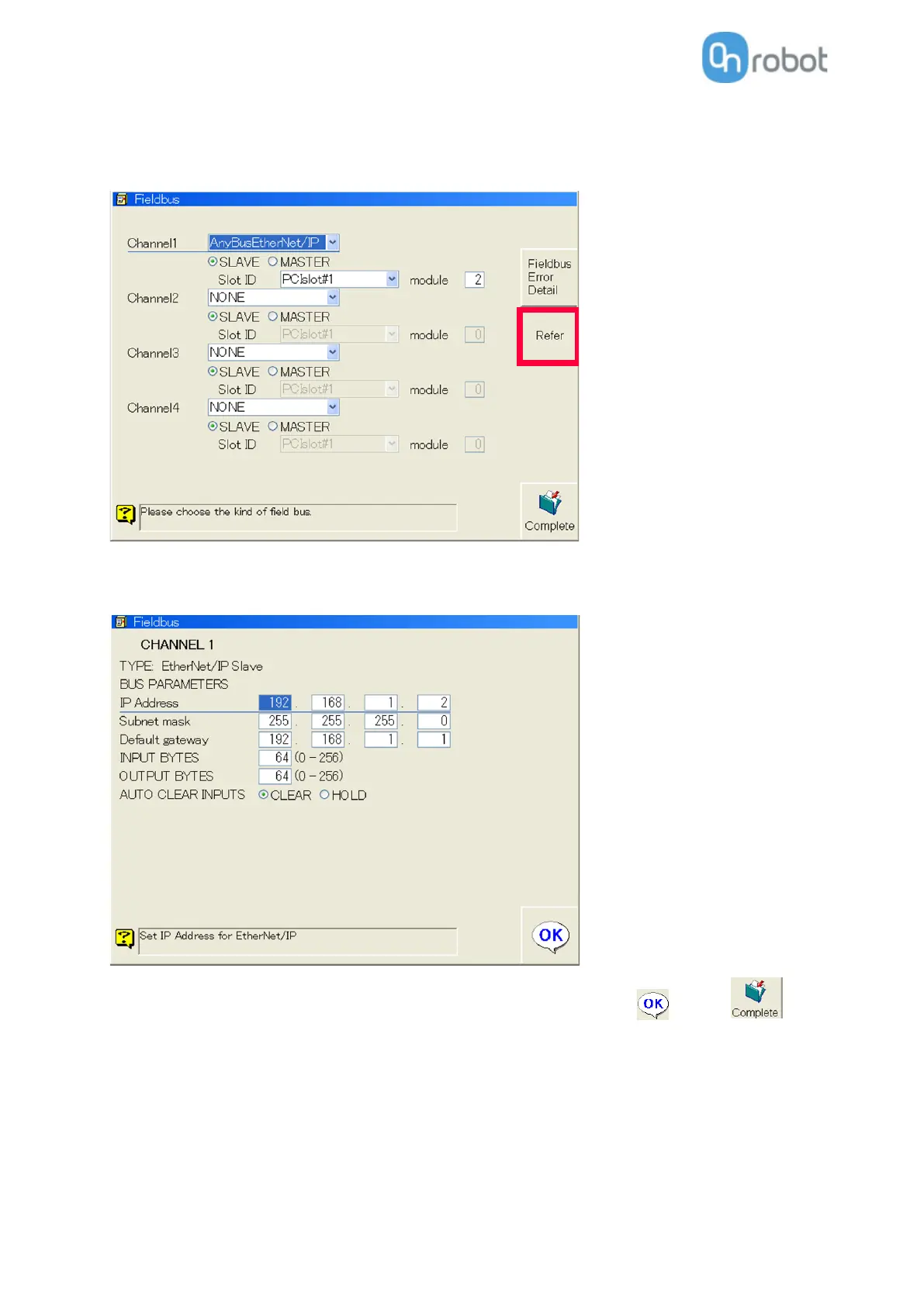
Set it to SLAVE as you can see above. The Slot ID and module number within the PCI slot needs to be set
according to your configuration.
Then press Refer button to set the robot IP address.
The IP address should be set to be on the same subnet with the Compute Box.
If the default IP settings are used on the Compute Box, you can use the above values:
Make sure the INPUT BYTES and OUTPUT BYTES are set to 64 and then click then on to save
the changes.



 To Next Page