NOTE Each sensor you purchase should include a Quick Start Guide that contains information that will
help with the installation process.
Modes
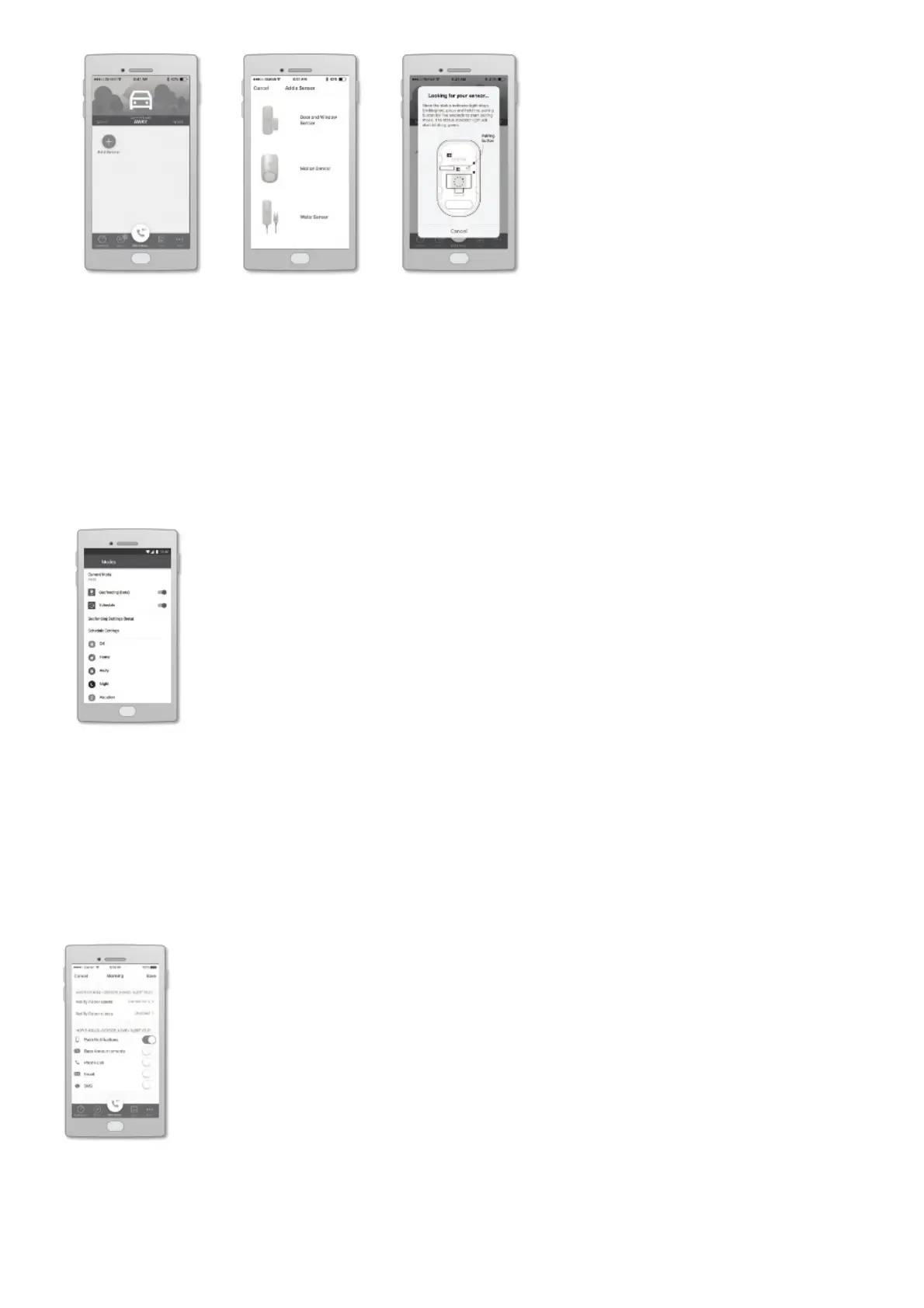
Modes control when sensors send notifications and the types of notifications that are sent.
For example, you may want your motion sensor to alert you to movement when you are away, but not
when you are home. Modes can switch automatically based on the time of day or through user
location (geofencing). They can also be changed manually by swiping left and right at the top of the
dashboard screen.
Notifications
There are several types of Home Security notifications, including a phone call, a text message, a voice
announcement on your Base Station, and more.
You can add one or more Contacts to your account, each of whom will receive sensor notifications
based on your preferences, by going to the More menu and tapping Contacts. You can update your
notification settings by going to the app dashboard, tapping the sensor you want to update, and
tapping Notifications.
Other Sensors for Ooma Home Security
Here is a brief overview of the sensors that are currently available.


 To Next Page