16
Main Menu
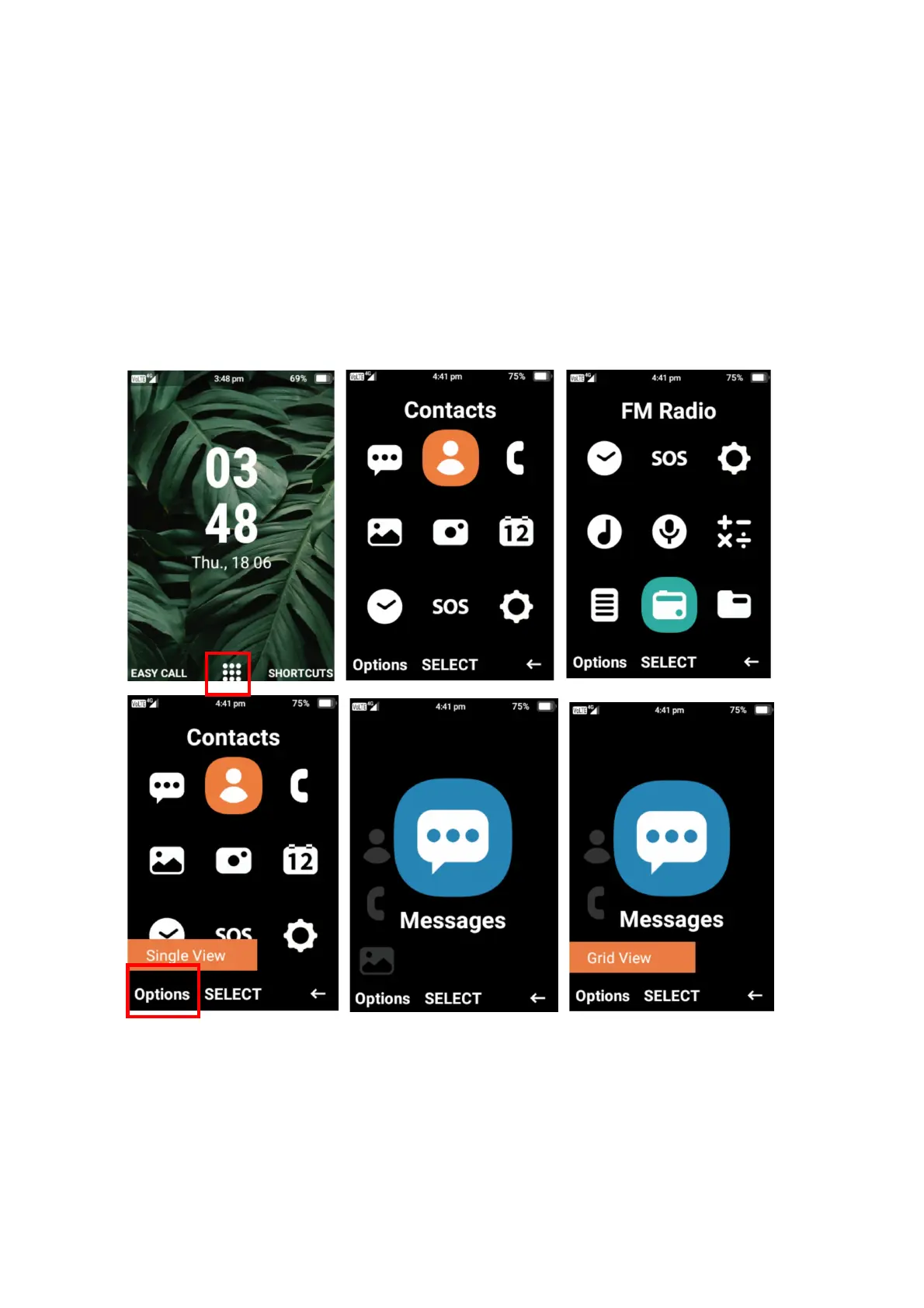
To open the main menu, press the ok button while in the main interface.
Within the main menu you will be able to access messages, contacts, call logs, gallery, camera,
calendar, clock, SOS, settings, music, recorder, calculator, notes, FM radio and file manager.
Within the main menu you are able to change the layout to make it easier to see and view each
menu. Simply press the left selection button on options and then press the ok button on single
view and the main menu layout will change to single view. To change back simply follow the
same press and select grid view.















 To Next Page