68
Note
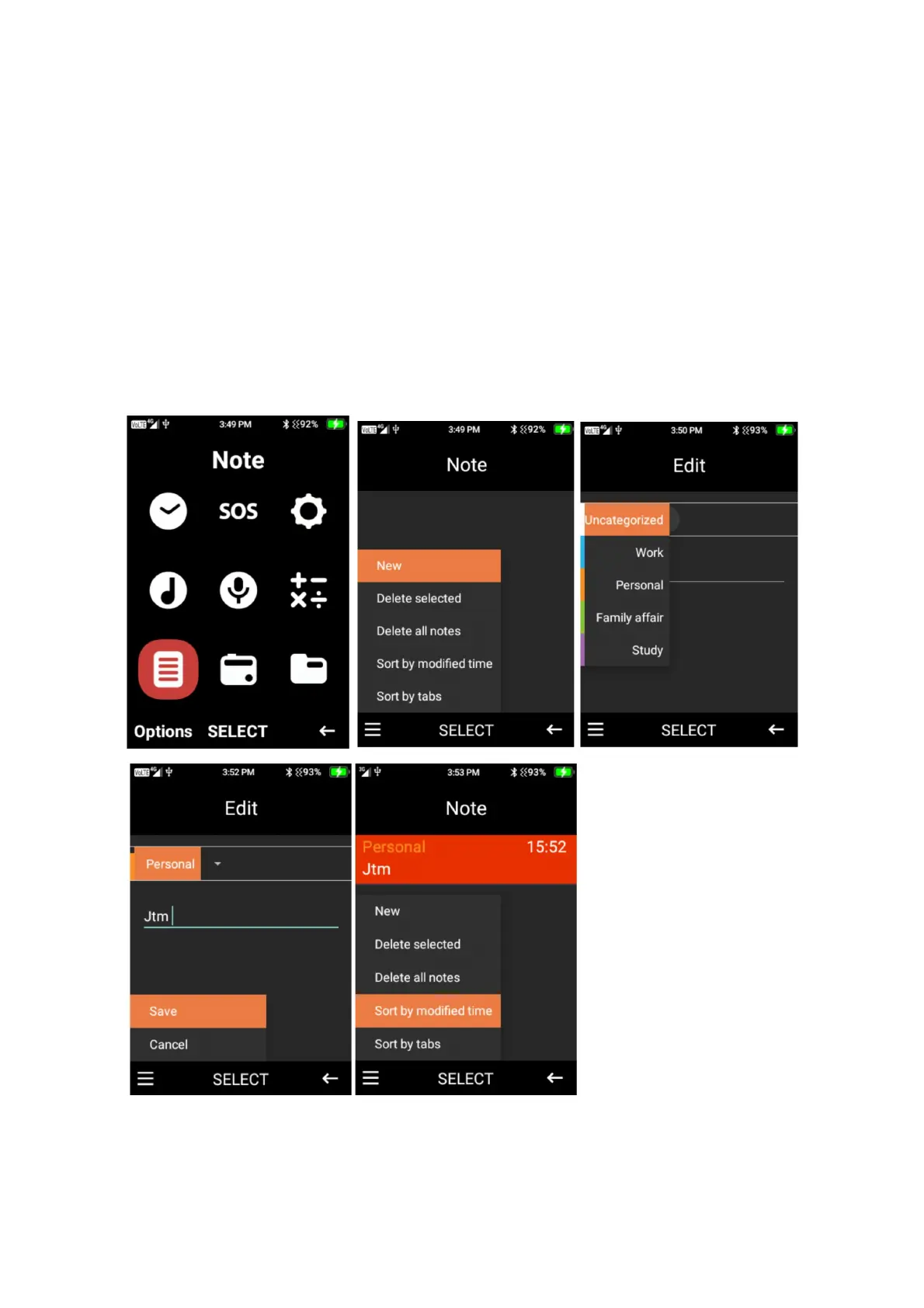
This is your digital note pad, you can add notes and save them to this device.
1. New note – to add a new note, select the menu icon then select new, you can categorise
the note, press select choose which category you wish to choose. Then type your note
using the keypad function. Once complete press the menu icon and select save to save the
note. Your notes will appear on the main notes page.
2. Within the menu icon you are also able to deleted selected note, delete all notes, sort by
modified time or sort by tabe. Press select on the function you wish to choose.















 To Next Page