19
Edit a contact
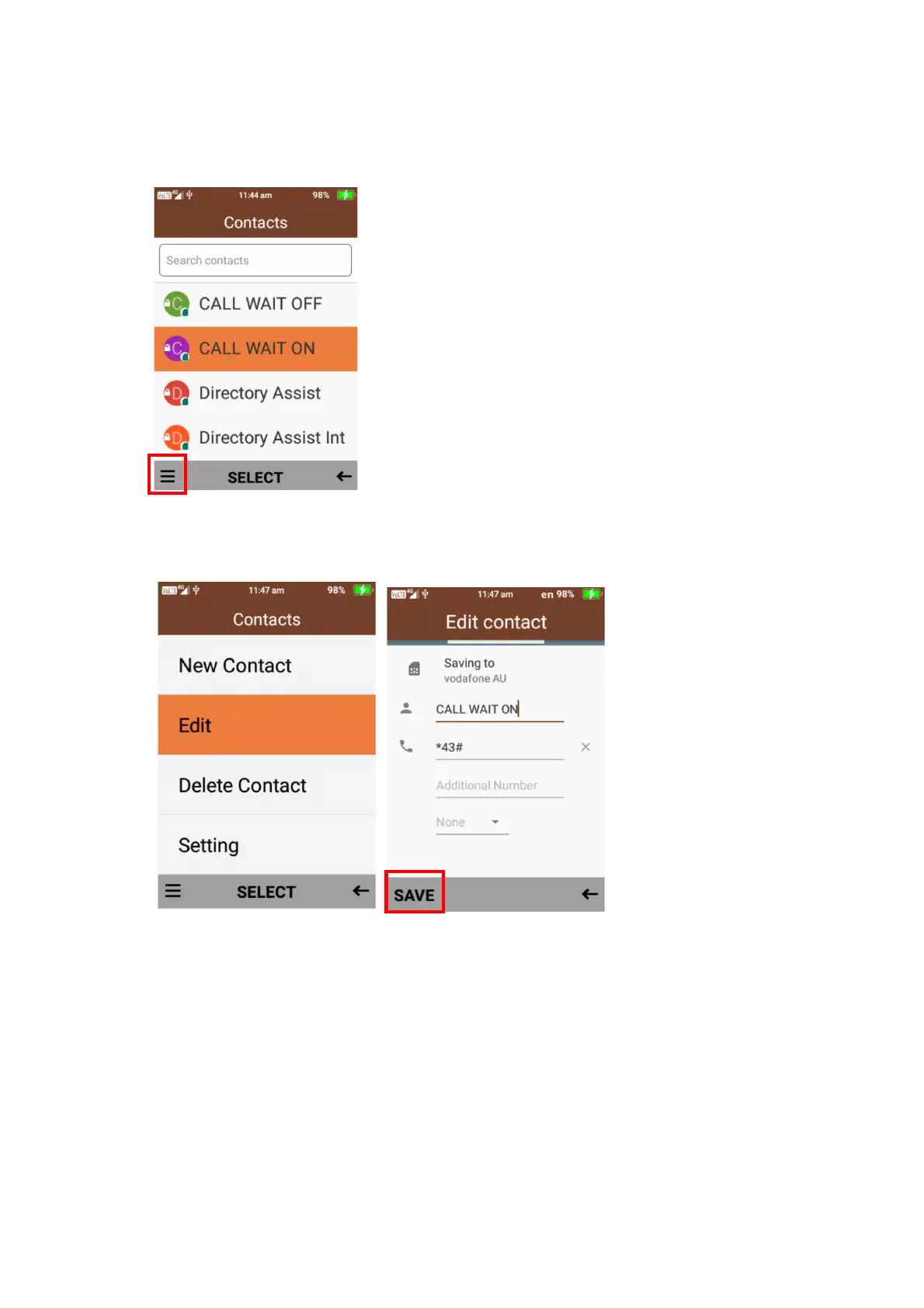
1. To edit a contact, simply highlight the contact using the cursor keys.
Then click on the menu using the left selection key.
2. Scroll down and select edit, you will then be able to add or amend any information on that
contact, once complete press save.
Delete a contact
1. To delete a contact, highlight the contact you wish to delete using the cursor keys.
Then click on the menu using the left selection key and select delete contact.
Then confirm deletion















 To Next Page