41
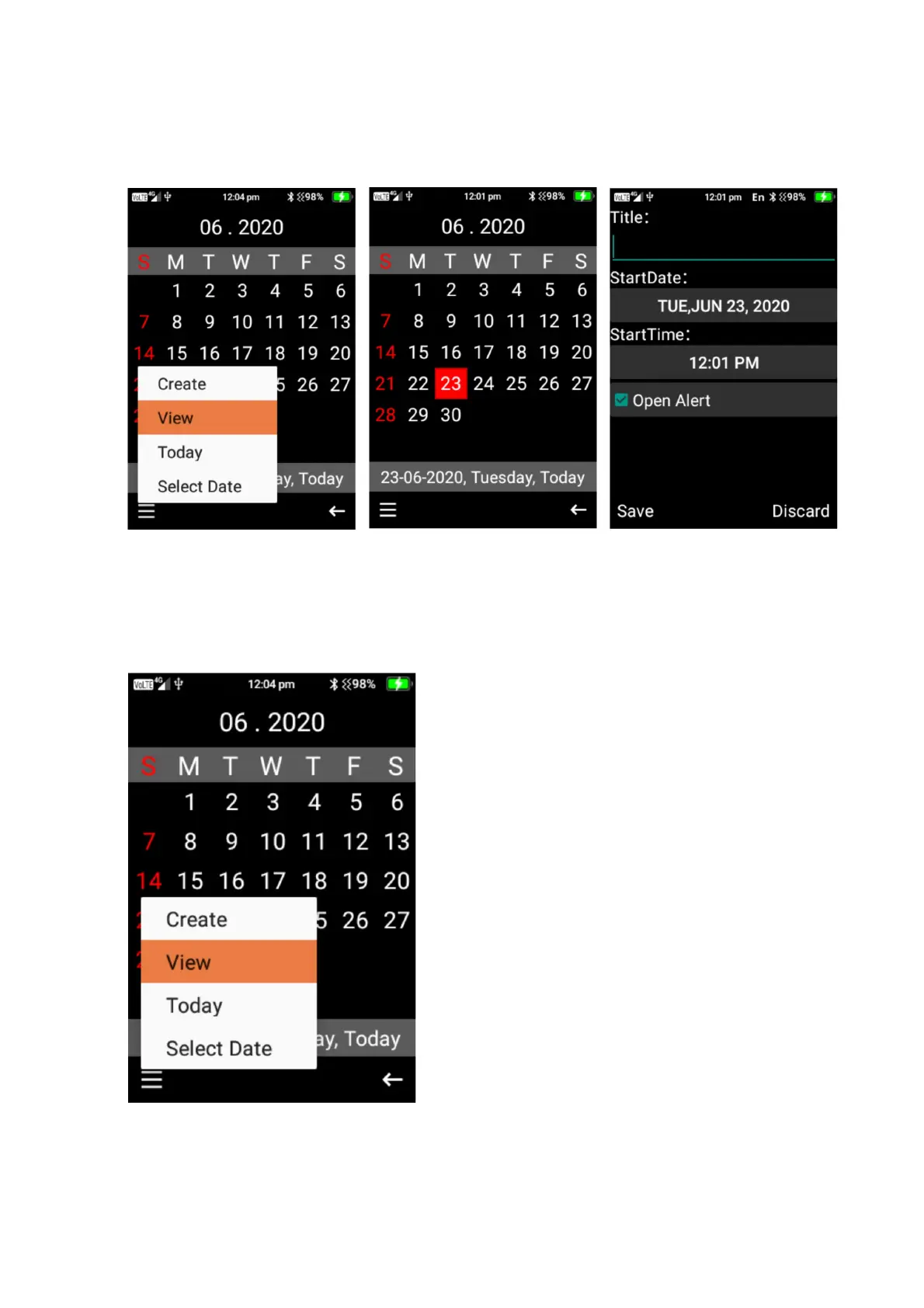
1. To create an event, click on the menu button, then select create. Type in the name, choose
the start date and then the start time and whether to set an open alert for the event.
2. Once complete click the save button.
3. Within the calendar menu you are also able to view events on the day that is highlighted, go
to todays date and also select a date you wish to view.















 To Next Page