43
Alarm Clock
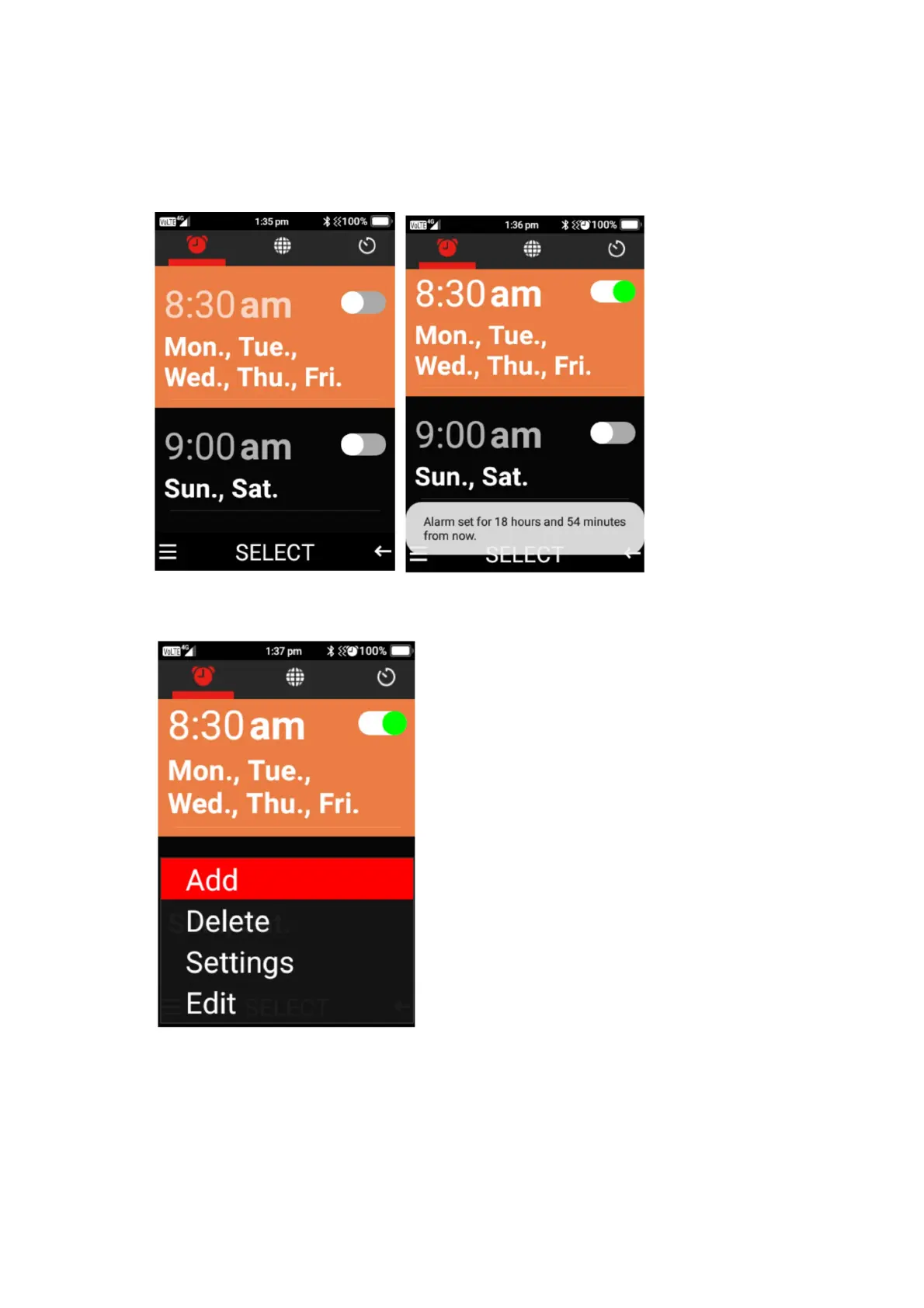
1. Scroll across to alarm clock, here you can set alarms to wake you in the morning or for
other events or reminders. You can select ok on a current alarm selection to turn it on.
2. Press the menu button to add, delete, edit or change the alarm settings.
3. Adding a new alarm – Select add, then click select adjust the time, then press down to turn
the alarm on or off, select repeat if you want to repeat it on specific days, change alarm
tone, turn vibrate on or off, add a label. Once complete click save.















 To Next Page