58
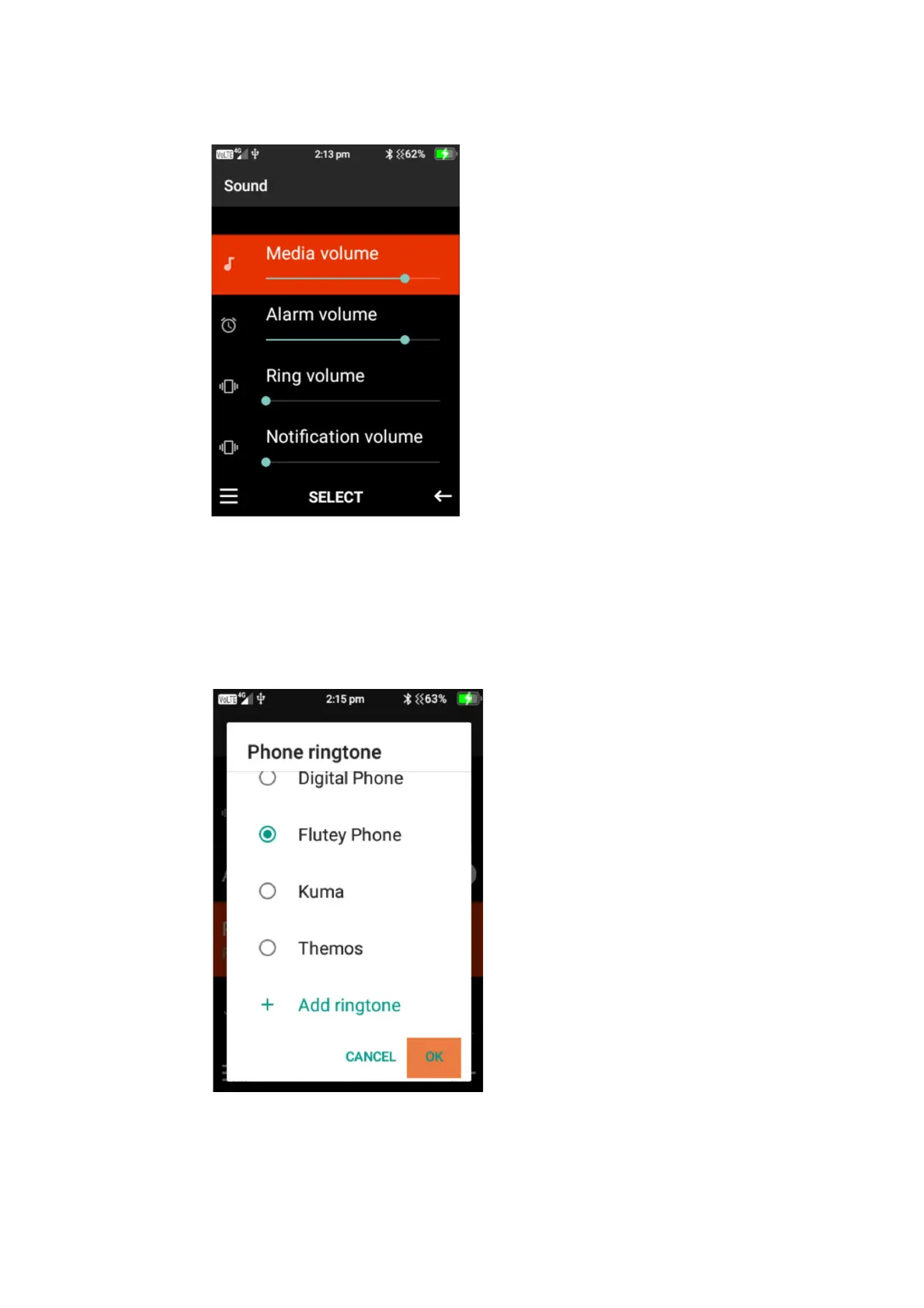
1. To adjust Media, Alarm, ring and notification volume. Highlight the one you wish to change
and press the left cursor button to decrease the volume or the right cursor button to
increase the volume.
2. Vibrate for calls – Press select on this function to turn this on or off.
3. Phone ringtone – Press select on phone ringtone, using the up and down cursor buttons you
can scroll through all the available ringtones, press the ok button to select your preferred
ringtone then select ok.
4. Advanced – under advanced you can change the notification sounds and alarm sounds.
Follow the same instructions as changing ringtones. You are also able to turn screen-lock















 To Next Page