22
How to setup SOS feature
To activate SOS in an emergency, hold down the SOS button for 3 seconds on the back
of the phone, a siren will sound (if enabled) and will call and text emergency contacts.
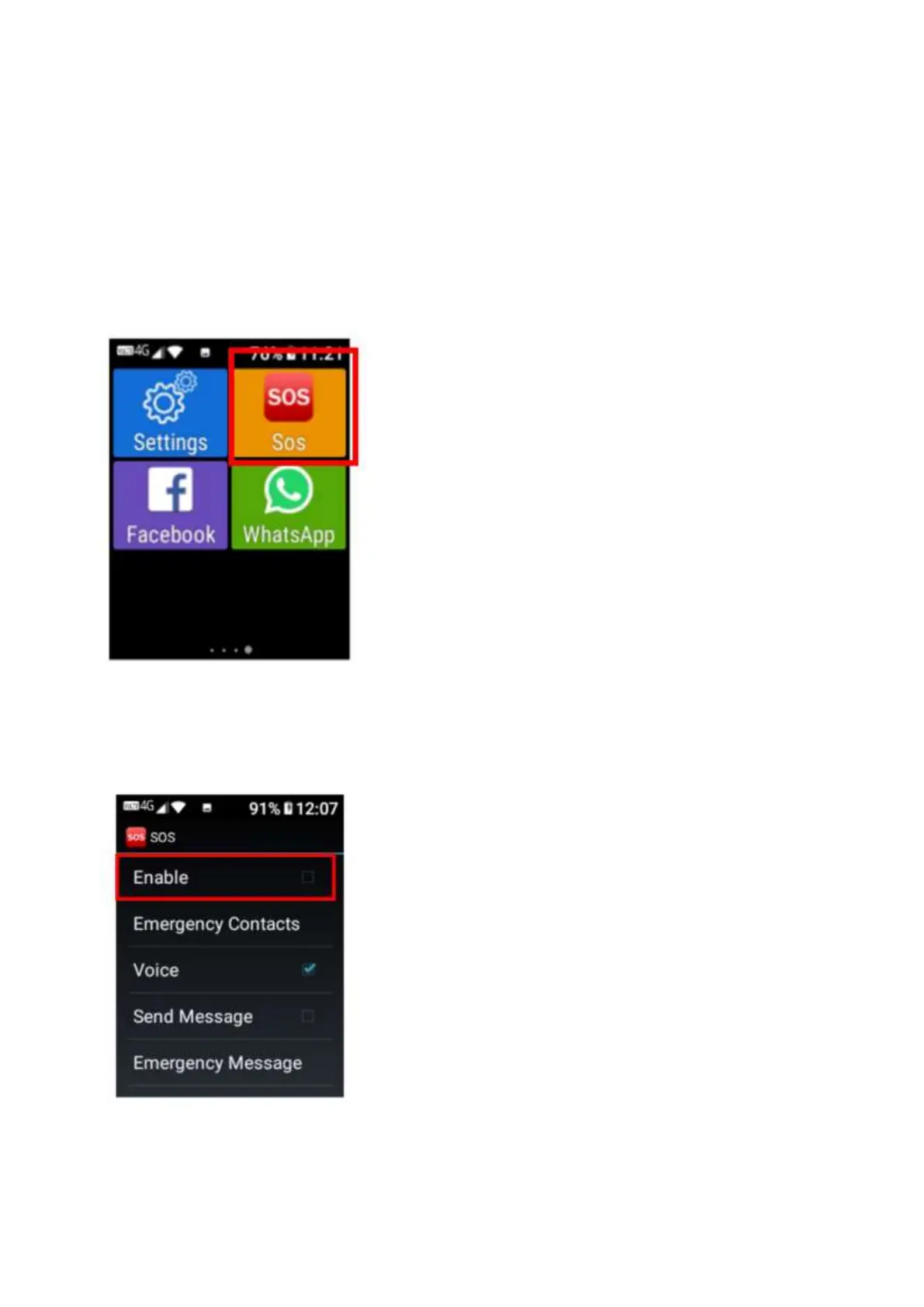
Ensure you follow the below steps to setup SOS if you wish to use this feature
1. Scroll across the home screen until you see the SOS application and then click on the SOS
application to open it.
2. Once opened enable SOS mode. By clicking ok or tapping on enabled. It will show a tick
symbol when it is enabled.















 To Next Page