28
How to access and use WhatsApp
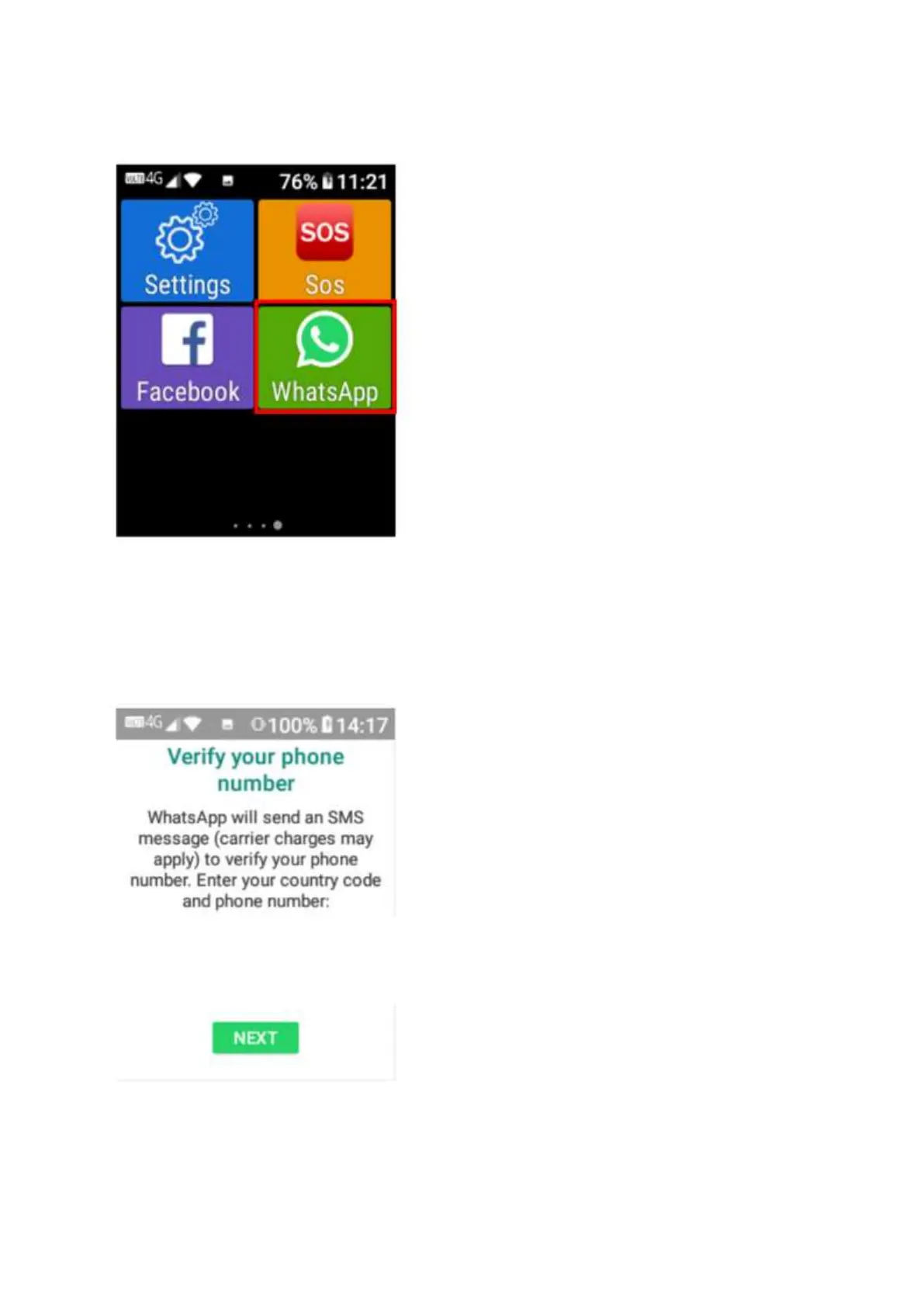
1. Scroll across the screen to the WhatsApp App and tap or click ok on it.
2. Once opened it will ask you to agree and continue with their terms and conditions. Tap or
click ok on “agree and continue.
3. Type in your phone number to activate your WhatsApp account, it will then send you a code
to your phone to enter to access the app.















 To Next Page