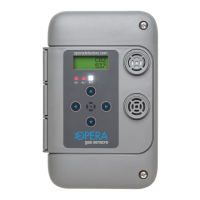
4.5 Sequence of Operation
4.5 Sequence of Operation
1. Monitors are pre-loaded with options for normal operation and can
be changed by the user at any time via the key pad.
2. On power-up the display will show the software revision number
and the Warm-Up Timer will count down (setting 52, default 1
minute). Relays are inactive during this time. Press any button to
cancel the warm-up period.
3. The display will show the gas type and the current gas
concentration. For dual-monitors the display will alternate between
the two sensor modules showing the gas type and concentration
of each. If the network display option is turned on (option 56) the
display will show each monitor that is connected via the CAN
network, its address, gas type and concentration. Monitor will
display for 3 seconds and then cycle to the next, lowest address to
the highest and then start again.
4. If the gas level rises above the Level One Set Point then the
Delay-On Timer will start. The time setting range is from 1 to 999
seconds. If the gas level drops below level one the timer will reset
and start over the next time it goes over.
5. If the gas level stays above the Alarm 1 Level for the set time the
relay 1 on-board will energise, and remain energised as long as
the gas remains above the alarm setting. The bottom left corner
of the display will indicate a 1 and the alarm 1 LED will light up. In
No. Name Description Range Default
75 VSD A
Variable Speed Drive logic
Analogue output A Combines analogue
outputs over CAN bus. See options 60-66
0= highest reading wins
1= sensor readings are averaged
2= auto ramping increases analogue
output by one-minute intervals on
alarm 1 and decreases when below
alarm.
0/1/2 0


 To Next Page
 Loading...