6000 Series Digital Gas Monitor/Controller
6.0 Maintenance Guide
All monitors are shipped from the factory pre-calibrated. To
maintain accuracy and conformity with standards it is essential
that they be calibrated by a qualied technician once or twice
per year, depending on the application.
6.1 Calibration Procedure
Use certied precision gas mixtures to adjust the sensitivity
of the sensor due to normal aging and guarantee that the
designed alarm set points are respected. So-called “automatic
calibration” or “self-test” will not provide this level of security.
Only use gas concentrations within the specied range of the
sensor.
6.2 Calibration Procedure for Electro-chemical and Catalytic
sensors (CO, NO2, CH4, NH3, CL2)
1. Use certied bottled calibration gas mixtures only. Ensure
that monitors are powered on for a minimum of the break-in
period for the sensor. For electro-chemical type sensors, this
is only a few minutes.
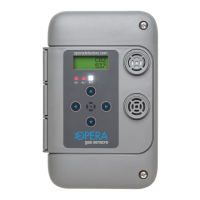
2. Press the right arrow to enter settings
3. Press the ↑ and → at the same time to enter calibration
mode. SAZ (sensor A zero) will display and show the current
gas reading on the top line
4. Inject bottled zero gas into rst sensor. Use a ow rate of
0.1 LPM to 0.5 LPM. The gas tting to sensor should have a
small outlet hole. If not, the pressure will increase and distort
the reading (high).
5. Adjust gas reading to zero with the ↑ and ↓ buttons
6. Press ↑ and ← at the same time to save.
7. Press → The display will show SAS (sensor A span) and the
current gas reading


 To Next Page