EasyManua.ls Logo

Oppo BDP-105D (EU) - User Manual

Oppo BDP-105D (EU)
100 pages
Print Icon
To Next Page IconTo Next Page
Loading...
USER MANUAL
READ CAREFULLY BEFORE OPERATION
®
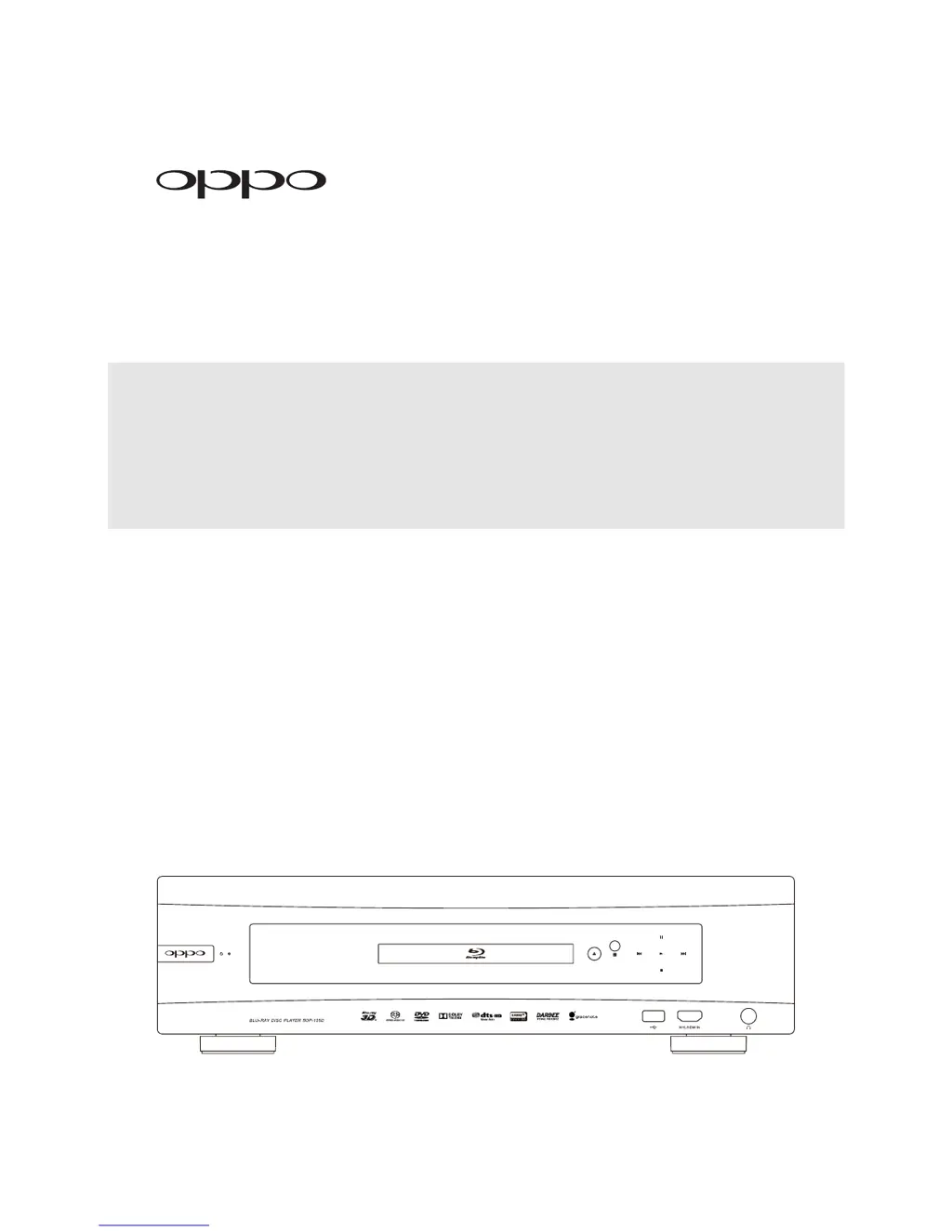
Blu-ray Disc Player BDP-105D (EU)

Table of Contents

Questions and Answers

Summary

IMPORTANT INFORMATION

Safety and Precautions

Covers essential safety guidelines and important operational considerations for the player.

Disc Compatibility and Handling

Details supported disc types, discs that cannot be played, and proper disc care.

Notices and Accessories

Information on Gracenote, region management, copyright, and included accessories.

INSTALLATION

Front Panel Controls

Identifies and explains the player's front panel buttons and displays.

Rear Panel Connectors

Details all the input and output ports located on the rear of the player.

Remote Control Operation

Explains the remote control's functions, buttons, and setup procedures.

Connection Methods

Guides for connecting player to various audio/video systems via different ports.

Network and Internet Setup

Instructions for connecting the player to the internet and home networks.

Custom Installation

Options for integrating the player into custom home theatre systems.

Quick Start Guide

Power On and Play

Simple steps to power on the player and begin playback.

Select Best Output Resolution

Guidance on choosing the optimal video output resolution for your display.

BASIC OPERATIONS

Disc Playback

Steps for inserting a disc and starting playback.

OPTION Menu

How to access and use the context-sensitive OPTION menu.

Fast Playback

How to use fast forward and reverse functions during playback.

Pause and Frame-by-Frame

How to pause playback and advance frame-by-frame.

ADVANCED OPERATIONS

Output Resolution

How to change and configure the player's video output resolution.

Zooming and Aspect Ratio Control

Adjusting image zoom levels and aspect ratio for optimal viewing.

Subtitle Shift

How to adjust subtitle display position for enhanced viewing.

Repeat Playback

Setting up repeat modes for chapters, tracks, or entire discs.

MEDIA FILE PLAYBACK

Playback from USB Flash Drive

Instructions for playing media files from a connected USB drive.

In-home Network Media Sharing

How to stream media files from a home network.

Internet Streaming on HOME Menu

Accessing online streaming services via the player's home menu.

Playing Music Files

How to browse and play music files from discs or USB drives.

SETUP MENU OPTIONS

Using the Setup Menu System

Guide to navigating and using the player's comprehensive setup menu.

Playback Setup

Configuring playback preferences for different disc types.

Video Setup

Adjusting video output settings for optimal picture quality.

Audio Format Setup

Configuring audio output formats for various connection types.

REFERENCES

Useful Notes

General recommendations for player usage and maintenance.

Troubleshooting

Solutions for common operational problems encountered with the player.

Specifications

Technical details and specifications of the BDP-105D Blu-ray Disc Player.

Limited Warranty

Information on the product's warranty terms and coverage.

Summary

IMPORTANT INFORMATION

Safety and Precautions

Covers essential safety guidelines and important operational considerations for the player.

Disc Compatibility and Handling

Details supported disc types, discs that cannot be played, and proper disc care.

Notices and Accessories

Information on Gracenote, region management, copyright, and included accessories.

INSTALLATION

Front Panel Controls

Identifies and explains the player's front panel buttons and displays.

Rear Panel Connectors

Details all the input and output ports located on the rear of the player.

Remote Control Operation

Explains the remote control's functions, buttons, and setup procedures.

Connection Methods

Guides for connecting player to various audio/video systems via different ports.

Network and Internet Setup

Instructions for connecting the player to the internet and home networks.

Custom Installation

Options for integrating the player into custom home theatre systems.

Quick Start Guide

Power On and Play

Simple steps to power on the player and begin playback.

Select Best Output Resolution

Guidance on choosing the optimal video output resolution for your display.

BASIC OPERATIONS

Disc Playback

Steps for inserting a disc and starting playback.

OPTION Menu

How to access and use the context-sensitive OPTION menu.

Fast Playback

How to use fast forward and reverse functions during playback.

Pause and Frame-by-Frame

How to pause playback and advance frame-by-frame.

ADVANCED OPERATIONS

Output Resolution

How to change and configure the player's video output resolution.

Zooming and Aspect Ratio Control

Adjusting image zoom levels and aspect ratio for optimal viewing.

Subtitle Shift

How to adjust subtitle display position for enhanced viewing.

Repeat Playback

Setting up repeat modes for chapters, tracks, or entire discs.

MEDIA FILE PLAYBACK

Playback from USB Flash Drive

Instructions for playing media files from a connected USB drive.

In-home Network Media Sharing

How to stream media files from a home network.

Internet Streaming on HOME Menu

Accessing online streaming services via the player's home menu.

Playing Music Files

How to browse and play music files from discs or USB drives.

SETUP MENU OPTIONS

Using the Setup Menu System

Guide to navigating and using the player's comprehensive setup menu.

Playback Setup

Configuring playback preferences for different disc types.

Video Setup

Adjusting video output settings for optimal picture quality.

Audio Format Setup

Configuring audio output formats for various connection types.

REFERENCES

Useful Notes

General recommendations for player usage and maintenance.

Troubleshooting

Solutions for common operational problems encountered with the player.

Specifications

Technical details and specifications of the BDP-105D Blu-ray Disc Player.

Limited Warranty

Information on the product's warranty terms and coverage.

Oppo BDP-105D (EU) Specifications

General IconGeneral
3D SupportYes
4K UpscalingYes
DACESS Sabre32 Reference ES9018
Video ProcessingDarbee Visual Presence
Video OutputHDMI, Composite Video
Audio OutputHDMI, Optical, Coaxial
Network ConnectivityEthernet, Wi-Fi
Disc TypesBD, DVD, CD, SACD, DVD-Audio
InputHDMI, USB, Ethernet
Streaming ServicesNetflix, VUDU, YouTube
Disc CompatibilityDVD, DVD-Audio, SACD, CD
Video Features4K Upscaling, 2D to 3D Conversion
Audio FeaturesDolby TrueHD, DTS-HD Master Audio
Output Resolution480i, 480p, 576i, 576p, 720p, 1080i, 1080p, 4K
HDMI Output2
Analog Audio Output7.1ch, Stereo
Digital Audio OutputOptical, Coaxial

Related product manuals