EasyManua.ls Logo

Oppo BDP-105 - User Manual

Oppo BDP-105
96 pages
Print Icon
To Next Page IconTo Next Page
Loading...
USER MANUAL
READ CAREFULLY BEFORE OPERATION
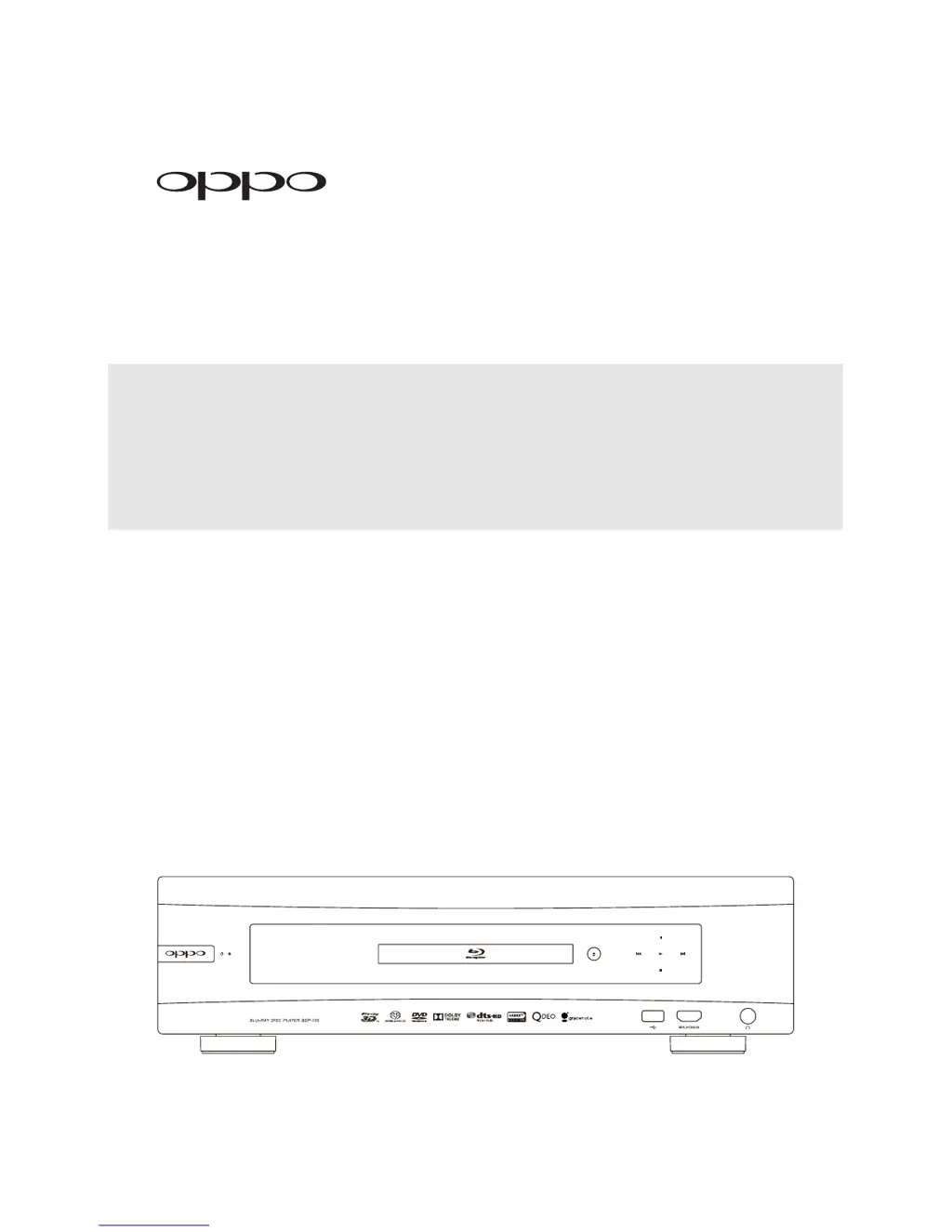
Blu-ray Disc Player BDP-105
®

Table of Contents

Questions and Answers

Summary

Important Information

Important Safety Instructions

Essential safety guidelines to follow before and during operation.

Precautions

Important considerations for ventilation, placement, and power handling.

FCC Statement

Compliance information regarding radio frequency energy and interference.

Installation

Remote Control

Comprehensive guide to the remote control's buttons and functions.

Common Connection Methods

Guides for connecting the player to various audio and video devices.

Alternate Audio Connections

Alternative methods for connecting audio output to stereo systems.

Connecting to an A;V Receiver or Amplifier via Analog Outputs

Connects player's multi-channel analog audio outputs to an A/V receiver.

Connecting to an A;V Receiver or Amplifier via S;PDIF (Coaxial; Optical)

Connects player's digital audio outputs to receiver via coaxial or optical cables.

Connecting to the Internet

Guides for connecting the player to the internet for online features.

Quick Start Guide

Basic steps to get the player up and running quickly.

Basic Operations

Disc Playback

Steps for inserting, playing, and stopping discs.

Advanced Operations

Output Resolution

How to change and select the video output resolution.

Zooming and Aspect Ratio Control

Adjusting zoom levels and aspect ratio for optimal image display.

Media File Playback

Playback from USB Flash Drive

How to play media files stored on a USB drive.

Internet Streaming on HOME Menu

How to access internet streaming services via the Home Menu.

Setup Menu Options

Playback Setup

Configure preferences for disc playback, including SACD and DVD-Audio.

Video Setup

Configure video output settings like resolution, aspect ratio, and 3D.

Audio Format Setup

Configure audio output formats for different connection types.

Audio Processing Setup

Configure speaker settings, crossover, and audio enhancements.

Network Setup

Configure network connection, internet access, and media sharing.

References

Troubleshooting

A guide to resolving common operational problems.

Summary

Important Information

Important Safety Instructions

Essential safety guidelines to follow before and during operation.

Precautions

Important considerations for ventilation, placement, and power handling.

FCC Statement

Compliance information regarding radio frequency energy and interference.

Installation

Remote Control

Comprehensive guide to the remote control's buttons and functions.

Common Connection Methods

Guides for connecting the player to various audio and video devices.

Alternate Audio Connections

Alternative methods for connecting audio output to stereo systems.

Connecting to an A;V Receiver or Amplifier via Analog Outputs

Connects player's multi-channel analog audio outputs to an A/V receiver.

Connecting to an A;V Receiver or Amplifier via S;PDIF (Coaxial; Optical)

Connects player's digital audio outputs to receiver via coaxial or optical cables.

Connecting to the Internet

Guides for connecting the player to the internet for online features.

Quick Start Guide

Basic steps to get the player up and running quickly.

Basic Operations

Disc Playback

Steps for inserting, playing, and stopping discs.

Advanced Operations

Output Resolution

How to change and select the video output resolution.

Zooming and Aspect Ratio Control

Adjusting zoom levels and aspect ratio for optimal image display.

Media File Playback

Playback from USB Flash Drive

How to play media files stored on a USB drive.

Internet Streaming on HOME Menu

How to access internet streaming services via the Home Menu.

Setup Menu Options

Playback Setup

Configure preferences for disc playback, including SACD and DVD-Audio.

Video Setup

Configure video output settings like resolution, aspect ratio, and 3D.

Audio Format Setup

Configure audio output formats for different connection types.

Audio Processing Setup

Configure speaker settings, crossover, and audio enhancements.

Network Setup

Configure network connection, internet access, and media sharing.

References

Troubleshooting

A guide to resolving common operational problems.

Oppo BDP-105 Specifications

General IconGeneral
3DYes
Depth311 mm
Wi-Fi-
Width430 mm
Height123 mm
Weight7900 g
Product colorBlack
Audio decodersDolby Digital, Dolby TrueHD, DTS-HD Master Audio
Internal memory1024 MB
AC input voltage110 - 240 V
AC input frequency50 - 60 Hz
HDMI ports quantity3
Disc types supportedBD-R, BD-RE, CD-R, CD-RW, DVD+R, DVD+R DL, DVD+RW, DVD+RW DL, DVD-R, DVD-R DL, DVD-RW, DVD-RW DL
Supported video modes1080i, 1080p, 480i, 480p, 576i, 576p, 720p
Card reader integratedNo
USB 2.0 ports quantity2
Audio formats supportedFLAC, WAV
Video formats supportedAVCHD, M4V, MKV, MP4
Digital audio coaxial out1
Operating temperature (T-T)5 - 35 °C
Power consumption (standby)0.5 W
Power consumption (typical)55 W
Operating relative humidity (H-H)15 - 75 %
Network streaming services supportedRhapsody, CinemaNow, Netflix, Pandora, Vudu
Audio output channels7.1 channels

Related product manuals