EasyManua.ls Logo

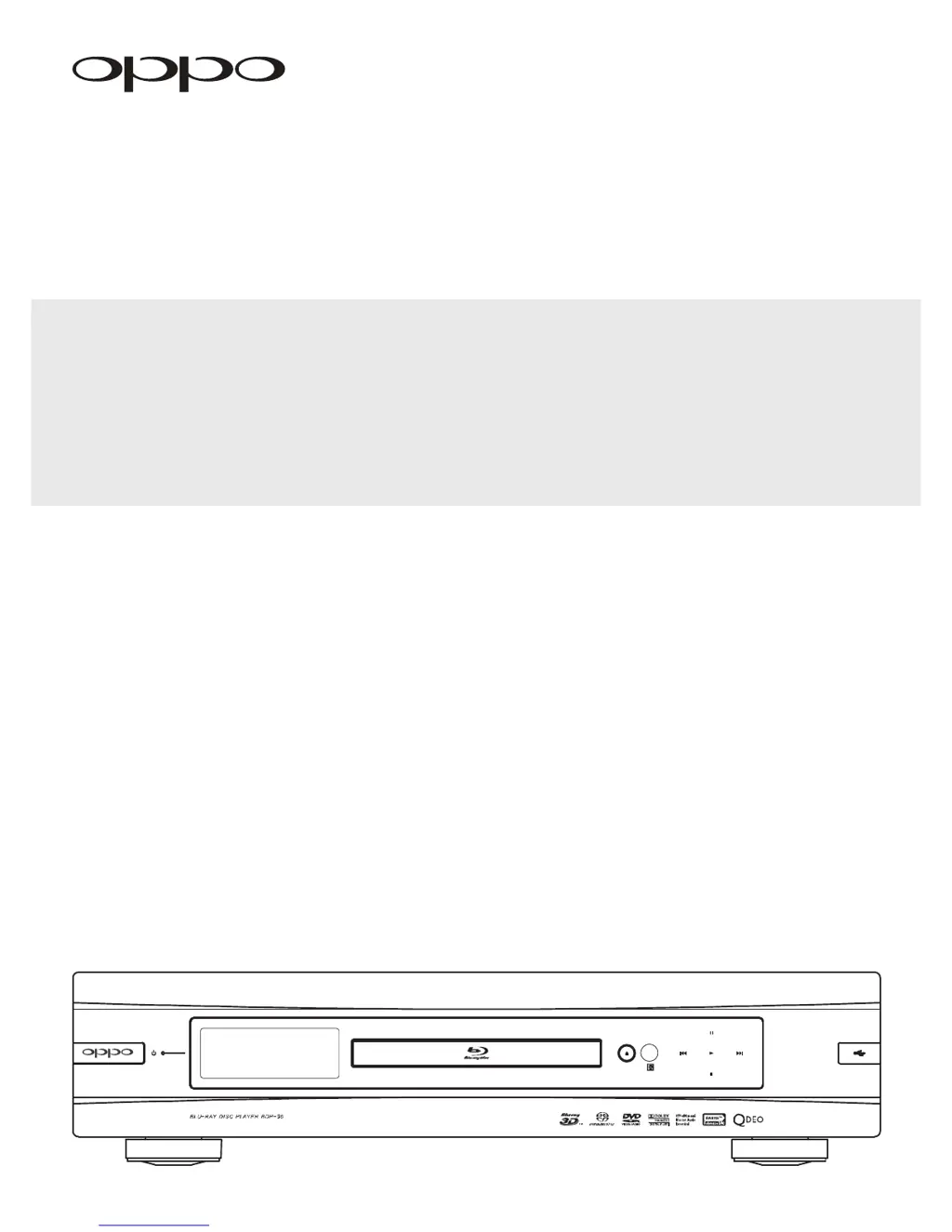
Oppo BDP-95 - User Manual

Oppo BDP-95
97 pages
Print Icon
To Next Page IconTo Next Page
Loading...
®
USER MANUAL
READ CAREFULLY BEFORE OPERATION
Blu-ray Disc Player BDP-95

Table of Contents

Other manuals for Oppo BDP-95

Questions and Answers

Summary

USER MANUAL

Important Information

Important Safety Instructions

Key safety precautions and guidelines for operating the BDP-95 player.

Precautions

Advisories on ventilation, heat, moisture, and power handling for safe operation.

FCC Statement

Details on FCC compliance for digital devices and potential radio frequency interference.

Trademarks

Lists various trademarks and registered logos associated with the product and its technologies.

Compatible Disc Types

Lists and describes the types of discs supported by the player, including logos.

Discs that cannot be played

Lists disc types that are not compatible or may not play correctly on the BDP-95.

Disc care and handling

Provides instructions on how to handle discs to prevent damage and ensure proper playback.

Notes about BD-ROM compatibility

Information on potential compatibility issues with Blu-ray discs and firmware updates.

Copyright Protection

Details on the product's use of copyright protection technology.

Region management information

Explains region code restrictions for BD-Video and DVD-Video playback.

INSTALLATION

Front Panel Controls

Identifies and describes the buttons and ports located on the front panel of the BDP-95.

Front Panel Display Window

Explains the various indicators and information displayed on the player's front panel display.

Rear Panel Connectors

Details all the input and output connectors found on the rear panel of the BDP-95.

Remote Control

Overview of the remote control functionality.

Remote Control Buttons

Lists and describes the function of each button on the BDP-95 remote control.

Back Side

Details the rear side of the remote control, including battery compartment and code switch.

Battery Installation

Step-by-step guide on how to install batteries into the remote control.

Using the Remote Control

Instructions on how to aim and operate the remote control effectively.

Changing the Remote Code

Explains how to change the remote control's code to avoid conflicts with other devices.

Connecting to a Display (Recommended Methods)

HDMI Connection to a single TV

Guide on connecting the player to a single TV using an HDMI cable for optimal video and audio.

HDMI Connection to Two (2) TVs

Instructions for connecting the player to two TVs simultaneously using both HDMI outputs.

DVI Connection

How to connect the player to a TV with a DVI input using an HDMI-to-DVI adapter.

Component Video Connection

Steps for connecting the player using component video cables for analog video output.

Connecting to an Audio System

Connecting to a Receiver;Amplifier with HDMI Input;Output

How to connect the player to an A/V receiver via HDMI for audio and video signals.

Connecting to a Receiver;Amplifier with 7.1 ch;5.1 ch Audio Input

Guide for connecting the player to a receiver using multi-channel analog audio outputs.

Connecting to a Receiver;Amplifier with Dolby Digital or DTS Decoder

Connecting the player to a receiver using digital audio outputs (coaxial or optical).

Connecting to a Stereo Audio System through RCA-style Cable

Connecting the player to a stereo system using RCA analog audio cables.

Connecting to a Stereo Audio System through XLR Balanced Cable

Connecting the player to a stereo system using XLR balanced audio cables for superior signal integrity.

Connecting to a Display and Audio System using Dual HDMI

Utilizing both HDMI outputs for simultaneous connection to a display and an audio system.

Connecting to the Internet

Internet connection through Ethernet cable

Instructions for establishing an internet connection using an Ethernet cable for network features.

Internet connection through wireless adaptor

Guide for connecting to the internet using the included wireless adapter.

Custom Installation

External IR (Infrared Remote) Installation

How to connect an external IR sensor for cabinet installation where line-of-sight is blocked.

RS232 Control

Information on integrating the player with custom home theater control systems via RS232.

Setting Up the Player - Easy Setup Wizard

Access the Easy Setup Wizard

Steps to initiate and access the player's initial setup wizard for basic configuration.

Choose the Primary Video Output

Guide on selecting the primary video output port (HDMI 1, HDMI 2, or Analog) for optimal display.

Select the Best Output Resolution

Recommendations for choosing the optimal output resolution to match your TV's native resolution.

Determine the Display Aspect Ratio

How to set the player's aspect ratio to match your TV screen for correct image display.

Select the Audio Setting

Options for configuring audio output settings to ensure compatibility and quality.

Complete the Easy Setup Wizard

Final step of the wizard, confirming completion and readiness for use.

BASIC OPERATIONS

Disc Playback

Instructions on how to insert, play, stop, and turn off the player with a disc.

Fast Playback

How to use the remote control buttons to fast forward or reverse playback.

Pause and Frame-by-Frame

How to pause playback and advance frame-by-frame for detailed viewing.

Slow Playback

Instructions for playing back video content in slow motion, forwards or backwards.

Blu-ray Disc Menu Playback

Navigating Blu-ray discs using Top Menu and Pop-up Menu features.

DVD Menu Playback

Navigating DVD discs using title and chapter menu functions.

On-Screen Display

How to display and cycle through playback information on the TV screen.

Volume Control

How to adjust the analog audio volume using the remote control.

Mute

How to mute and unmute the audio output of the player.

Audio Language;Track Selection

How to select different audio tracks or languages available on a disc.

Subtitle Selection

How to select and turn subtitles on or off for DVD and Blu-ray discs.

Angle Selection

How to switch between multiple camera angles available on certain discs.

Picture-in-Picture and Secondary Audio

Using BONUSVIEW features for secondary video (PIP) and audio.

BD-Live

Information about BD-Live features, downloadable content, and internet connection requirements.

ADVANCED OPERATIONS

TV System Selection

How to set the player's video output system (NTSC/PAL/Multi) to match your TV.

Output Resolution

How to change the player's output resolution using the RESOLUTION button.

Zooming and Aspect Ratio Control

How to zoom in/out and change aspect ratio of the displayed image.

Zoom Levels for HDMI 1 Output

Available zoom levels when the primary output is set to HDMI 1.

Zoom Levels for HDMI 2 & Analog (Component) Video Output

Available zoom levels when the primary output is set to HDMI 2 or Analog.

Subtitle Shift

How to adjust subtitle position for optimal viewing, especially with widescreen displays.

Repeat Playback

How to set repeat modes for chapters, titles, tracks, or entire discs.

Repeat a Selected Section

How to set a specific playback section (A-B repeat) for repeated viewing.

Shuffle and Random Playback

How to play tracks from CDs or SACDs in shuffle or random order.

Playback by Chapter or Track Number

How to directly jump to a specific chapter or track number on a disc.

Playback from a Specific Location

How to start playback at a specific time, chapter, or title.

CD and SACD discs

How to play back CD and SACD discs, including time search and track selection.

Memory and Automatic Resume

How the player remembers playback position and resumes automatically.

Viewing Pictures on DVD-Audio Discs

How to view static pictures included on some DVD-Audio discs.

Pure Audio Mode

How to turn off video processing for enhanced audio quality.

MEDIA FILE PLAYBACK

Playback from a USB or e-SATA Drive

How to play media files stored on USB or e-SATA drives.

The Home Menu

Introduction to the Home Menu for accessing media files and network services.

Playing Music Files

How to browse and play music files from various media sources.

Playing Movie Files

How to browse and play movie files from various media sources.

Viewing Photo Files

How to browse and view photo files, including slideshow features.

Adding Background Music

How to add background music to photo slideshows.

SETUP MENU OPTIONS

Using the Setup Menu System

Explains the structure and navigation of the player's setup menu system.

Playback Setup

Settings for disc playback preferences, including SACD, DVD-Audio, and auto play.

Video Setup

Settings for configuring video output options like primary output and resolution.

Audio Format Setup

Settings for configuring audio output formats for HDMI, coaxial, and optical connections.

Audio Processing Setup

Settings for processing audio signals, including speaker configuration and crossover frequencies.

Speaker Configuration

How to configure speaker settings, down-mix, test tone, and individual speaker parameters.

Device Setup

Settings related to player hardware, firmware, and control functions.

Network Setup

Configuration for internet connection, network access, and BD-Live settings.

REFERENCES

Useful Notes

General tips and notes for prolonging player life and understanding its behavior.

Troubleshooting

A guide to resolving common operational problems with the BDP-95 player.

Specifications

Technical specifications of the OPPO BDP-95 Blu-ray Disc Player.

LANGUAGE CODE LIST

A list of language codes used for various language settings and features.

LIMITED WARRANTY

Summary

USER MANUAL

Important Information

Important Safety Instructions

Key safety precautions and guidelines for operating the BDP-95 player.

Precautions

Advisories on ventilation, heat, moisture, and power handling for safe operation.

FCC Statement

Details on FCC compliance for digital devices and potential radio frequency interference.

Trademarks

Lists various trademarks and registered logos associated with the product and its technologies.

Compatible Disc Types

Lists and describes the types of discs supported by the player, including logos.

Discs that cannot be played

Lists disc types that are not compatible or may not play correctly on the BDP-95.

Disc care and handling

Provides instructions on how to handle discs to prevent damage and ensure proper playback.

Notes about BD-ROM compatibility

Information on potential compatibility issues with Blu-ray discs and firmware updates.

Copyright Protection

Details on the product's use of copyright protection technology.

Region management information

Explains region code restrictions for BD-Video and DVD-Video playback.

INSTALLATION

Front Panel Controls

Identifies and describes the buttons and ports located on the front panel of the BDP-95.

Front Panel Display Window

Explains the various indicators and information displayed on the player's front panel display.

Rear Panel Connectors

Details all the input and output connectors found on the rear panel of the BDP-95.

Remote Control

Overview of the remote control functionality.

Remote Control Buttons

Lists and describes the function of each button on the BDP-95 remote control.

Back Side

Details the rear side of the remote control, including battery compartment and code switch.

Battery Installation

Step-by-step guide on how to install batteries into the remote control.

Using the Remote Control

Instructions on how to aim and operate the remote control effectively.

Changing the Remote Code

Explains how to change the remote control's code to avoid conflicts with other devices.

Connecting to a Display (Recommended Methods)

HDMI Connection to a single TV

Guide on connecting the player to a single TV using an HDMI cable for optimal video and audio.

HDMI Connection to Two (2) TVs

Instructions for connecting the player to two TVs simultaneously using both HDMI outputs.

DVI Connection

How to connect the player to a TV with a DVI input using an HDMI-to-DVI adapter.

Component Video Connection

Steps for connecting the player using component video cables for analog video output.

Connecting to an Audio System

Connecting to a Receiver;Amplifier with HDMI Input;Output

How to connect the player to an A/V receiver via HDMI for audio and video signals.

Connecting to a Receiver;Amplifier with 7.1 ch;5.1 ch Audio Input

Guide for connecting the player to a receiver using multi-channel analog audio outputs.

Connecting to a Receiver;Amplifier with Dolby Digital or DTS Decoder

Connecting the player to a receiver using digital audio outputs (coaxial or optical).

Connecting to a Stereo Audio System through RCA-style Cable

Connecting the player to a stereo system using RCA analog audio cables.

Connecting to a Stereo Audio System through XLR Balanced Cable

Connecting the player to a stereo system using XLR balanced audio cables for superior signal integrity.

Connecting to a Display and Audio System using Dual HDMI

Utilizing both HDMI outputs for simultaneous connection to a display and an audio system.

Connecting to the Internet

Internet connection through Ethernet cable

Instructions for establishing an internet connection using an Ethernet cable for network features.

Internet connection through wireless adaptor

Guide for connecting to the internet using the included wireless adapter.

Custom Installation

External IR (Infrared Remote) Installation

How to connect an external IR sensor for cabinet installation where line-of-sight is blocked.

RS232 Control

Information on integrating the player with custom home theater control systems via RS232.

Setting Up the Player - Easy Setup Wizard

Access the Easy Setup Wizard

Steps to initiate and access the player's initial setup wizard for basic configuration.

Choose the Primary Video Output

Guide on selecting the primary video output port (HDMI 1, HDMI 2, or Analog) for optimal display.

Select the Best Output Resolution

Recommendations for choosing the optimal output resolution to match your TV's native resolution.

Determine the Display Aspect Ratio

How to set the player's aspect ratio to match your TV screen for correct image display.

Select the Audio Setting

Options for configuring audio output settings to ensure compatibility and quality.

Complete the Easy Setup Wizard

Final step of the wizard, confirming completion and readiness for use.

BASIC OPERATIONS

Disc Playback

Instructions on how to insert, play, stop, and turn off the player with a disc.

Fast Playback

How to use the remote control buttons to fast forward or reverse playback.

Pause and Frame-by-Frame

How to pause playback and advance frame-by-frame for detailed viewing.

Slow Playback

Instructions for playing back video content in slow motion, forwards or backwards.

Blu-ray Disc Menu Playback

Navigating Blu-ray discs using Top Menu and Pop-up Menu features.

DVD Menu Playback

Navigating DVD discs using title and chapter menu functions.

On-Screen Display

How to display and cycle through playback information on the TV screen.

Volume Control

How to adjust the analog audio volume using the remote control.

Mute

How to mute and unmute the audio output of the player.

Audio Language;Track Selection

How to select different audio tracks or languages available on a disc.

Subtitle Selection

How to select and turn subtitles on or off for DVD and Blu-ray discs.

Angle Selection

How to switch between multiple camera angles available on certain discs.

Picture-in-Picture and Secondary Audio

Using BONUSVIEW features for secondary video (PIP) and audio.

BD-Live

Information about BD-Live features, downloadable content, and internet connection requirements.

ADVANCED OPERATIONS

TV System Selection

How to set the player's video output system (NTSC/PAL/Multi) to match your TV.

Output Resolution

How to change the player's output resolution using the RESOLUTION button.

Zooming and Aspect Ratio Control

How to zoom in/out and change aspect ratio of the displayed image.

Zoom Levels for HDMI 1 Output

Available zoom levels when the primary output is set to HDMI 1.

Zoom Levels for HDMI 2 & Analog (Component) Video Output

Available zoom levels when the primary output is set to HDMI 2 or Analog.

Subtitle Shift

How to adjust subtitle position for optimal viewing, especially with widescreen displays.

Repeat Playback

How to set repeat modes for chapters, titles, tracks, or entire discs.

Repeat a Selected Section

How to set a specific playback section (A-B repeat) for repeated viewing.

Shuffle and Random Playback

How to play tracks from CDs or SACDs in shuffle or random order.

Playback by Chapter or Track Number

How to directly jump to a specific chapter or track number on a disc.

Playback from a Specific Location

How to start playback at a specific time, chapter, or title.

CD and SACD discs

How to play back CD and SACD discs, including time search and track selection.

Memory and Automatic Resume

How the player remembers playback position and resumes automatically.

Viewing Pictures on DVD-Audio Discs

How to view static pictures included on some DVD-Audio discs.

Pure Audio Mode

How to turn off video processing for enhanced audio quality.

MEDIA FILE PLAYBACK

Playback from a USB or e-SATA Drive

How to play media files stored on USB or e-SATA drives.

The Home Menu

Introduction to the Home Menu for accessing media files and network services.

Playing Music Files

How to browse and play music files from various media sources.

Playing Movie Files

How to browse and play movie files from various media sources.

Viewing Photo Files

How to browse and view photo files, including slideshow features.

Adding Background Music

How to add background music to photo slideshows.

SETUP MENU OPTIONS

Using the Setup Menu System

Explains the structure and navigation of the player's setup menu system.

Playback Setup

Settings for disc playback preferences, including SACD, DVD-Audio, and auto play.

Video Setup

Settings for configuring video output options like primary output and resolution.

Audio Format Setup

Settings for configuring audio output formats for HDMI, coaxial, and optical connections.

Audio Processing Setup

Settings for processing audio signals, including speaker configuration and crossover frequencies.

Speaker Configuration

How to configure speaker settings, down-mix, test tone, and individual speaker parameters.

Device Setup

Settings related to player hardware, firmware, and control functions.

Network Setup

Configuration for internet connection, network access, and BD-Live settings.

REFERENCES

Useful Notes

General tips and notes for prolonging player life and understanding its behavior.

Troubleshooting

A guide to resolving common operational problems with the BDP-95 player.

Specifications

Technical specifications of the OPPO BDP-95 Blu-ray Disc Player.

LANGUAGE CODE LIST

A list of language codes used for various language settings and features.

LIMITED WARRANTY

Oppo BDP-95 Specifications

General IconGeneral
Video OutputHDMI, Component Video, Composite Video
Network ConnectivityEthernet
UpscalingUp to 1080p
Audio OutputStereo
Disc FormatsBD, DVD, CD, SACD, DVD-Audio
USB Ports2
Dimensions430 x 311 x 123 mm
DACESS Sabre32
HDMI Output2

Related product manuals