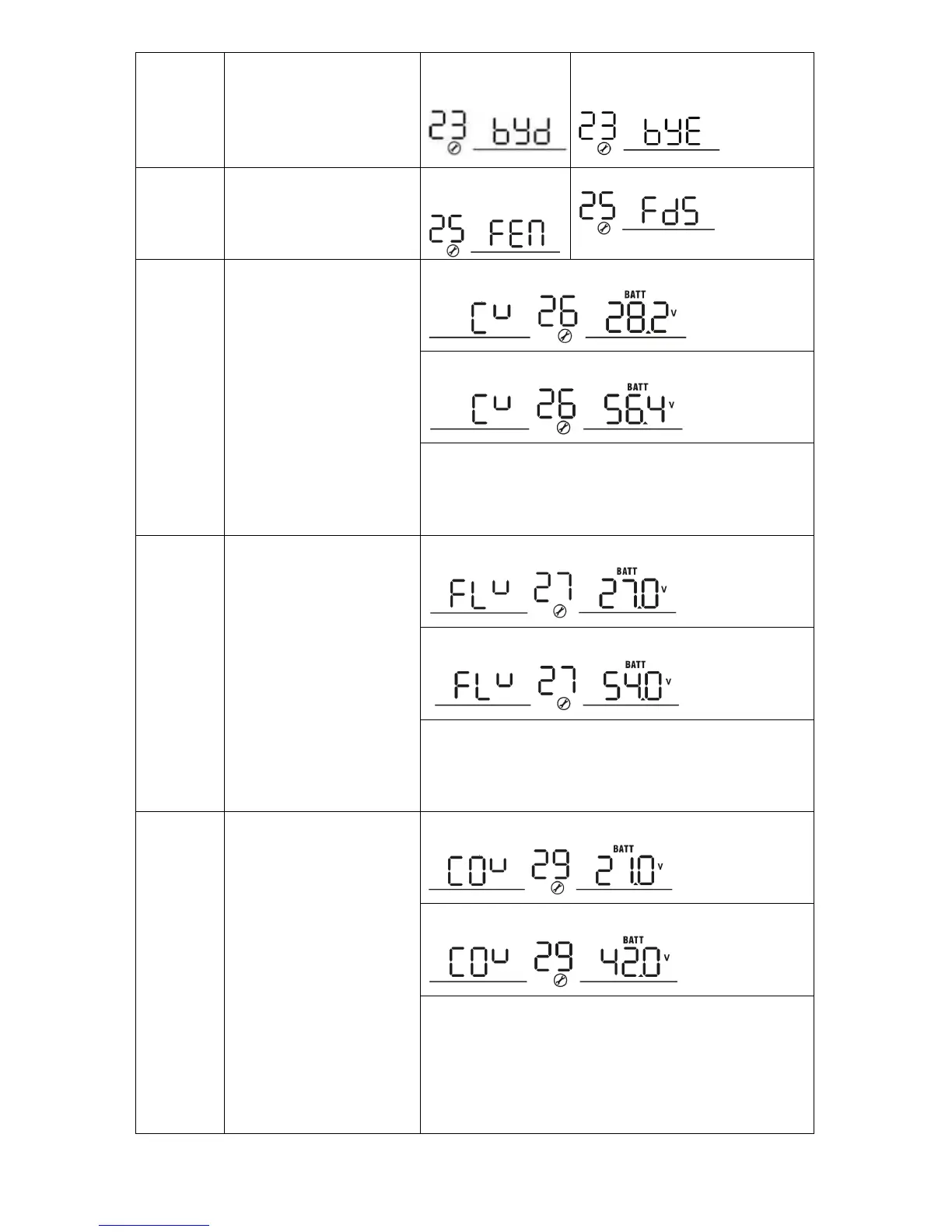
Overload bypass:
When enabled, the unit will
transfer to line mode if
overload occurs in battery
mode.
Bulk charging voltage
(C.V voltage)
SP3000 Initial-P/SP3000 Initial-M default setting: 28.2V
SP5000 Initial-P/SP5000 Initial-M default setting: 56.4V
If self-defined is selected in program 5, this program can
be set up. Setting range is from 25.0V to 31.5V for
3KVA/3KVA Plus model and 48.0V to 61.0V for 5KVA model.
Increment of each click is 0.1V.
Floating charging voltage
SP3000 Initial-P/SP3000 Initial-M default setting: 27.0V
SP5000 Initial-P/SP5000 Initial-M default setting: 54.0V
If self-defined is selected in program 5, this program can
be set up. Setting range is from 25.0V to 31.5V for SP3000
Initial-P/SP3000 Initial-M and 48.0V to 61.0V for SP5000
Initial-M/SP5000 Initial-P. Increment of each click is 0.1V.
SP3000 Initial-P/SP3000 Initial-M default setting: 21.0V
SP5000 Initial-P/SP5000 Initial-M default setting: 42.0V
If self-defined is selected in program 5, this program can
be set up. Setting range is from 21.0V to 24.0V for SP3000
Initial-P/SP3000 Initial-M and 42.0V to 48.0V for SP5000
Initial-P/SP5000 Initial-M. Increment of each click is 0.1V.
Low DC cut-off voltage will be fixed to setting value no
matter what percentage of load is connected.




 To Next Page