Installation
10 DS-I 1-3k UPS User Manual
(a) (b)
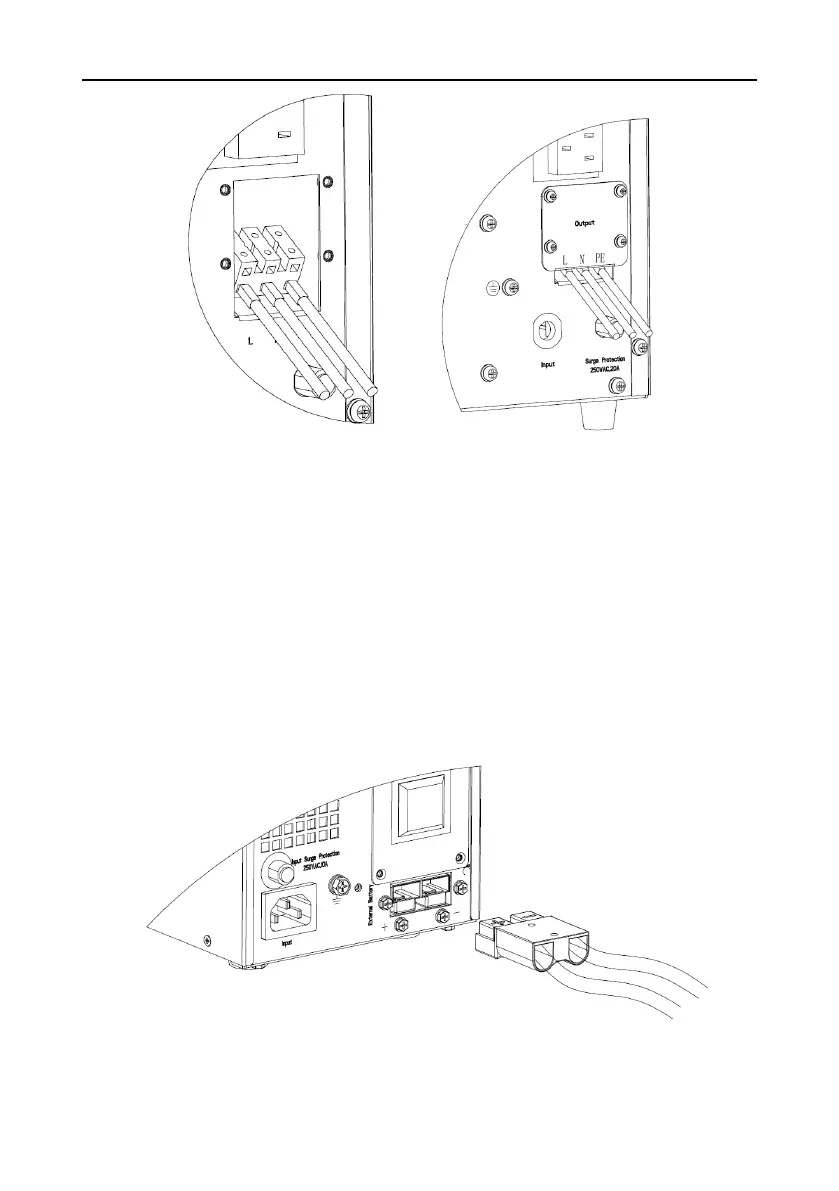
Fig.3 Output terminal of 3KVA
1). Remove the cover of output terminal
2). Use AWG14 wires for terminal wiring configuration as fig.3 (a)
3). Please check if the wires are securely affixed
4). Put back the cover to the rear panel as fig.3 (b).
5.3 Operating procedure for connecting the long backup time model UPS with
the external battery
1. The nominal DC voltage of external battery pack please refer to General
Specification. Connect in series the batteries of the pack to ensure proper battery
voltage. To achieve longer backup time, it is possible to connect multi-battery packs,
but the principle of “same voltage, same type” should be strictly followed.
Fig.4 Battery terminal connection



 To Next Page