12
Commissioning
Operation
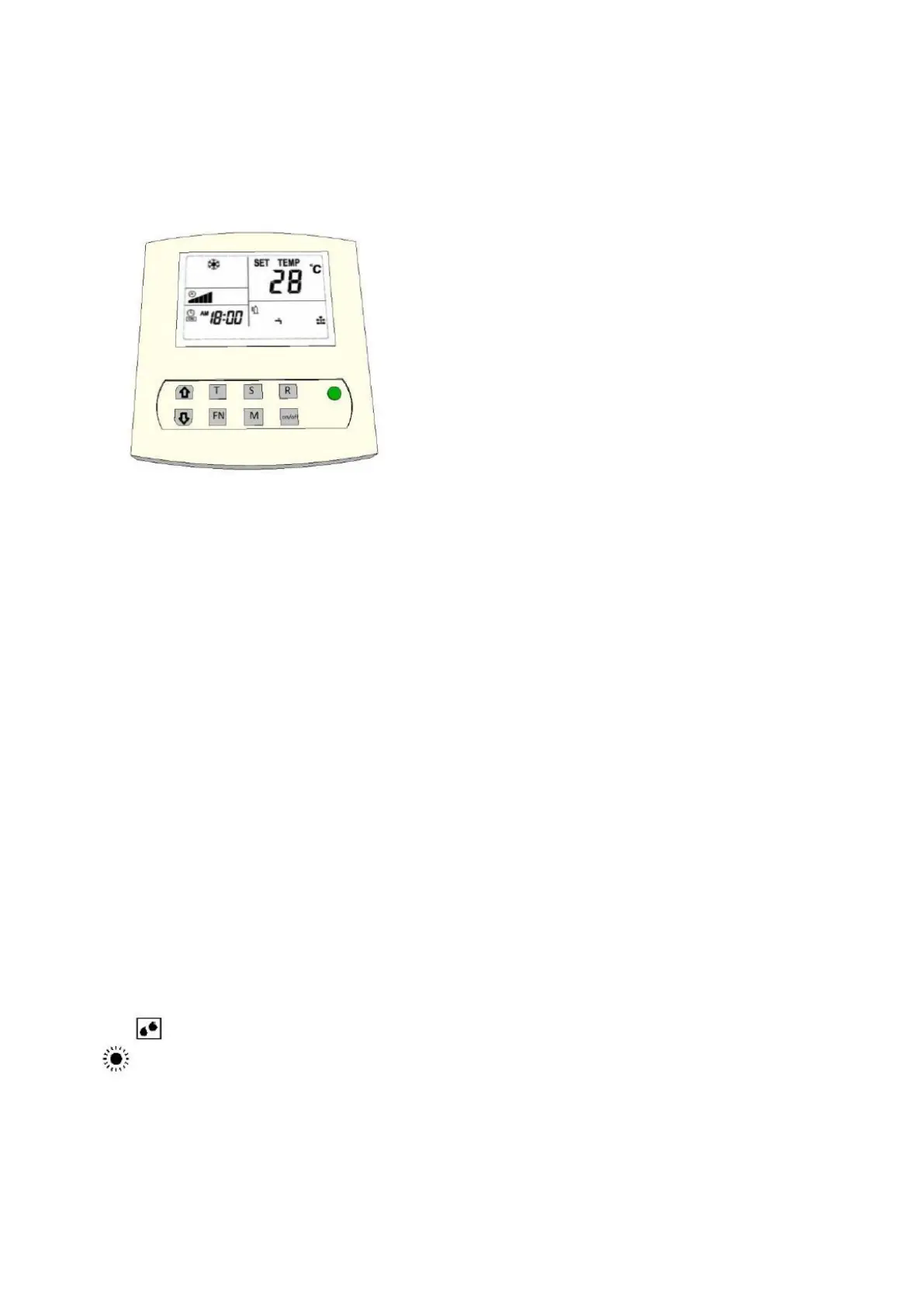
Press to set time / Press and hold to confirm
Press to read Sensors / Press and hold is Menu
Press to confirm / Press and hold to erase / delete error codes
Pressing M switches between day and night mode manually. Pressing and
holding M turns automatic light sensor mode on / off.
Unit On / Off or confirm menu option.
1) On / Off button
The On / Off button turns the unit on and off. If the unit is turned on, the LED lights green. If the unit is
off the LED lights red. When a fault is detected the LED will flash red / green. The On / Off button is
also used to confirm a menu selection.
2) Mode button 【M】
Pressing the mode button switches between day mode (cooling) and the night mode (heating /
dehumidification). In the day mode a snowflake is pictured in the display with night mode a sun with
water drops is shown.
Night mode
In the default mode, the temperatures are already be set for day and night.
This can be changed later.


 To Next Page