15
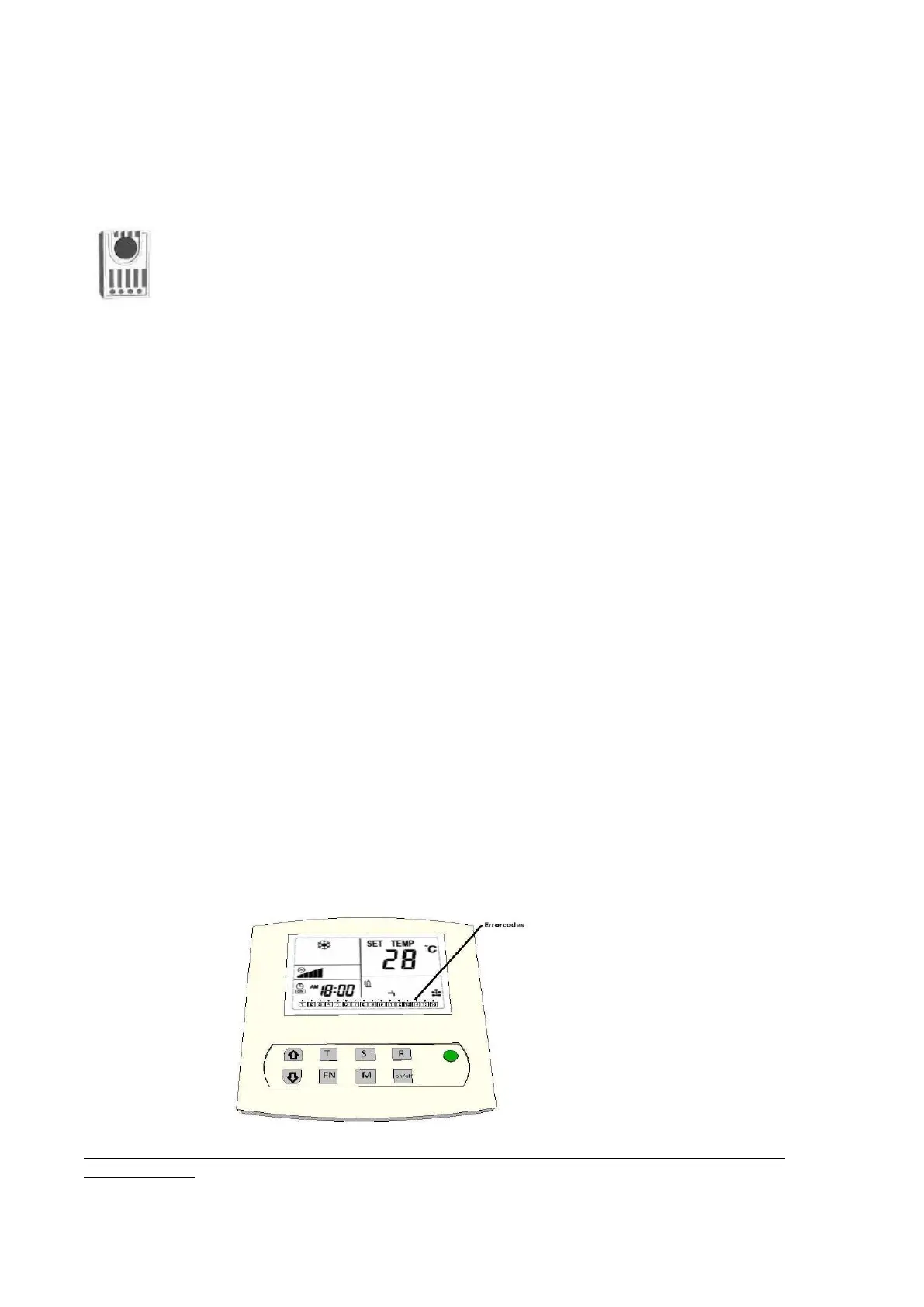
8) Using of the humidistat to dehumidify at night
The humidistat can be set to the desired maximum humidity for night time. When the night mode is
active and the humidistat indicates that the unit must dehumidify the drop symbol will flash. During
dehumidification it will also need to use water.
9) Readout function for temperature sensors
Press the【S】 key and the sensor temperature is displayed. The number and the temperature of the
sensors is displayed in place of the clock.
By pressing the ▲ and ▼ keys users can choose different sensors to read.
EXIT: Press 【S】 key to exit or wait 60s for the option to automatically close.
C: 01 = heatsink temperature
C: 02 = temperature refrigerant from outdoor unit (liquid / return)
C: 03 = room temperature 2 (only for dual-room configuration, now-40g)
C: 04 = temperature (cold) air blown
C: 05 = temperature (warm) air drawn
C: 06 = temperature low pressure (for compressor)
C: 07 = Outside air temperature (for outdoor unit)
10) Readout function for the error codes
If the On / Off LED is flashing green / red flashing this indicates a fault. The actual error code will
be shown with E: XX. If the problem resolves itself, the error will disappear.
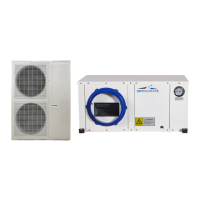
Below the display remote control is the error log (alarm history). If there has been an error, the error
will be visible on the bottom of the display, even when the error has been resolved.
In this way, an emerging malfunction or incorrect adjustment can be noticed early and / or
corrected.
Clearing the error log (alarm history)
Errors in the log can be cleared by pressing the (R) button as they are resolved press and hold.
Making good use of the alarm history items means any problems can be better detected and
resolved early!


 To Next Page