9
High temperature protection
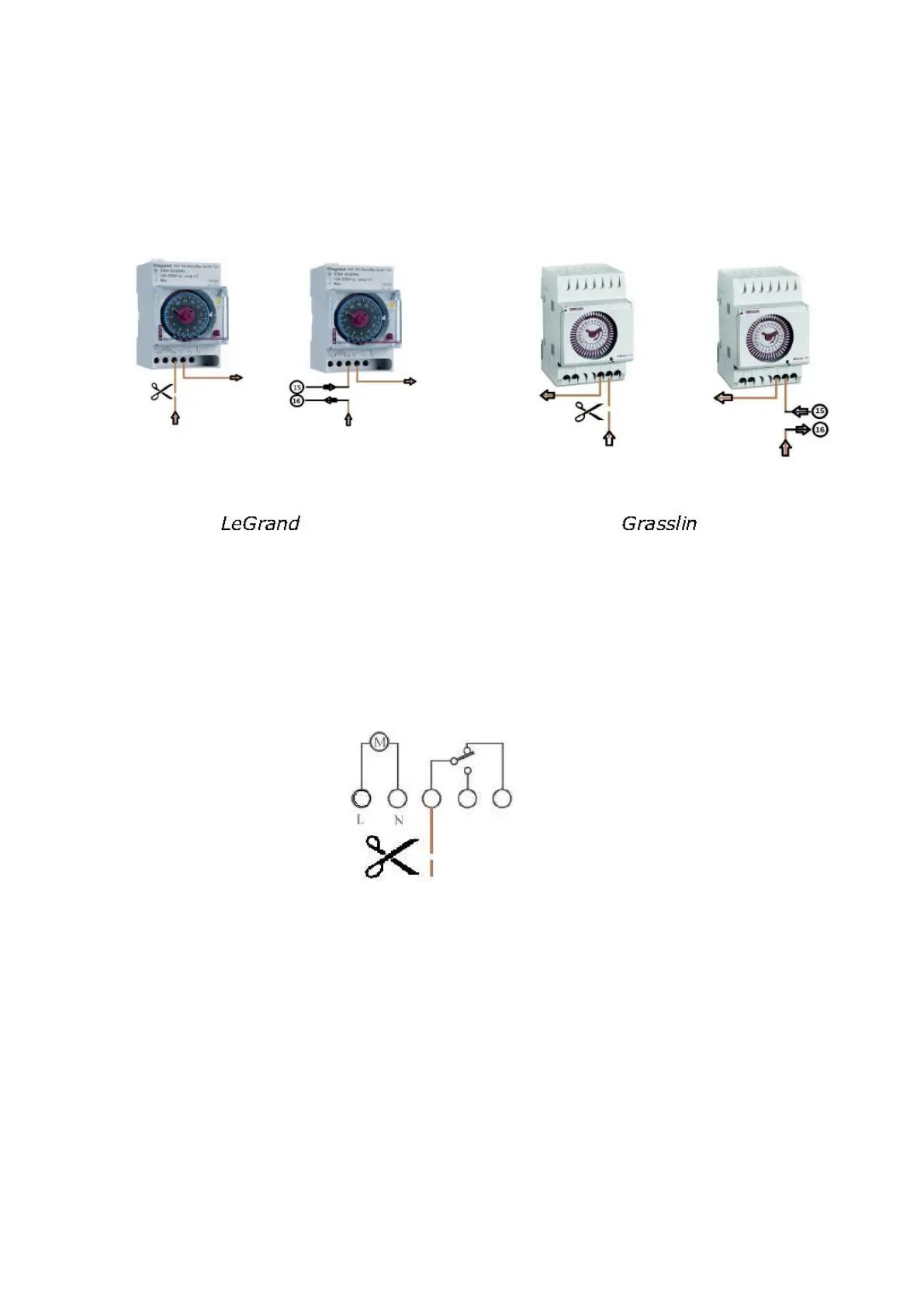
If the temperature in a room is too high OptiClimate switches the heat sources (eg lamps) off. In the
unit there is a connection that can be connected to the timer on the switchboard.
The power wire runs to the switch on the switchboard should this be interrupted. In one example, this
is Grasslin clock terminal 1 and at a LeGrand switch this connection 4 is scheduled for D15000 pro
400v 3 phase only.
The two ends must be at terminal 15 & 16 on the connected terminal strip in the OptiClimates
electrical compartment.
The power for the switch then runs through the OptiClimate. If the temperature is above 35 ° C, the
OptiClimate interrupts the circuit so that the heat sources switch off. ERROR 15 will appear on the
remote.
Always refer to the instructions of the manufacturer of the switch if another model is used than what is
shown is this example.


 To Next Page