OPTIMUM
MASCHINEN - GERMANY
Operation
Version 1.0 dated 2015-03-31 Page 23Original operating instructions
DPA22 GB
3.6 Coordinate points along a diagonal line
Creates a line within a coordinate system, along which a specified number of uniformly spaced
coordinate points are defined.
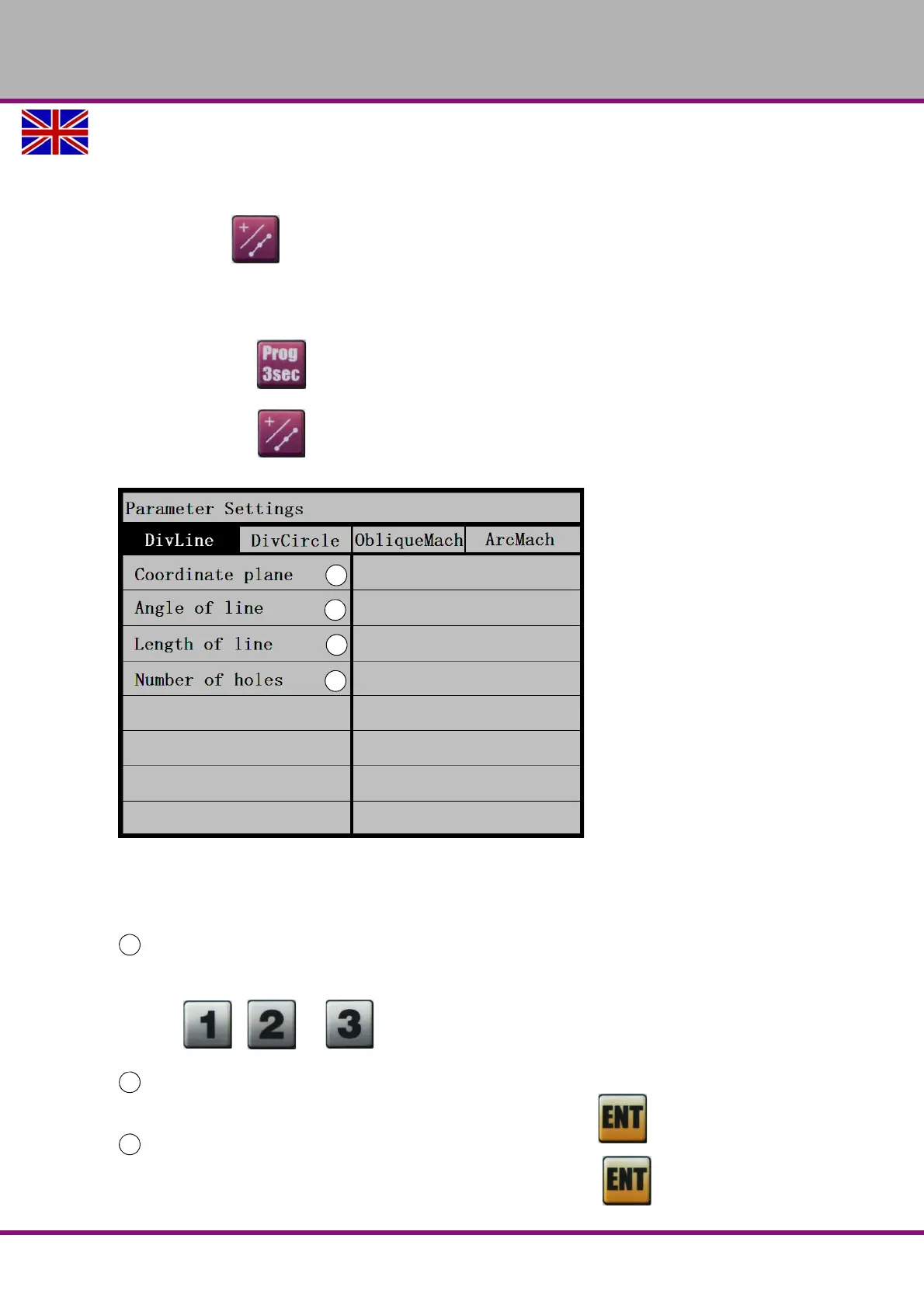
Press button to access parameter settings. Press the button again to exit from
parameter settings.
Using the arrow keys, select the menu point and input the desired value.
Press the button to execute the function.
Press the button to exit from the function.
3.6.1 Parameter meanings
Meanings of parameters and settings.
Coordinate axis of the line
Selecting the coordinate system.
Press the , or key to select X-Y, Y-Z or X-Z as the coordinate axes.
Angle of the line
Input the angle of the line using the numeric keys and confirm with the key.
Length of the line
Input the length of the line using the numeric keys and confirm with the key.


 To Next Page