OPTIMUM
MASCHINEN - GERMANY
Operation
Version 1.0 dated 2015-03-31Page 32 Original operating instructions
DPA22GB
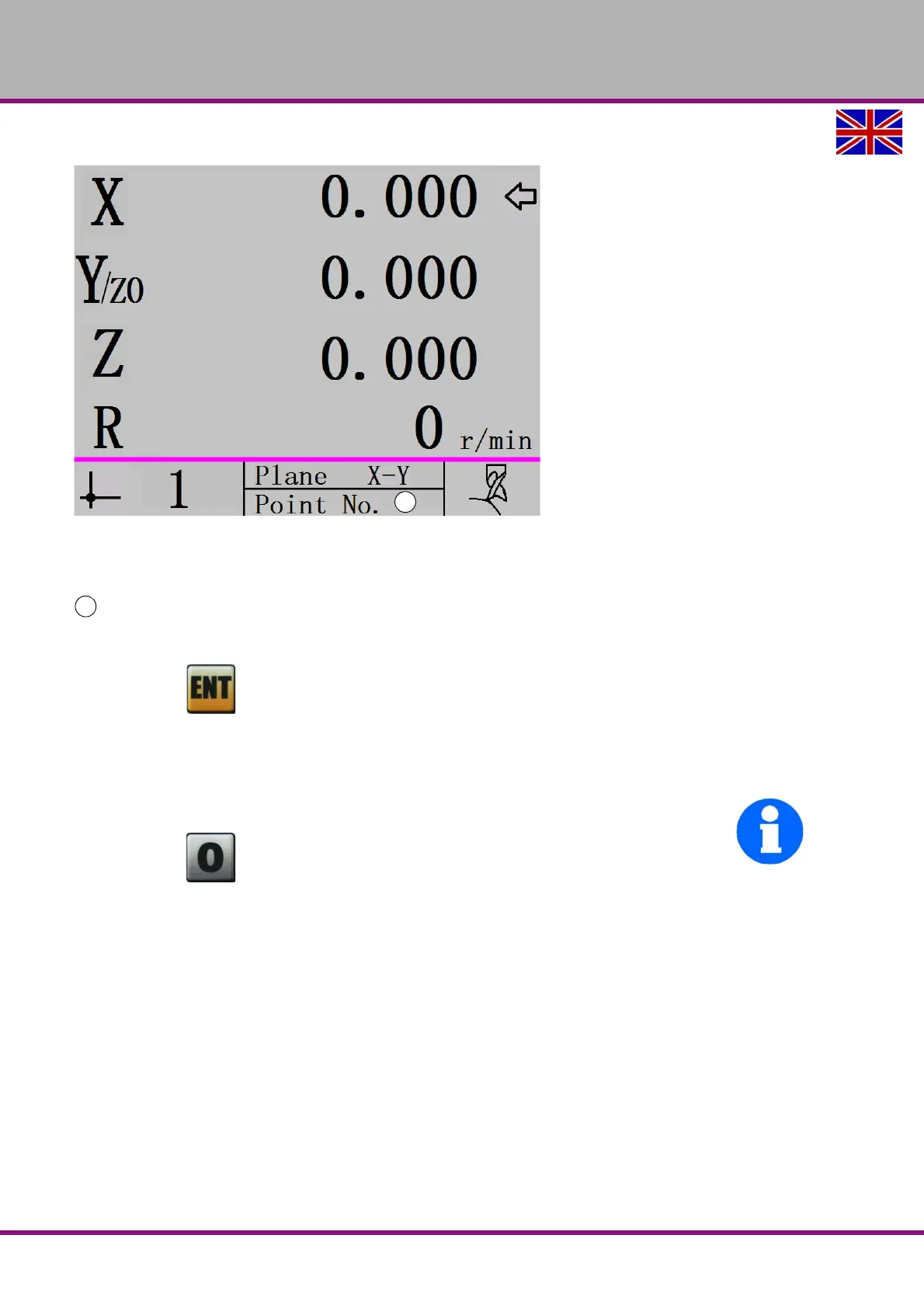
The display shows:
Positioning to coordinate points:
The coordinates of the first point of the coordinate plane are shown. The machine axes
will proceed until the positions on the selected coordinate plane read 0.000.
Press the button to display the second point of the coordinate plane. The machine
axes will proceed until the positions on the selected coordinate plane read 0.000.
Repeat these steps until the arc has been completely machined.
INFORMATION
Press the button to temporarily interrupt the function. The display returns to the normal
display status. Press the 0 key again to continue with the function.


 To Next Page