Version 1.1.0 - 2020-08-07 33Translation of original instruction
MH35G│MH35V EN
MH35G_MH35V_GB_4.fm
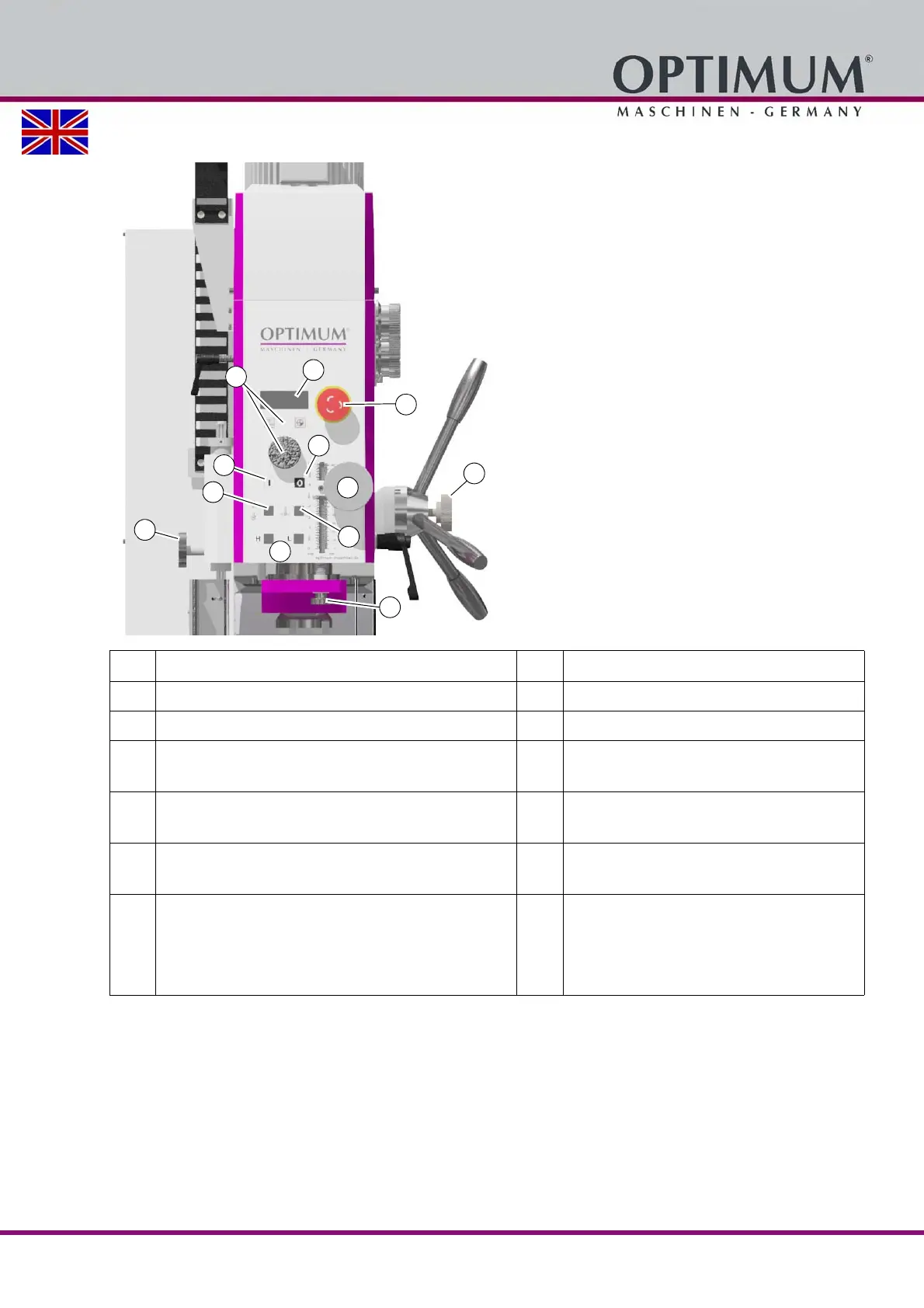
4.1.1 Control panel
Pos. Designation Item Designation
11 Activation of the fine adjustment 12 Fine adjustment of spindle sleeve
15 Drive motor stage selection (only MH35G) 14 Emergency stop button
17 Spindle rotation OFF 16
Depth display
Speed display (only MH35V)
19
Rotational direction
Direction of spindle rotation on page 35
18
Spindle rotation ON
21
Mechanical securing, quick clamping system
Inserting or Removing Tool on page 37
20
Tapping
Tapping on page 37
23
Push buttons
• Drilling depth mm / inch
• Zero point
• Speed and function of rotary knob for setting the
speed (only MH35V)
22
Mechanical drill depth stop















 To Next Page