EasyManua.ls Logo

Optimus STA-7500 - Installing the Remote Controls Batteries; Using the Remote Control

Optimus STA-7500
20 pages
Print Icon
To Next Page IconTo Next Page
To Previous Page IconTo Previous Page
Loading...
PREPARATION
INSTALLING
THE
REMOTE
CONTROLS
BATTERIES
The
remote
control
uses
two
AA
batteries
(not
included).
For the
longest
battery
life,
we
recom-
mend
Radio
Shack’s
alkaline
batteries
(Cat.
No.
23-552).
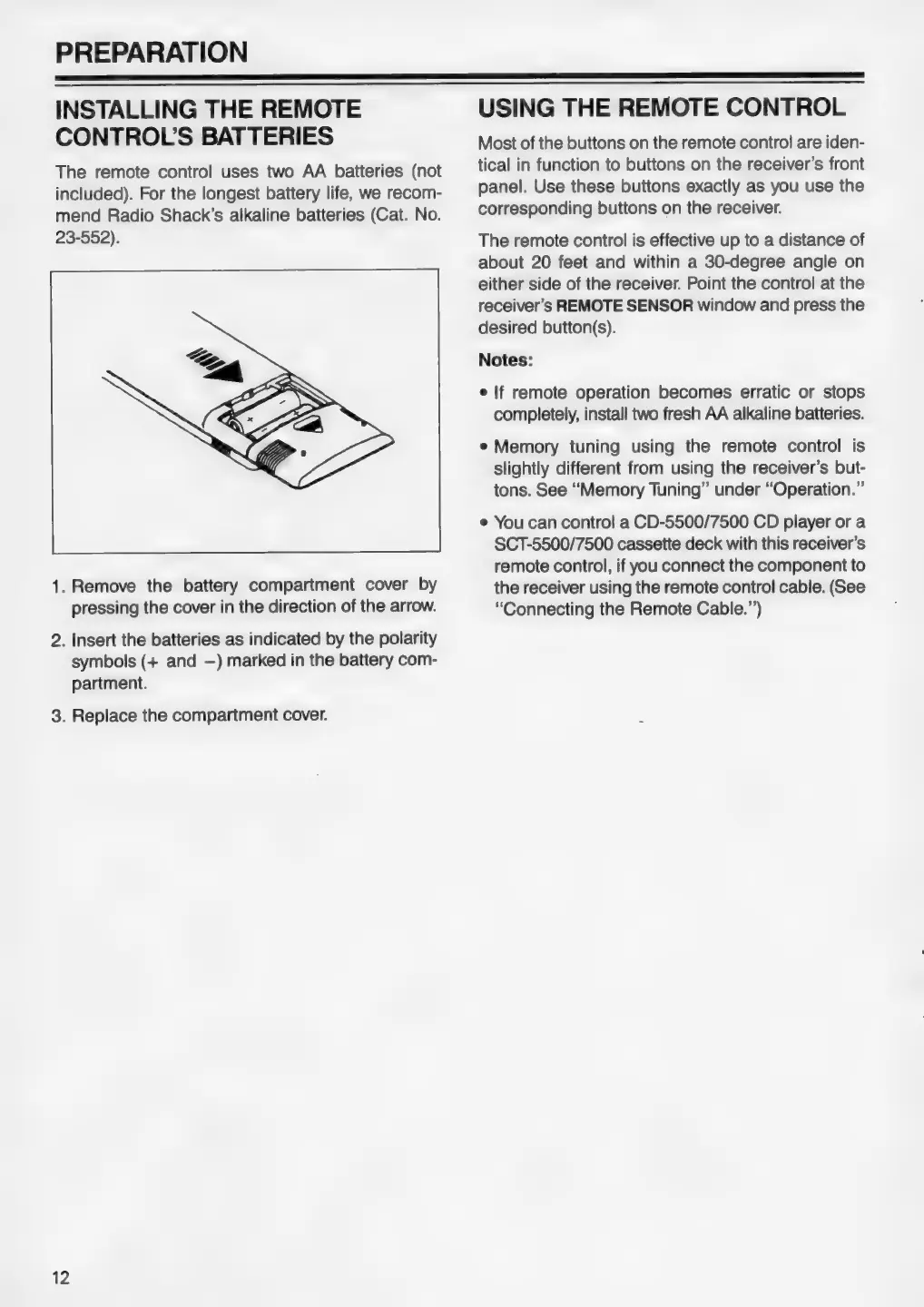
1.
Remove
the
battery
compartment
cover
by
pressing
the
cover
in
the
direction
of
the
arrow.
2.
Insert
the
batteries
as
indicated
by
the
polarity
symbols
(+
and
—)
marked
in
the
battery
com-
partment.
3.
Replace
the
compartment
cover.
12
USING
THE
REMOTE
CONTROL
Most
of
the
buttons
on
the
remote
control
are
iden-
tical
in
function
to
buttons
on the
receiver’s
front
panel.
Use
these
buttons
exactly
as
you
use
the
corresponding
buttons
on
the
receiver.
The
remote
control
is
effective
up
to
a
distance
of
about
20
feet
and
within
a
30-degree
angle
on
either
side
of
the
receiver.
Point
the
control
at
the
receiver’s
REMOTE
SENSOR
window
and
press
the
desired
button(s).
Notes:
e
If
remote
operation
becomes
erratic
or
stops
completely,
install
two
fresh
AA
alkaline
batteries.
¢
Memory
tuning
using
the
remote
control
is
slightly
different
from
using
the
receiver’s
but-
tons.
See
“Memory
Tuning”
under
“Operation.”
e
You
can
control
a
CD-5500/7500
CD
player
or
a
SCT-5500/7500
cassette
deck
with
this
receiver’s
remote
control,
if
you
connect
the
component
to
the
receiver
using
the
remote
control
cable.
(See
“Connecting
the
Remote
Cable.”’)