19
English
User Controls
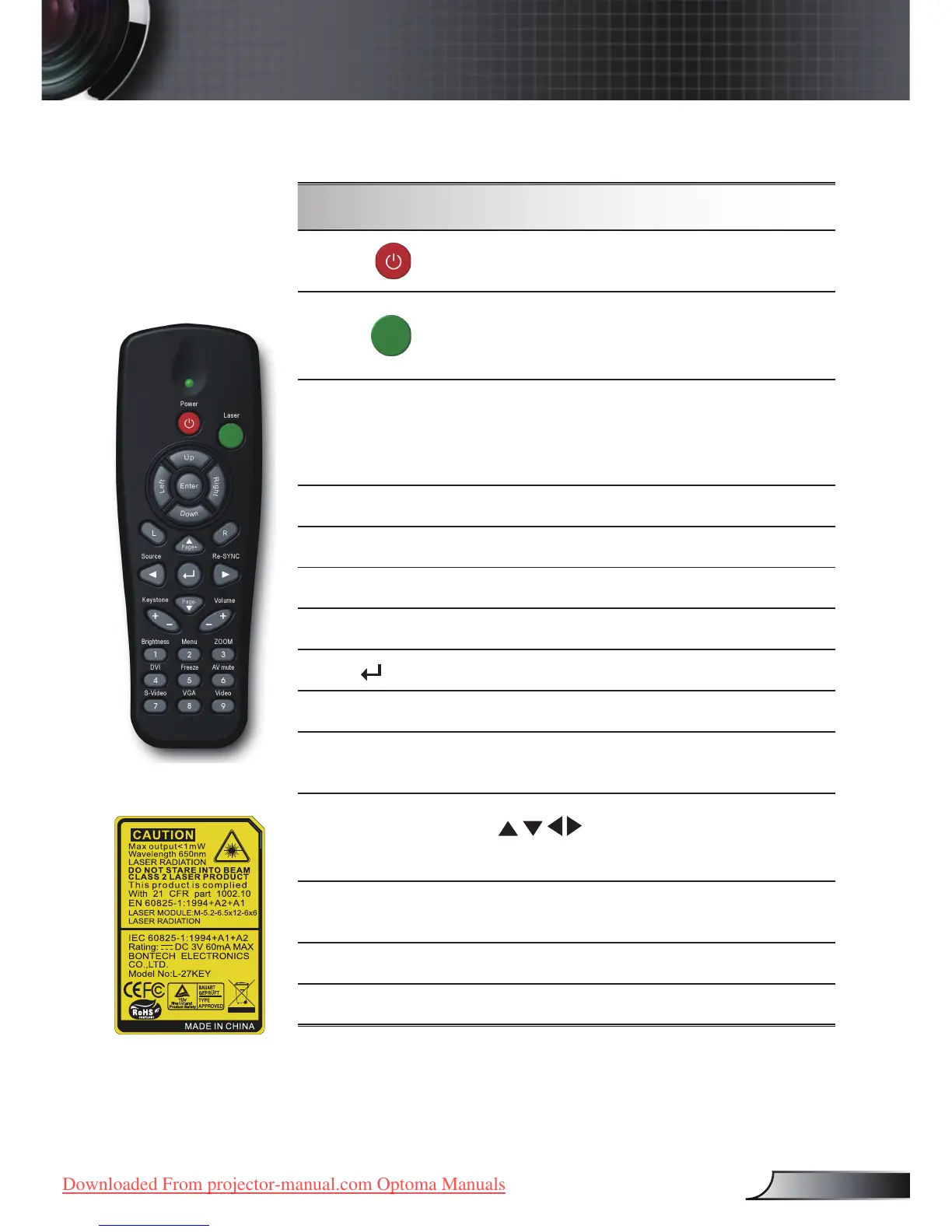
Using the Remote Control
Power
Refer to the “Power On/Off the Projector”
section on pages 14-15.
Laser
Aim the remote at the viewing screen, press
and hold this button to activate the laser
pointer.
PC/Mouse
control
The PC/Mouse control can be used to con-
trol mouse movement. The mouse function
is enabled using the USB cable to connect
your computer and the projector.
L Button
Mouse left click.
R Button
Mouse right click.
Page +
Use this button to page up.
Page -
Use this button to page down.
Enter
Conrm your item selection.
Source
Press “Source” to select an input signal.
Re-Sync
Automatically synchronizes the projector to
the input source.
Four
Directional
Select Keys
Use to select items or make ad-
justments to your selection.
Keystone +/-
Adjusts image distortion caused by tilting
the projector. (±18 degrees)
Volume +/-
Adjusts to increase/decrease the volume.
Brightness
Adjust the brightness of the image.
Remote Control



 To Next Page